

Threat actors may create a custom extension or modify an existing file extension to masquerade a malicious implant as a legitimate file. A custom file extension may be used to support phishing scenarios by evading email gateways and other controls, like the Windows SmartScreen. File extensions are controlled via the registry, and therefore, organizations can perform monitoring of the associated keys to identify the threat at an early stage.
Playbook
Microsoft Defender SmartScreen is a security feature in Windows and Microsoft Edge that helps protect against phishing websites, malicious downloads, and potentially harmful applications. SmartScreen is the first line of defense when users attempt to download arbitrary applications. Threat actors could use a custom extension to bypass this type of filtering and download additional malware. It should be noted that a custom extension doesn’t guarantee the actual format because file associations can be created or modified from the registry.
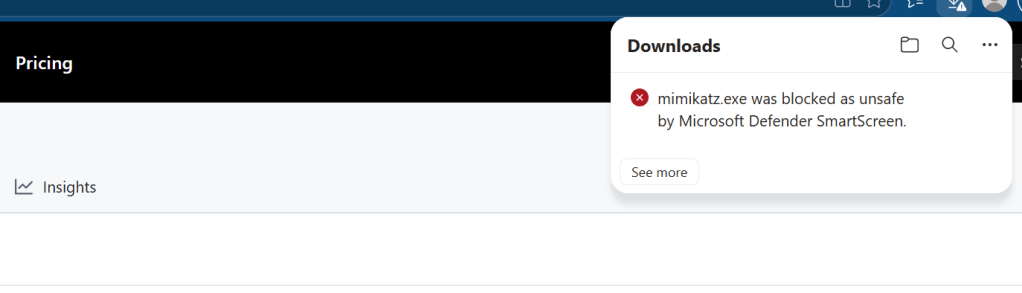
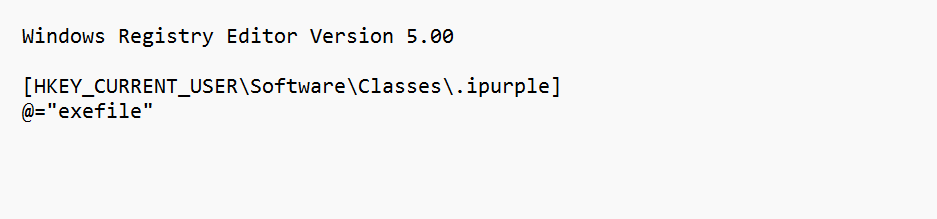
The technique of creating custom extensions was introduced by mrd0x. The .reg file below creates a .ipurple executable file extension.
Windows Registry Editor Version 5.00[HKEY_CURRENT_USER\Software\Classes\.ipurple]@="exefile"
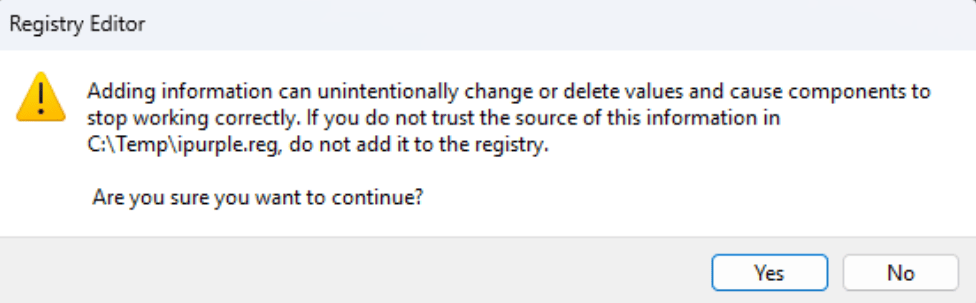
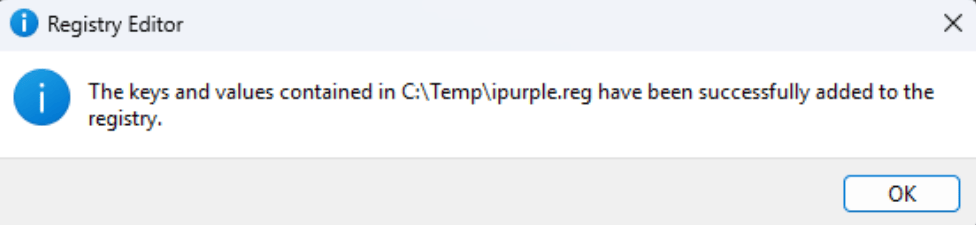
The following message boxes will appear:
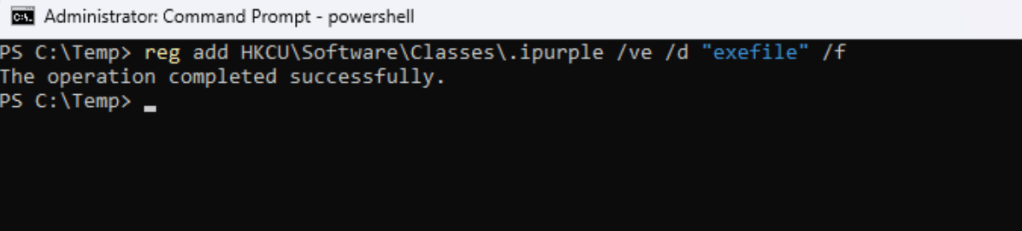
Alternatively, a custom file extension can be added directly from the command line without using the .reg file.
reg add HKCU\Software\Classes\.ipurple /ve /d "exefile" /f
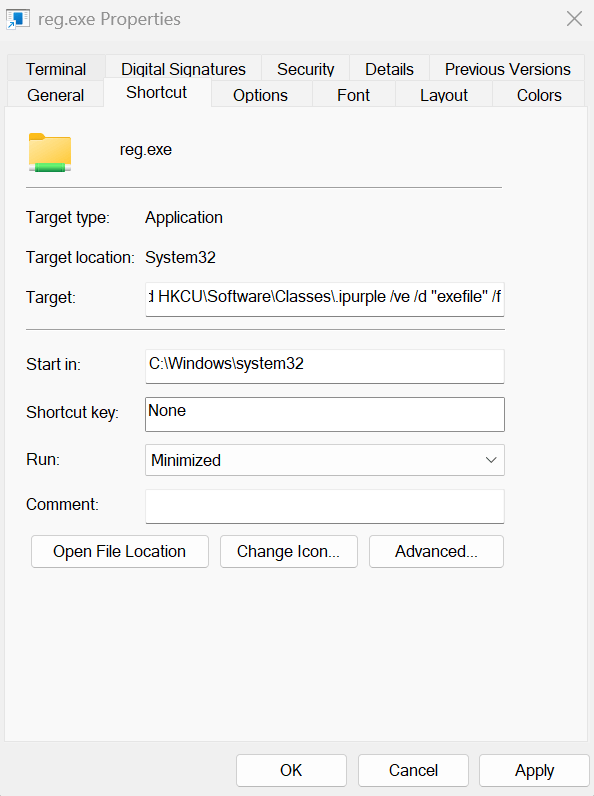
Threat actors could use a custom file extension to evade email gateways and bypass browser-based protections and Windows SmartScreen. The technique could be chained with a malicious shortcut to further disguise the activities described above. Specifically, creating a shortcut and embedding the command below will create the custom extension and run the calc.ipurple file (as long as the file is in the same directory) when the target user initiates a click on the shortcut.
cmd /c C:\Windows\System32\reg.exe add HKCU\Software\Classes\.ipurple /ve /d "exefile" /f && start %CD%\calc.ipurple
Threat actors could also modify the shortcut to alter the Start in directory, run the command in a minimized window, and change the icon.

Running calc.ipurple launches the calculator normally, even though it uses a custom extension.
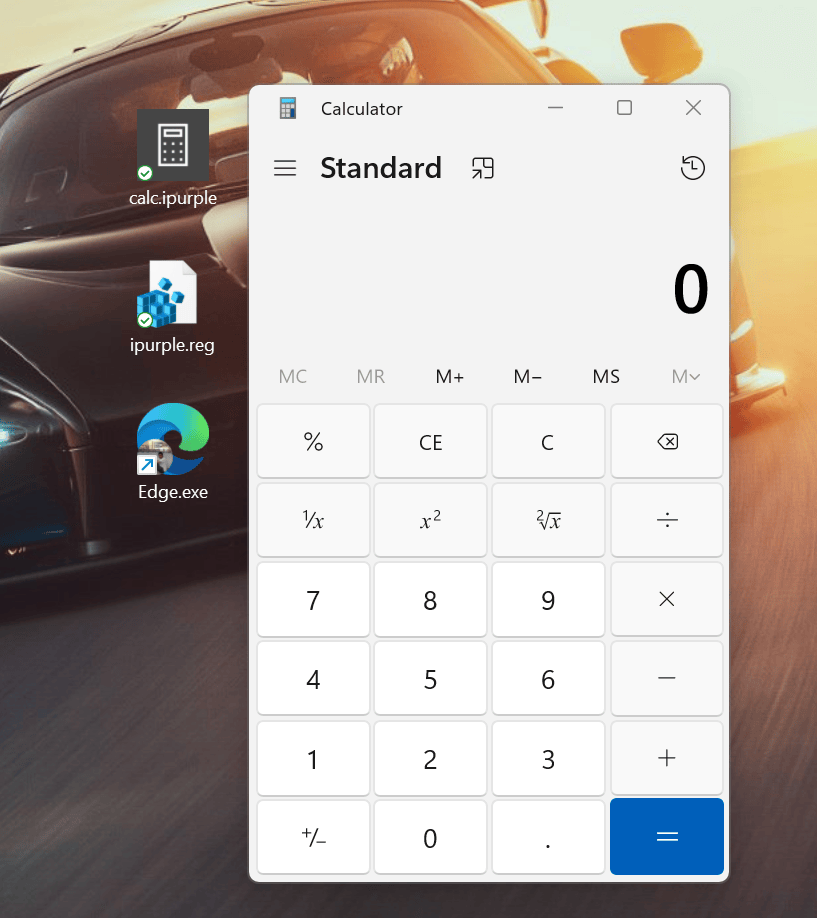
Demo:
The technique could be executed programmatically from an executable. The BYOE.exe performs the registry modification, downloads mimikatz from an arbitrary location, and saves the file on disk using the custom extension. The tool could be used to emulate threat actor behavior without having the same command line visibility and evade the SmartScreen protection.

Detection
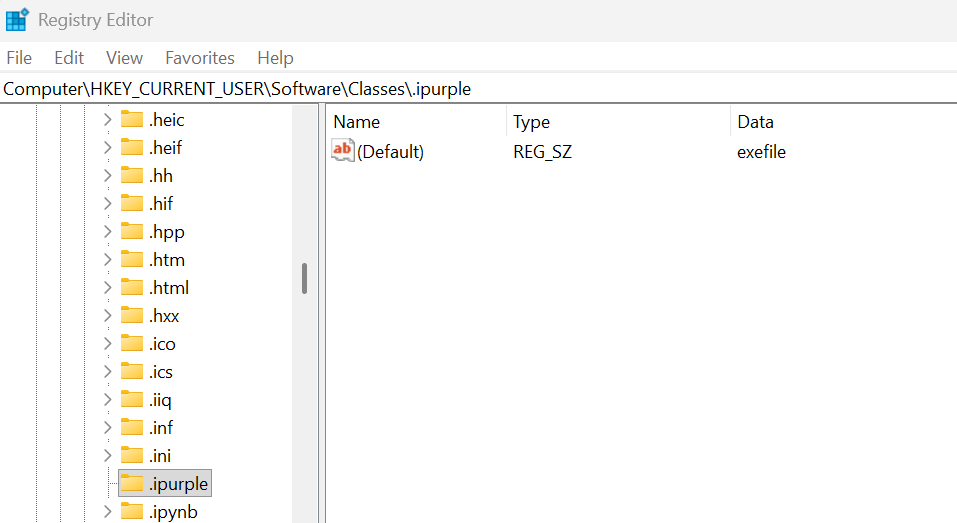
The technique links a file type (.exe) to a custom extension by adding a registry key and modifying the registry. Specifically, threat actors can tamper with the Classes registry key under the HKCU registry hive that contains the file extensions, and add a unique extension. It should be noted that Windows caches file association information in a secondary registry location.
HKEY_CURRENT_USER\Software\Classes\.ipurpleHKEY_CURRENT_USER\Software\Microsoft\Windows\CurrentVersion\Explorer\FileExts\.ipurple
The following Sysmon configuration file enables auditing for the \Software\Classes registry object to capture registry modification attempts related to extensions. Furthermore, enables network connections to capture traffic originating from files with a custom extension.
<Sysmon schemaversion="4.90">
  <HashAlgorithms>SHA256</HashAlgorithms>
  <DnsLookup>false</DnsLookup>
  <EventFiltering>
    <RuleGroup name="BYOFE process context" groupRelation="or">
      <!-- ID 1: no image-name filter; the writer can be any native application. -->
      <ProcessCreate onmatch="exclude" />
    </RuleGroup>

    <RuleGroup name="BYOFE association changes" groupRelation="or">
      <!-- IDs 12, 13, 14. Match paths here; inspect Details in the SIEM. -->
      <RegistryEvent onmatch="include">
        <Rule name="BYOFE extension registrations" groupRelation="or">
          <TargetObject condition="contains">\Software\Classes\.</TargetObject>
          <TargetObject condition="contains">_Classes\.</TargetObject>
          <TargetObject condition="begin with">HKCR\.</TargetObject>
          <TargetObject condition="contains">\Software\Classes\Wow6432Node\.</TargetObject>
          <TargetObject condition="contains">_Classes\Wow6432Node\.</TargetObject>
          <TargetObject condition="begin with">HKCR\Wow6432Node\.</TargetObject>
        </Rule>
        <Rule name="BYOFE user choices and open handlers" groupRelation="or">
          <TargetObject condition="contains">\Explorer\FileExts\</TargetObject>
          <TargetObject condition="contains">\shell\open\command</TargetObject>
          <TargetObject condition="contains">\exefile\shell\</TargetObject>
        </Rule>
        <!-- Capture renames globally: NewName is not used as a collection filter. -->
        <Rule name="BYOFE registry rename context" groupRelation="or">
          <EventType condition="is">RenameKey</EventType>
          <EventType condition="is">RenameValue</EventType>
        </Rule>
      </RegistryEvent>
    </RuleGroup>

    <RuleGroup name="BYOFE PE file evidence" groupRelation="or">
      <!-- ID 29: PE-content detection independent of suffix and destination path. -->
      <FileExecutableDetected onmatch="exclude" />
    </RuleGroup>

    <RuleGroup name="BYOFE file lifecycle context" groupRelation="or">
      <!-- ID 11: common staging locations plus the two example suffixes anywhere.
           Extend these paths for redirected Downloads and organization caches. -->
      <FileCreate onmatch="include">
        <TargetFilename condition="contains">\Downloads\</TargetFilename>
        <TargetFilename condition="contains">\Desktop\</TargetFilename>
        <TargetFilename condition="contains">\AppData\</TargetFilename>
        <TargetFilename condition="contains">\ProgramData\</TargetFilename>
        <TargetFilename condition="contains">\Users\Public\</TargetFilename>
        <TargetFilename condition="contains">\Temp\</TargetFilename>
        <TargetFilename condition="end with">.microsoft</TargetFilename>
        <TargetFilename condition="end with">.kiet</TargetFilename>
      </FileCreate>
      <!-- ID 26: deletion context without archiving deleted files. -->
      <FileDeleteDetected onmatch="include">
        <TargetFilename condition="contains">\Downloads\</TargetFilename>
        <TargetFilename condition="contains">\Desktop\</TargetFilename>
        <TargetFilename condition="contains">\AppData\</TargetFilename>
        <TargetFilename condition="contains">\ProgramData\</TargetFilename>
        <TargetFilename condition="contains">\Users\Public\</TargetFilename>
        <TargetFilename condition="contains">\Temp\</TargetFilename>
        <TargetFilename condition="end with">.microsoft</TargetFilename>
        <TargetFilename condition="end with">.kiet</TargetFilename>
      </FileDeleteDetected>
      <!-- ID 15: MOTW presence/content is enrichment, not a required predicate. -->
      <FileCreateStreamHash onmatch="include">
        <TargetFilename condition="contains">:Zone.Identifier</TargetFilename>
      </FileCreateStreamHash>
    </RuleGroup>

    <RuleGroup name="BYOFE delivery context" groupRelation="or">
      <!-- ID 3: no fixed process names or destination ports. -->
      <NetworkConnect onmatch="include">
        <Initiated condition="is">true</Initiated>
      </NetworkConnect>
      <!-- ID 22: DNS context, including queries answered from cache. -->
      <DnsQuery onmatch="exclude" />
    </RuleGroup>
  </EventFiltering>
</Sysmon>
The reg.exe utility initiates a process, whether it executes from the command line or via a .reg file. The technique is captured under the CommandLine field in process creation events.
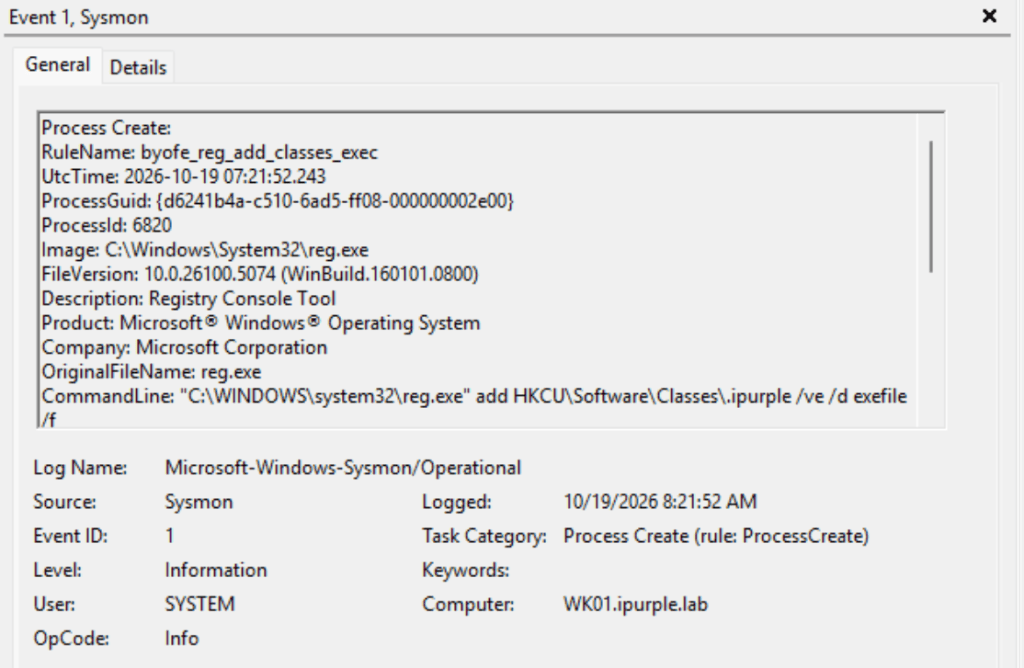
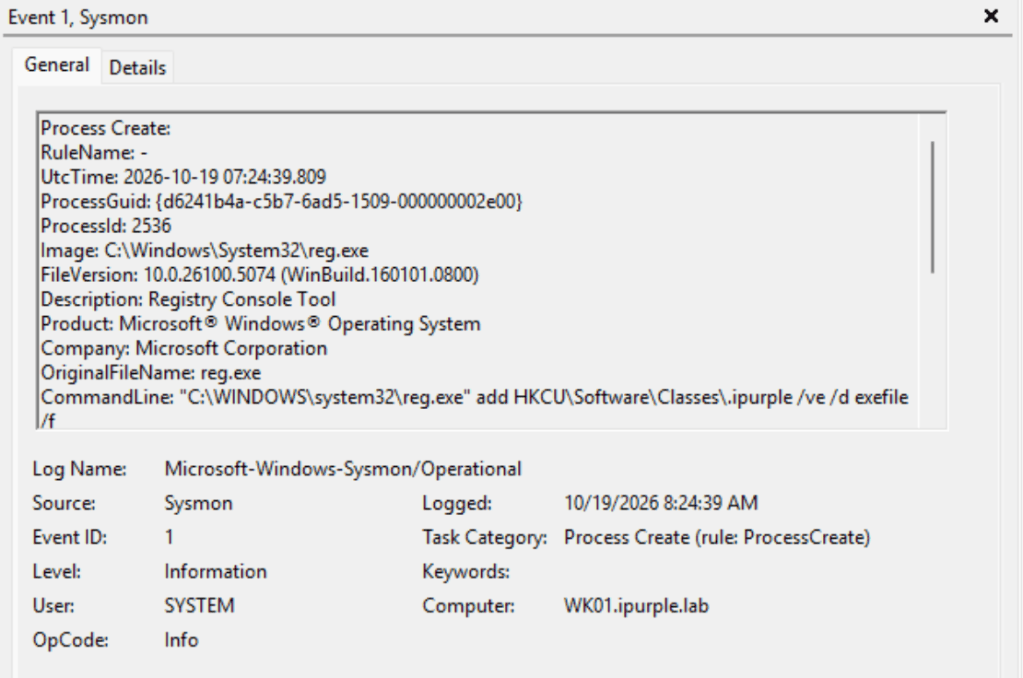
Furthermore, the registry is modified during the execution of the attack. Sysmon captures registry modification events (CreateKey & SetValue) under event ID 12 and event ID 13.
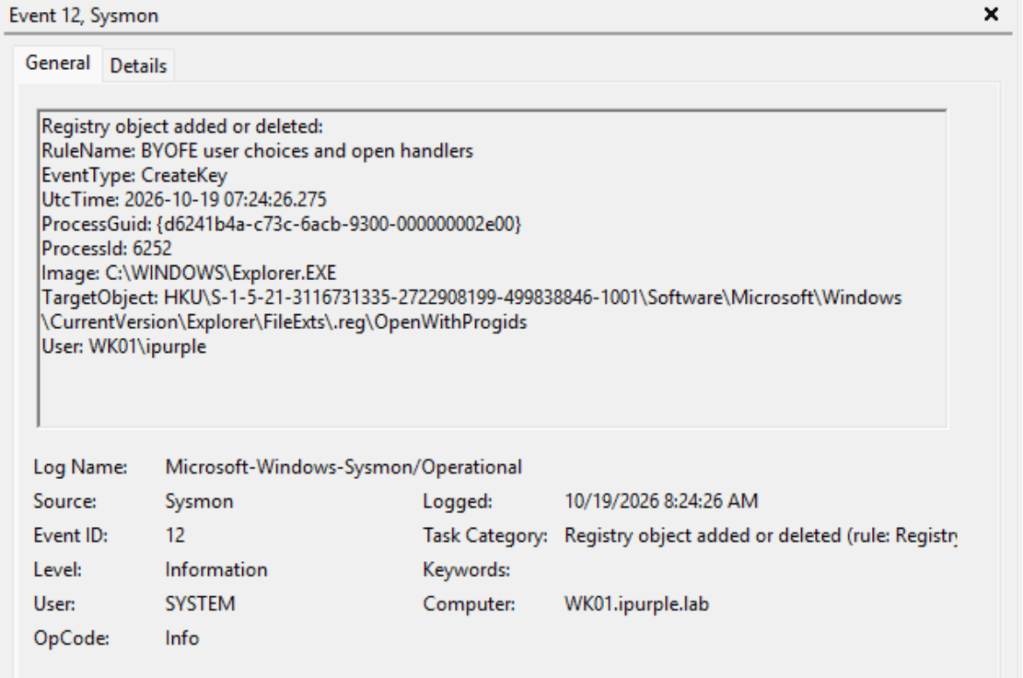
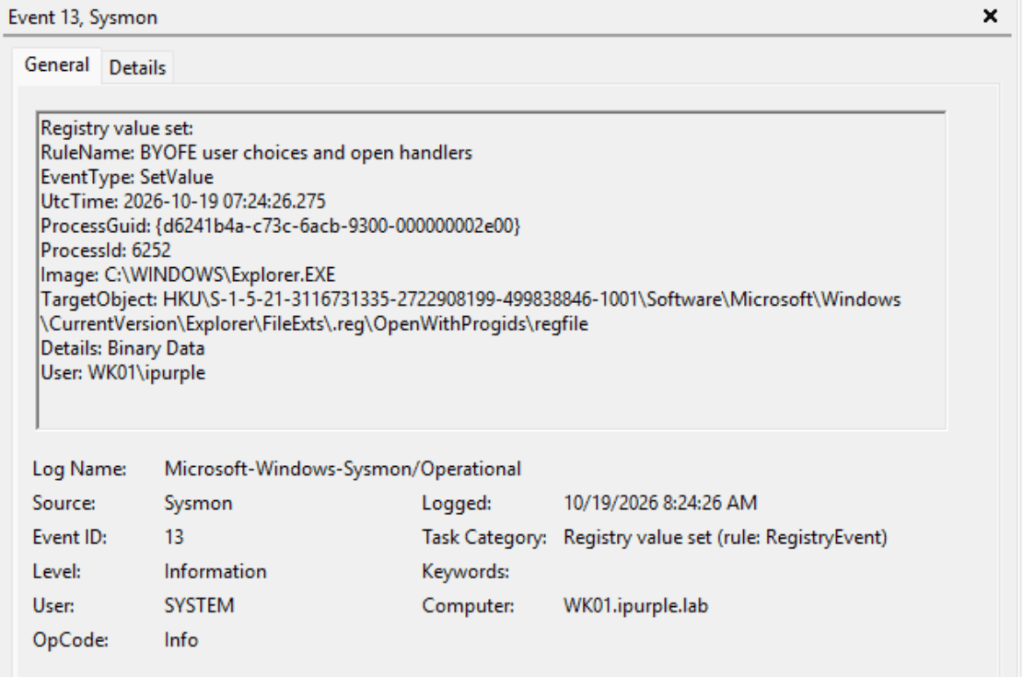
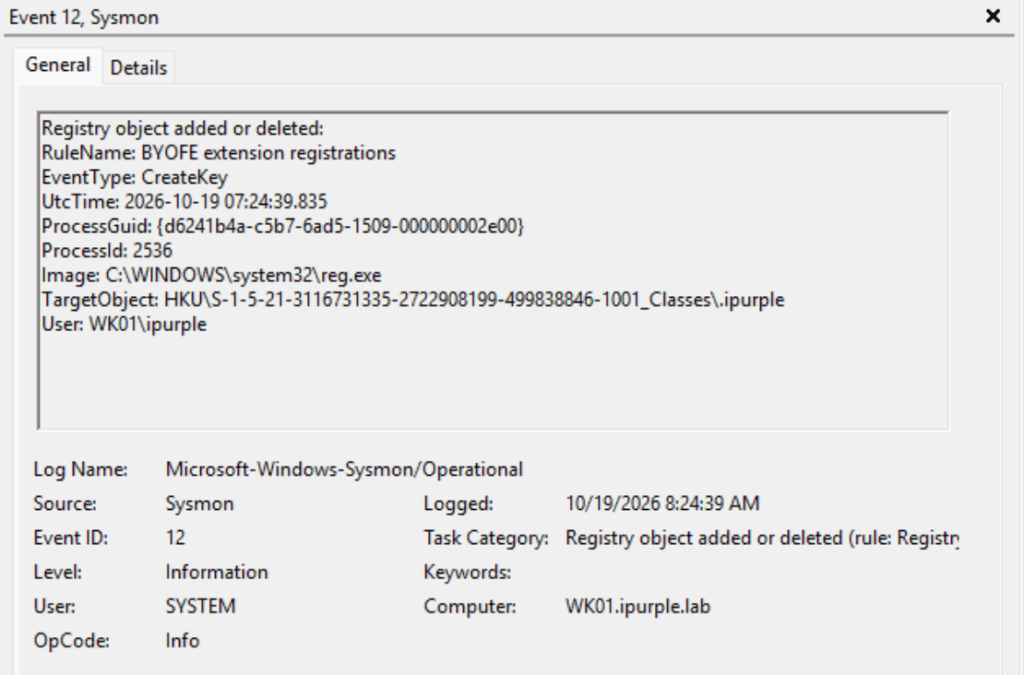
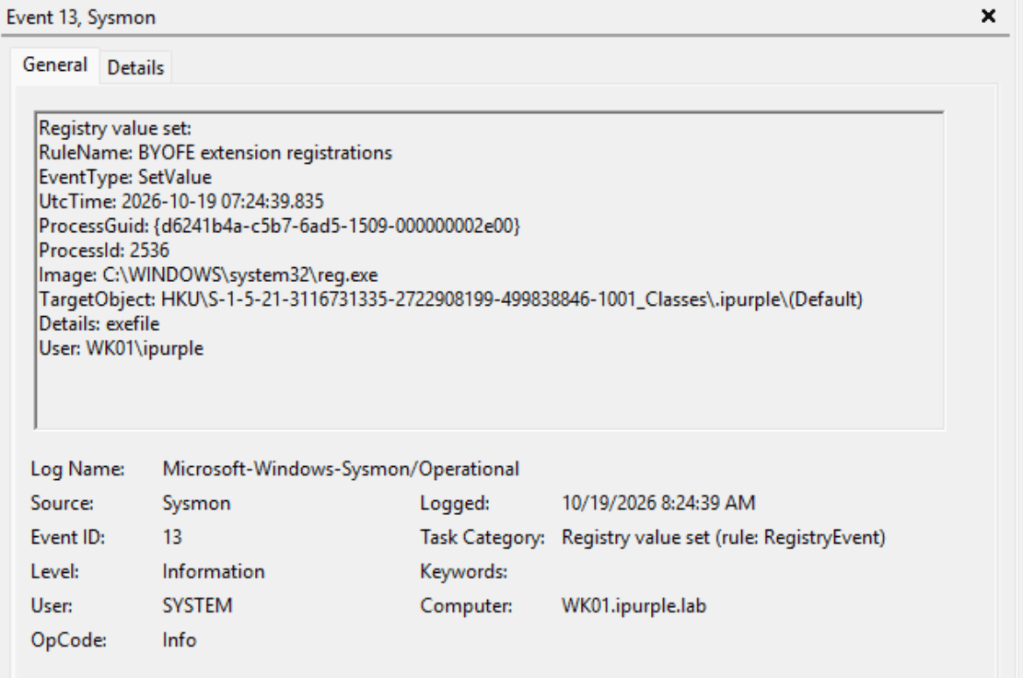
The following table summarizes the data sources and data components to detect this technique:
| Data Source | Data Component | Detects |
|---|---|---|
| Sysmon | Event ID 1 | Process Creation |
| Sysmon | Event ID 12 | Registry Key Creation |
| Sysmon | Event ID 13 | Registry Key Modification |
In summary, the technique can be used to evade specific controls (SmartScreen, Email Filtering) and chained with other techniques in phishing scenarios. Creating a custom extension is trivial and doesn’t require elevated privileges. Even though the technique is not considered highly sophisticated, it does require the attention of organizations to monitor the associated registry keys.


Leave a Reply