
Windows Provisioning Packages are used by Administrators to deploy configuration scripts on Windows environments by using a container format. Threat actors with elevated privileges could abuse provisioning packages to hide arbitrary payloads and commands within these containers. Furthermore, it could be used in conjunction with social engineering to deliver packages attached to emails targeting elevated users within organizations, or used established access to plant .ppkg files in network shares.
Playbook
Windows Provisioning Package (.ppkg) files, are Microsoft deployment containers used to configure Windows devices rapidly. Administrators can use ppkg files to apply settings, install applications, create accounts, enroll devices in management, and configure network or security policies. Threat actors with elevated privileges can disguise malicious payloads as legitimate configuration packages to execute scripts or installers.
David Middlehurst discussed back in 2020 how .ppkg files could be abused for malicious activities. The configuration designer, included in the Windows Assessment and Deployment Kit (ADK), is required for purple team operators to generate and manipulate .ppkg provisioning packages.
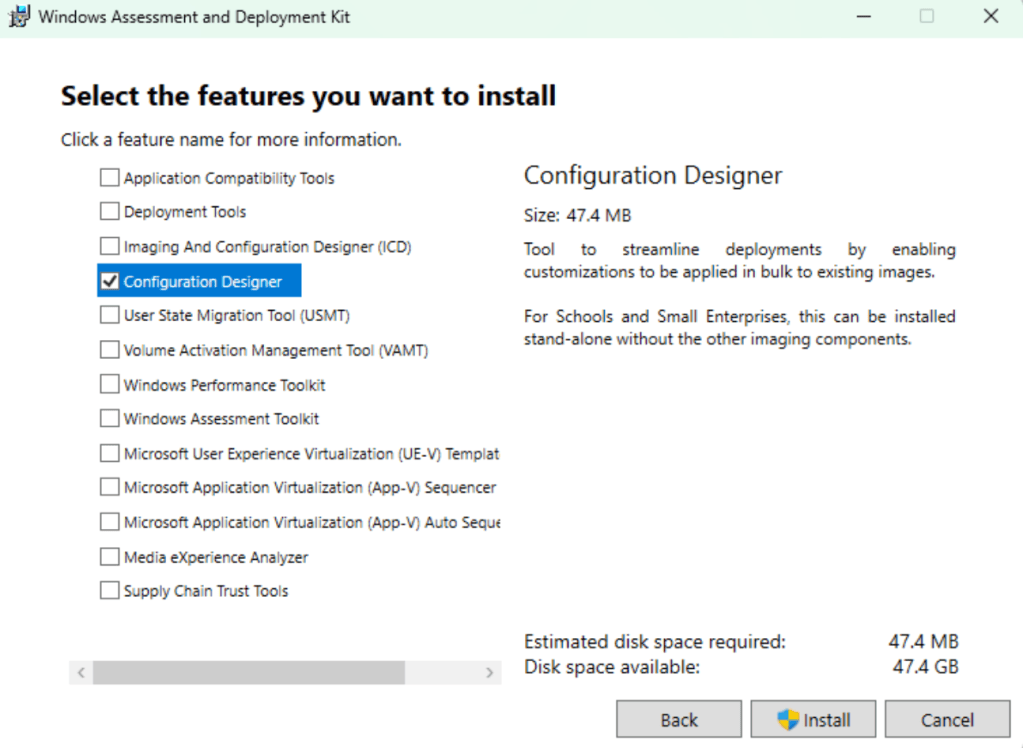
The executable associated with Windows Imaging and Configuration Designer is ICD.exe. It is a package creation tool that compiles configuration settings, scripts, applications, and certificates into Windows provisioning packages. The tool is stored in the following location:
C:\Program Files (x86)\Windows Kits\10\Assessment and Deployment Kit\Imaging and Configuration Designer\x86\ICD.exe
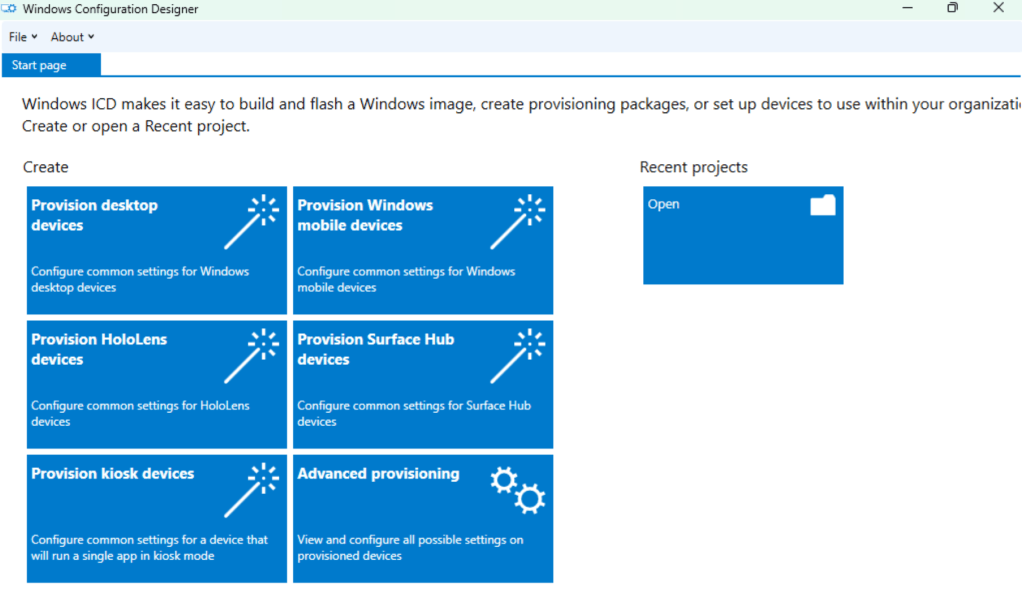
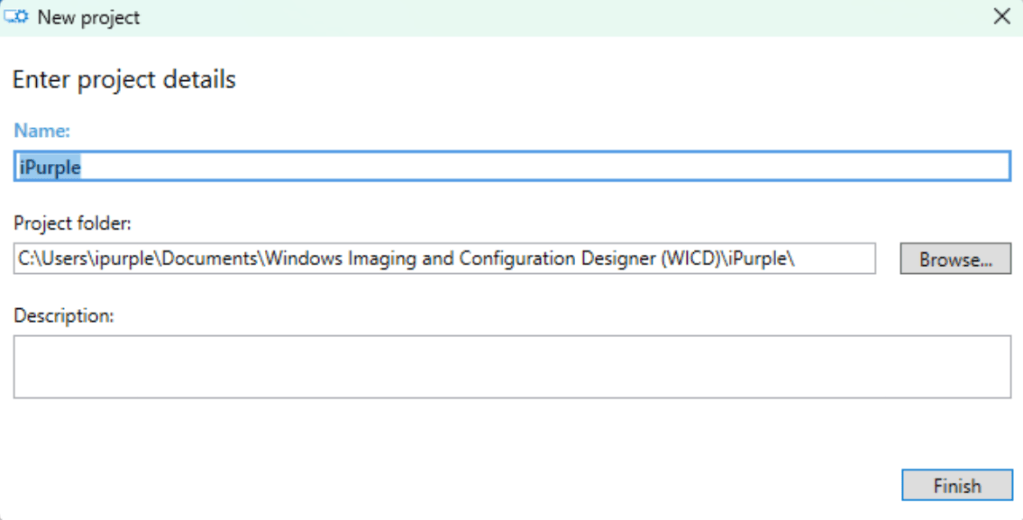
Selecting the Provision desktop devices option will create a new window to assign a project name and a project folder.
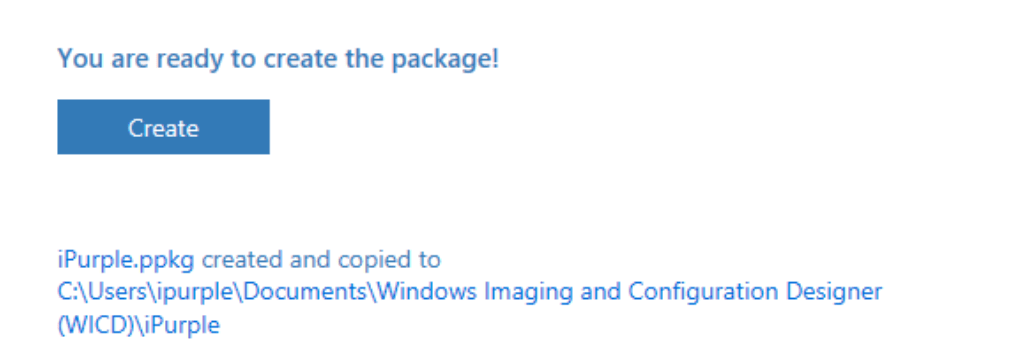
C:\Users\ipurple\Documents\Windows Imaging and Configuration Designer (WICD)\iPurple
Creating a malicious .ppkg file from the Configuration Designer requires a series of steps, such as the device name, configuration of the WiFi network, Active Directory enrollment, creation of a new local administrator account, and addition of applications with command-line arguments.
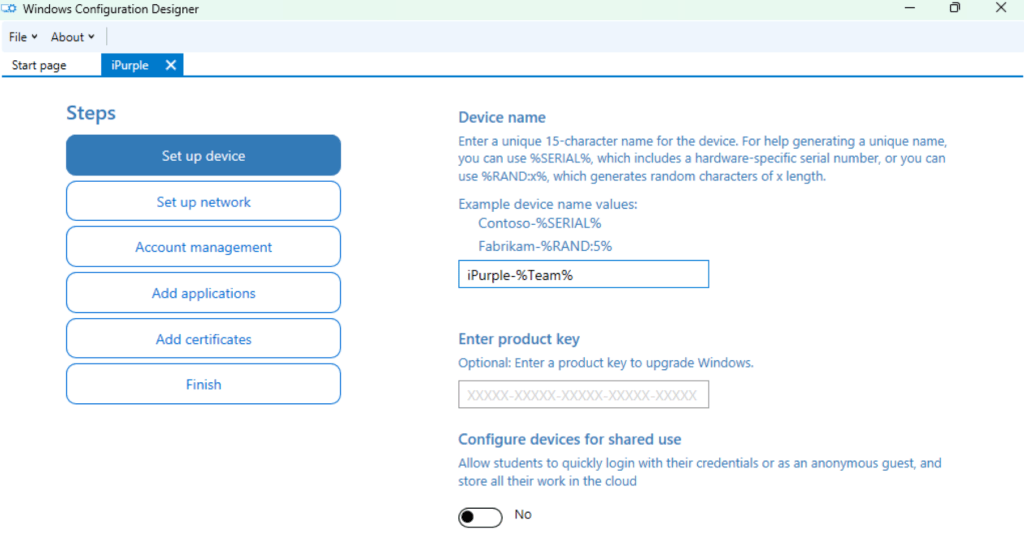
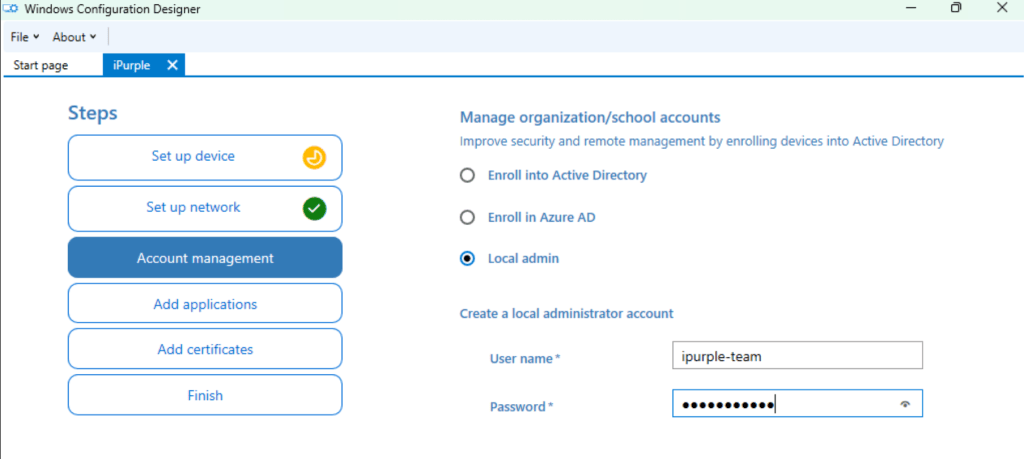
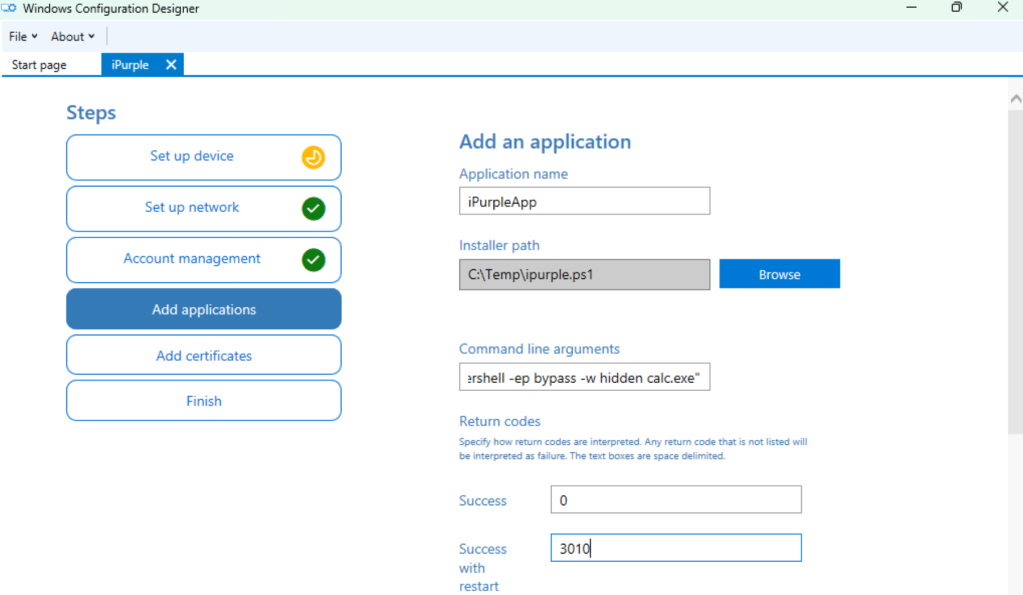
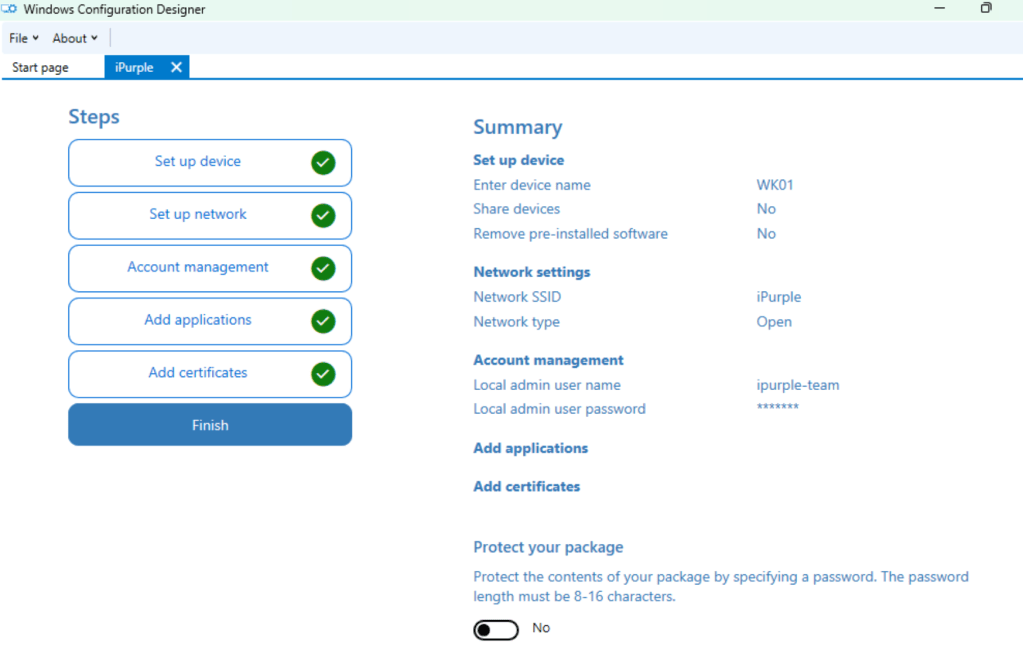
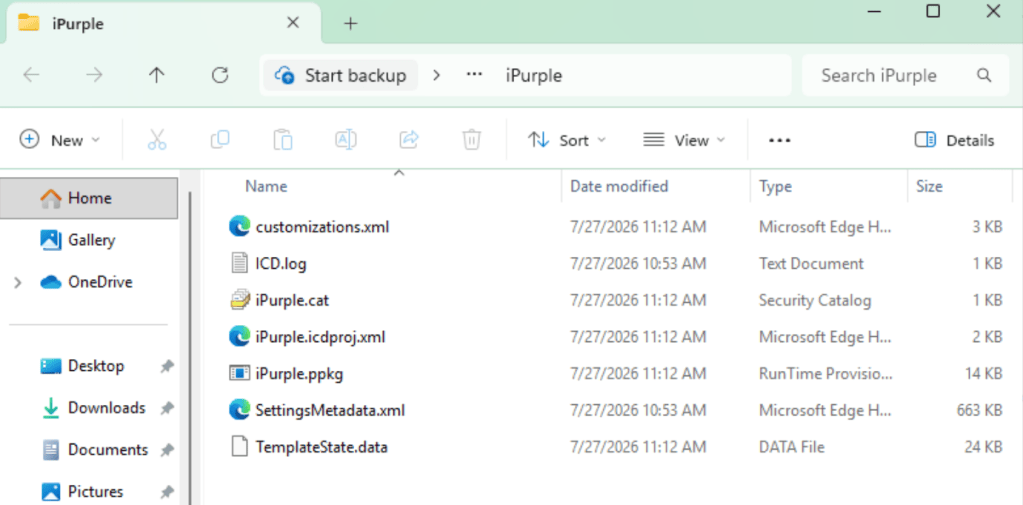
Once the provisioning package is generated, the project folder will also contain multiple other files to support authoring, verification, and troubleshooting. The table below contains a description of each file:
| File | Purpose |
|---|---|
| customizations.xml | File containing settings, package metadata, commands, applications, accounts, certificates, or enrollment instructions. |
| ipurple.icdproj.xml | Project definition: project name, target Windows editions, and Schema used by Configuration Designer. |
| SettingsMetadata.xml | Designer-generated reference metadata describing available Windows settings and CSP options. |
| TemplateState.data | Internal configuration designer state used to reopen the template. |
| ICD.log | Build and diagnostic log produced by Configuration designer. |
| ipurple.ppkg | Deployable package, containing configuration XML, package metadata, and commands. |
| ipurple.cat | Security catalog containing cryptographic hashes and a signature to verify package integrity. |
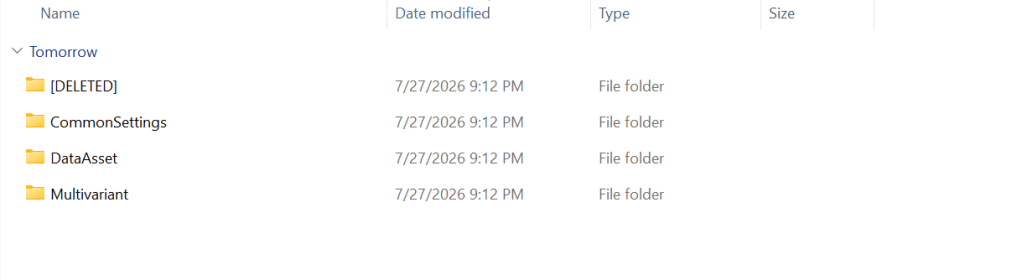
A .ppkg file is a WIM-based container. Upon extraction, there are four folders that contain various XML files.
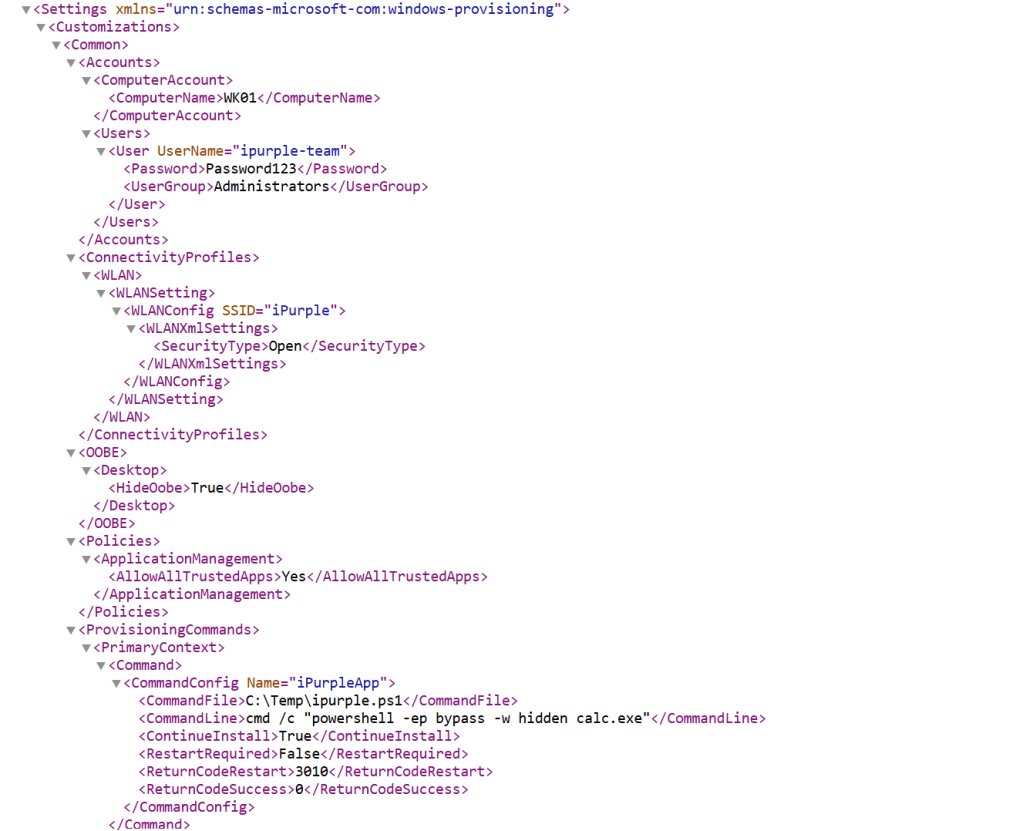
The file of interest is the customizations.xml that contains the data imported by the Windows Configuration Designer, including commands and credentials in clear text.
This XML file does not appear to have any style information associated with it. The document tree is shown below.
<WindowsCustomizations>
<PackageConfig xmlns="urn:schemas-Microsoft-com:Windows-ICD-Package-Config.v1.0">
<ID>{26235396-b95d-47fe-981b-125fdca8baed}</ID>
<Name>iPurple</Name>
<Version>1.0</Version>
<OwnerType>OEM</OwnerType>
<Rank>0</Rank>
<Notes/>
</PackageConfig>
<Settings xmlns="urn:schemas-microsoft-com:windows-provisioning">
<Customizations>
<Common>
<Accounts>
<ComputerAccount>
<ComputerName>WK01</ComputerName>
</ComputerAccount>
<Users>
<User UserName="ipurple-team">
<Password>Password123</Password>
<UserGroup>Administrators</UserGroup>
</User>
</Users>
</Accounts>
<ConnectivityProfiles>
<WLAN>
<WLANSetting>
<WLANConfig SSID="iPurple">
<WLANXmlSettings>
<SecurityType>Open</SecurityType>
</WLANXmlSettings>
</WLANConfig>
</WLANSetting>
</WLAN>
</ConnectivityProfiles>
<OOBE>
<Desktop>
<HideOobe>True</HideOobe>
</Desktop>
</OOBE>
<Policies>
<ApplicationManagement>
<AllowAllTrustedApps>Yes</AllowAllTrustedApps>
</ApplicationManagement>
</Policies>
<ProvisioningCommands>
<PrimaryContext>
<Command>
<CommandConfig Name="iPurpleApp">
<CommandFile>C:\Temp\ipurple.ps1</CommandFile>
<CommandLine>cmd /c "powershell -ep bypass -w hidden calc.exe"</CommandLine>
<ContinueInstall>True</ContinueInstall>
<RestartRequired>False</RestartRequired>
<ReturnCodeRestart>3010</ReturnCodeRestart>
<ReturnCodeSuccess>0</ReturnCodeSuccess>
</CommandConfig>
</Command>
</PrimaryContext>
</ProvisioningCommands>
</Common>
</Customizations>
</Settings>
</WindowsCustomizations>
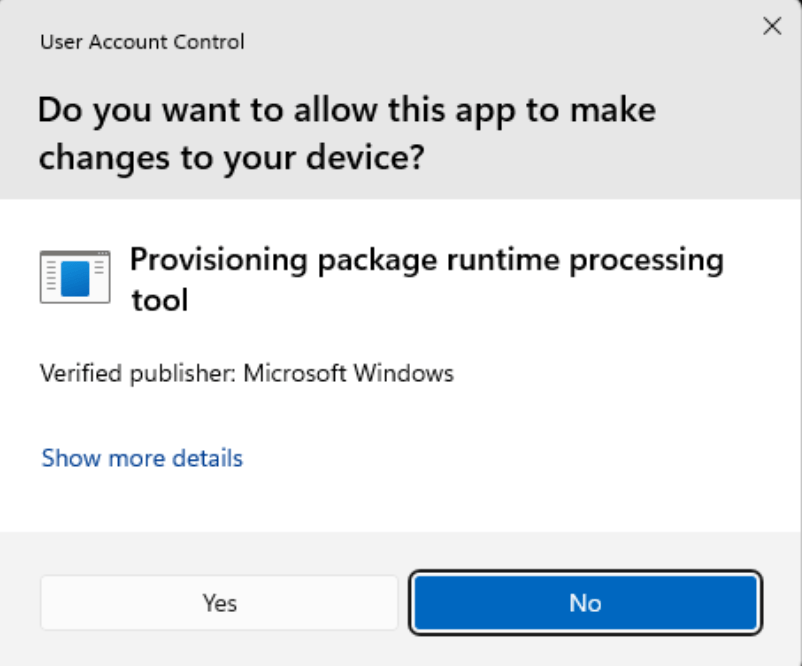
Elevated permissions are required to run .ppkg files because User Account Control prompts on execution.
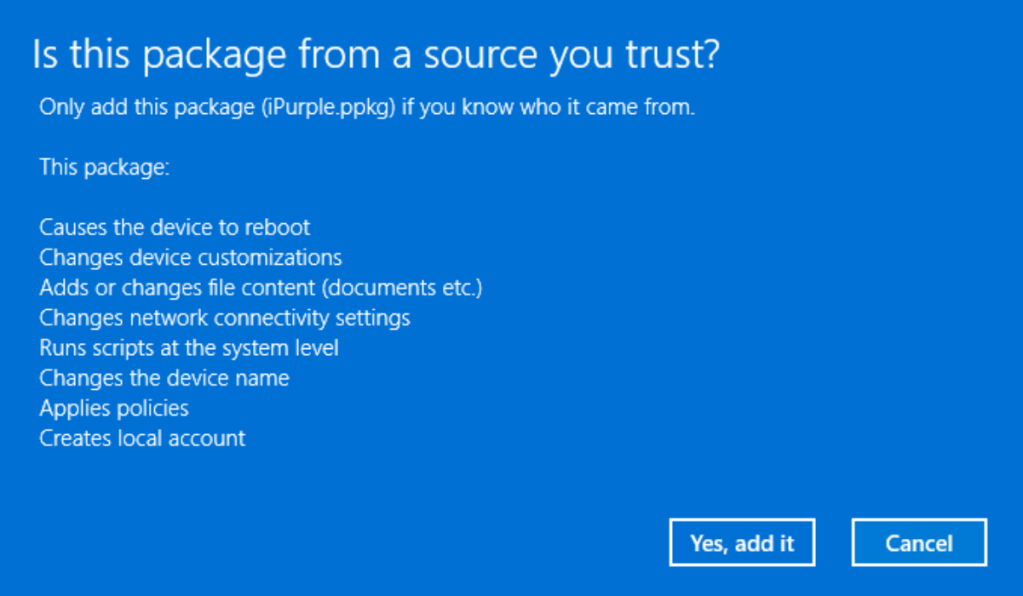
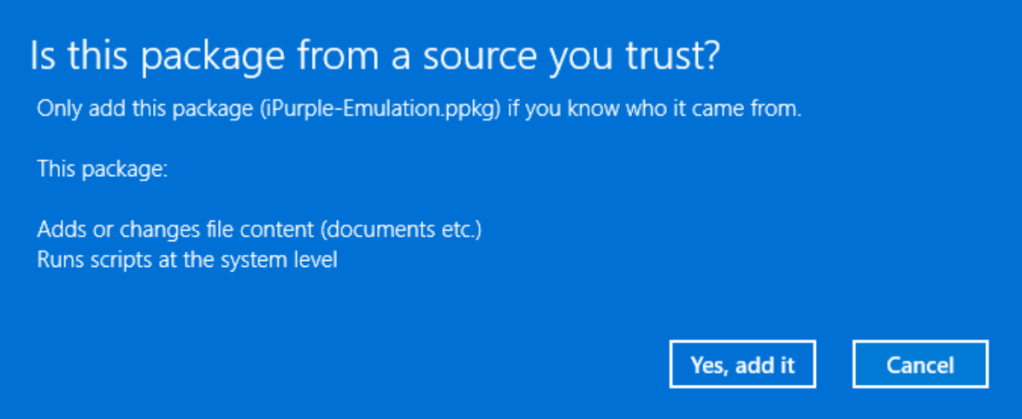
The user also receives a second warning, and the option Yes, add it is required to deploy the arbitrary package.
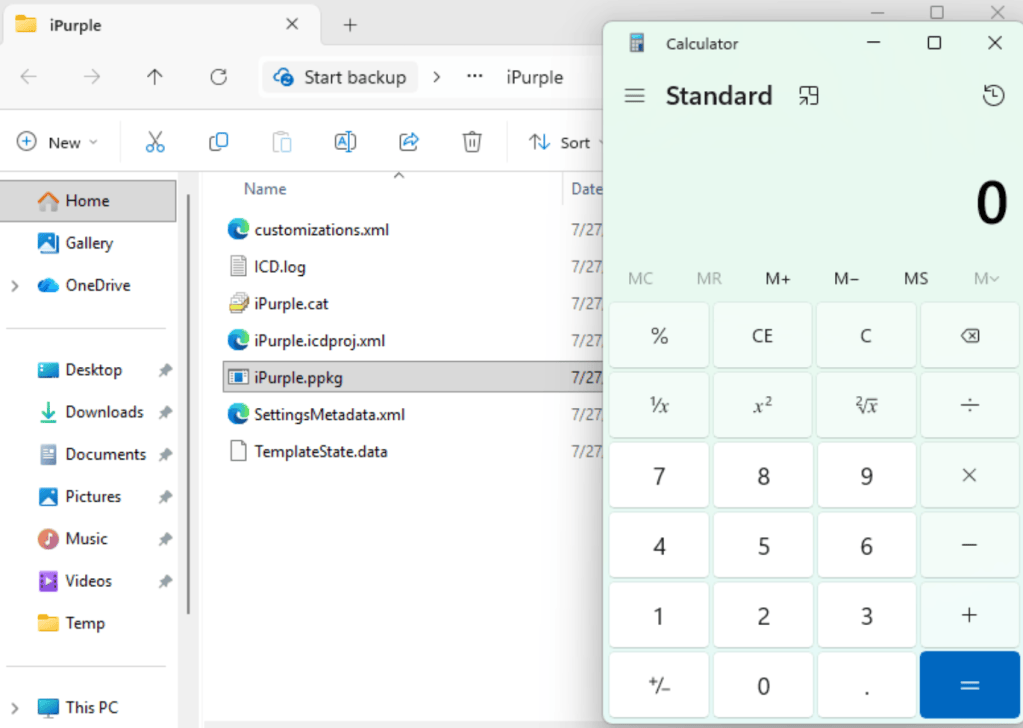
Upon deployment, the arbitrary command is executed (in this scenario calc.exe).
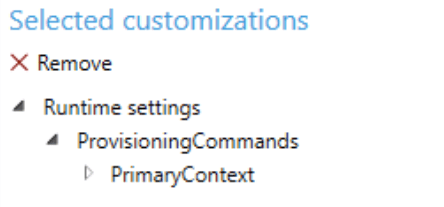
It is also possible to use the Advanced Editor in the Windows Configuration Designer to strip down information from the warning message.
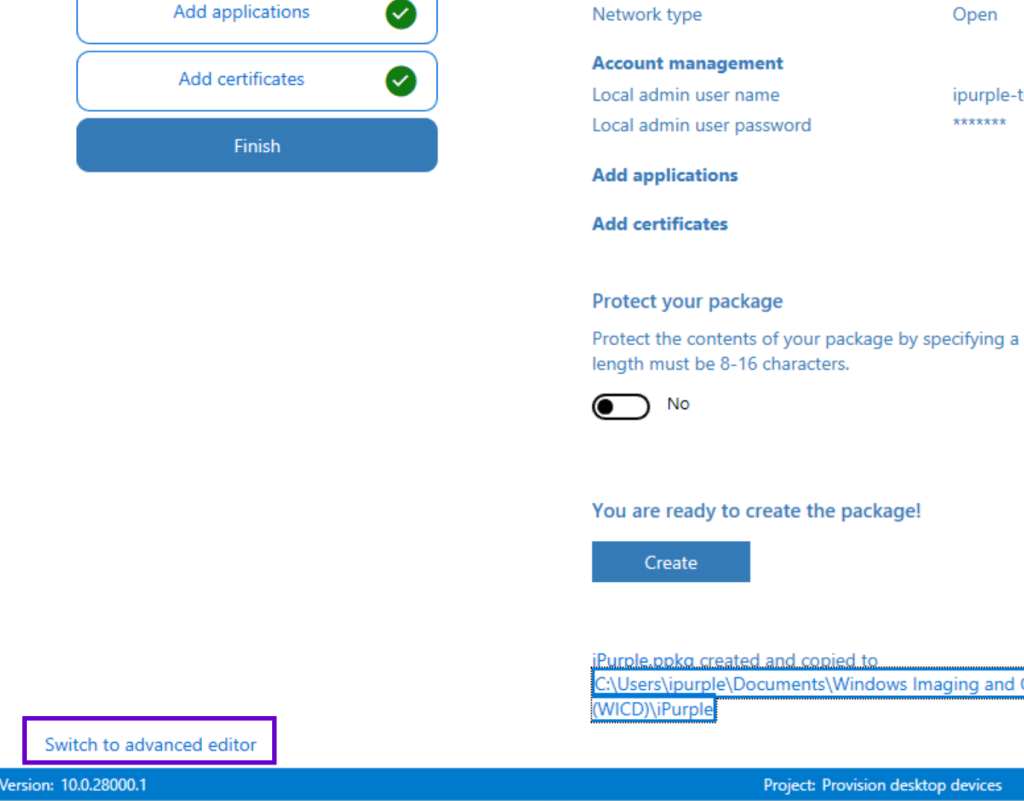
From the selected customizations, removing options from the default template will cause the warning to contain limited information.
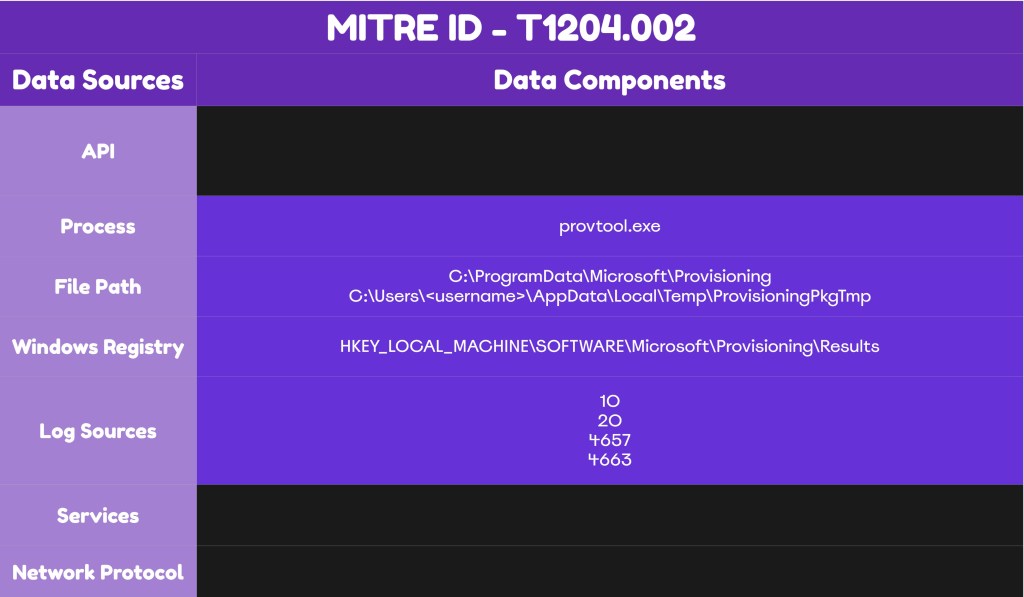
The technique abstract for abusing Windows Provisioning packages is provided below:
Detection
The technique of abusing Windows Provisioning Packages for execution, it is not very common. Provisioning Packages are stored in the registry and the file system, so SOC teams with the necessary visibility have multiple detection opportunities. Additionally, the Provisioning Diagnostics Provider could be used as the main detection data source for arbitrary containers. It is recommended to perform log correlation and engineer detection rules to cover all the known locations where the.ppkg files are stored to detect the technique trivially.
Provisioning Diagnostics Provider
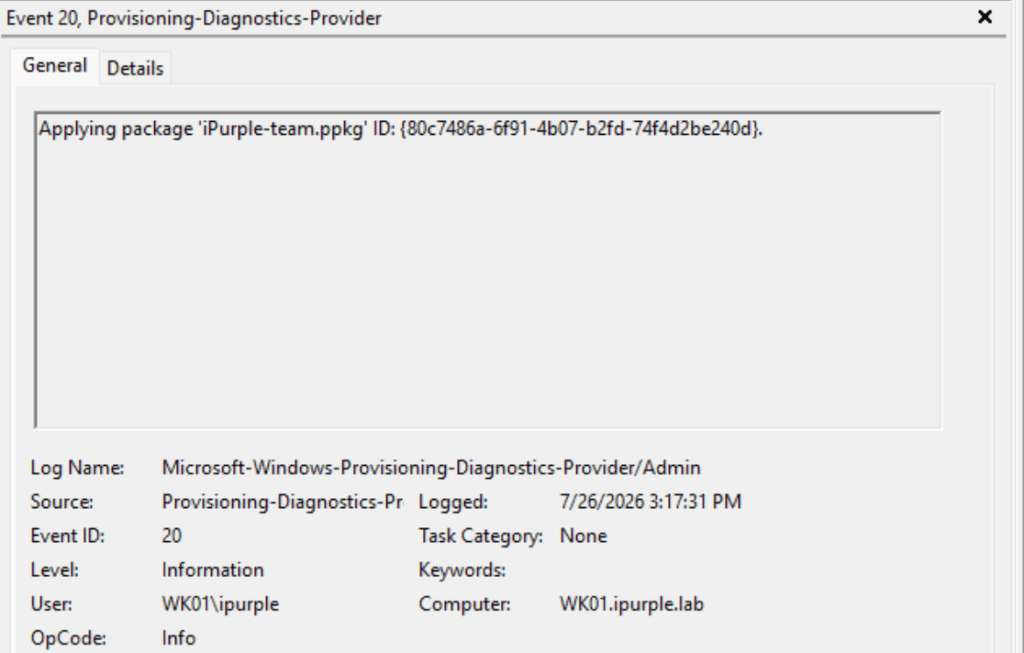
The Microsoft-Windows-Provisioning-Diagnostics-Provider is a Windows event log source that records administrative activities from the Windows Provisioning Engine, including .ppkg discovery, application installation and removal, processed configuration settings, and package identifiers. Therefore, activities associated with .ppkg packages are recorded in this event log. Specifically, when a package is applied, the event ID 20 is generated in the logs. The Provisioning Diagnostics Provider is a core data source to identify the installation of malicious provisioning packages, especially in environments that are not utilizing .ppkg containers for asset configuration.
Microsoft-Windows-Provisioning-Diagnostics-Provider
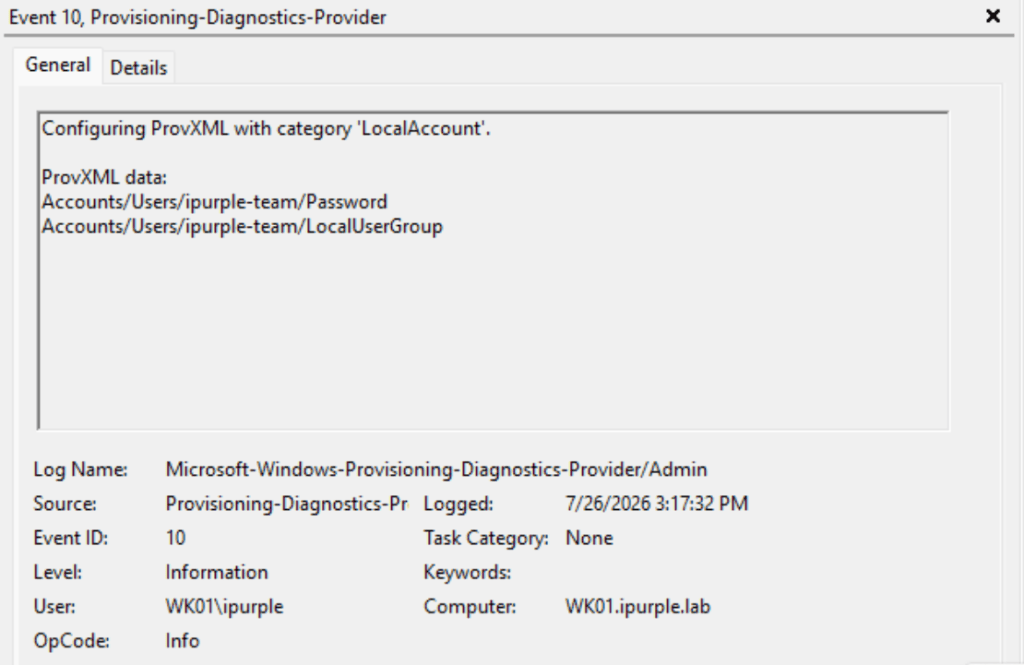
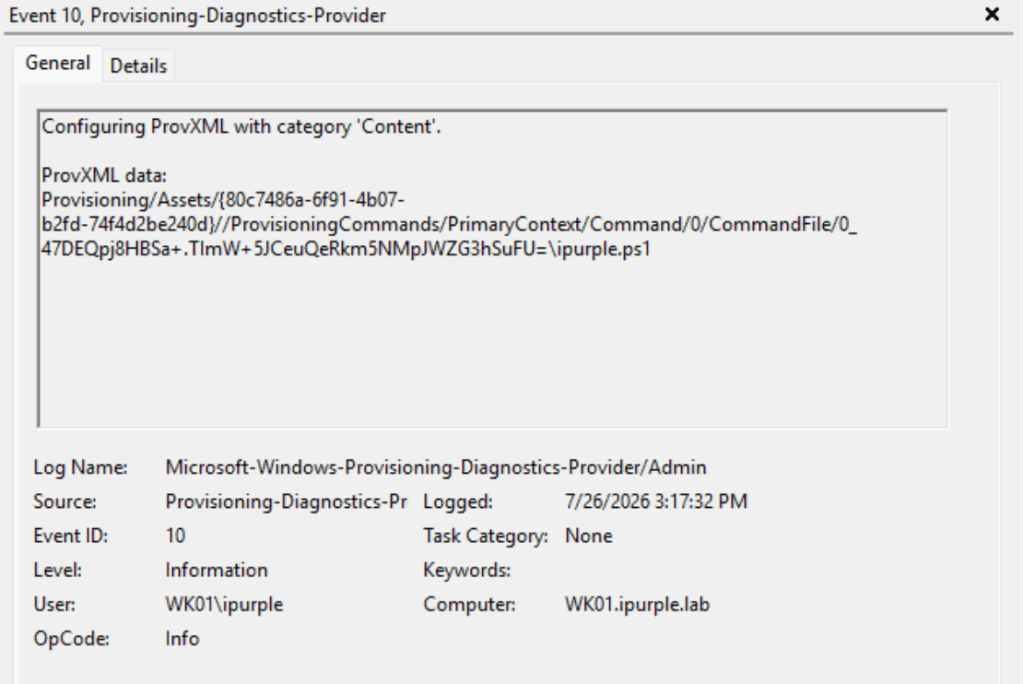
The event ID 10 contains information associated with the provisioning packages, such as the creation of the local administrator account and the arbitrary application file (i.e. .exe, script).
File System
Windows stores deployed .ppkg files in the persistent runtime provisioning repository. Packages are copied in this location before processing and retained so Windows can apply settings across setup stages, continue deferred actions after logon or reboot, retry failures, and track installed packages.
C:\ProgramData\Microsoft\Provisioning
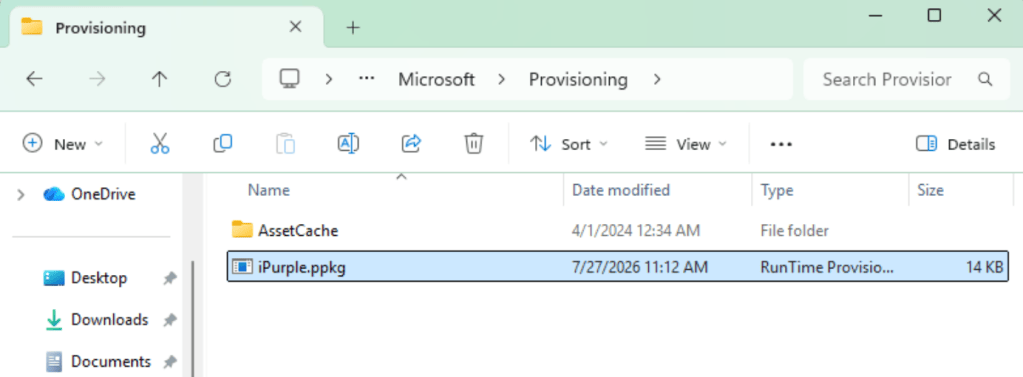
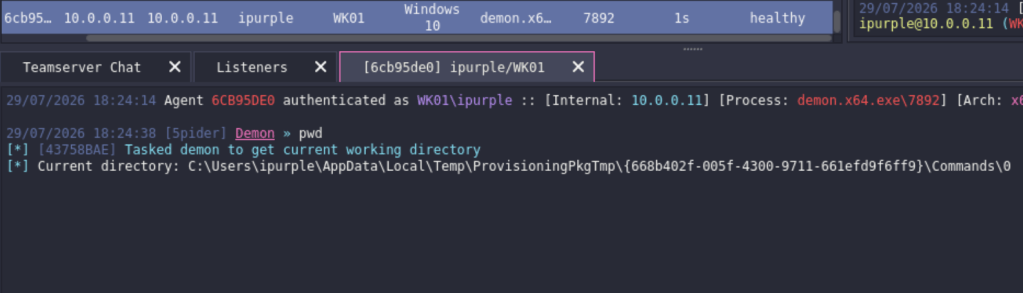
Unexpected package creation in this location should be treated as suspicious. A secondary location that stores extracted .cmd, .bat, .ps1, .exe, .msi, .cab, or supported configuration files, is the following:
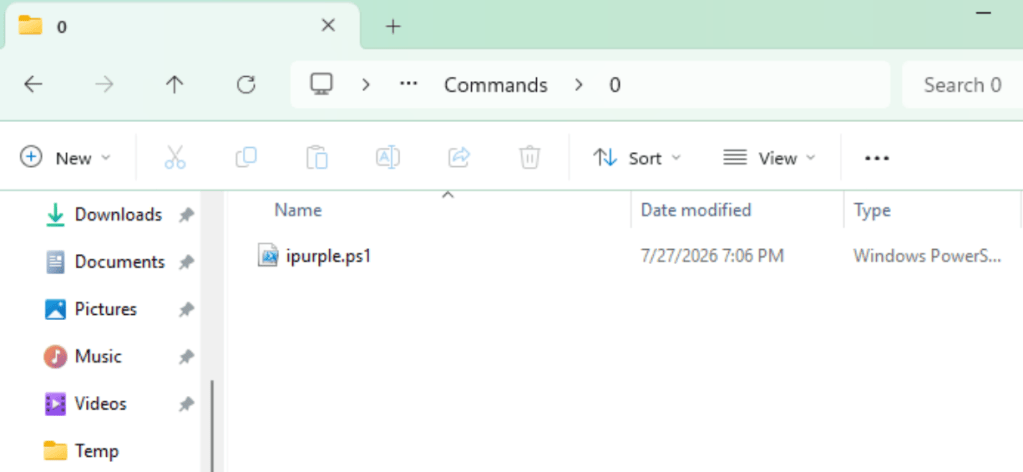
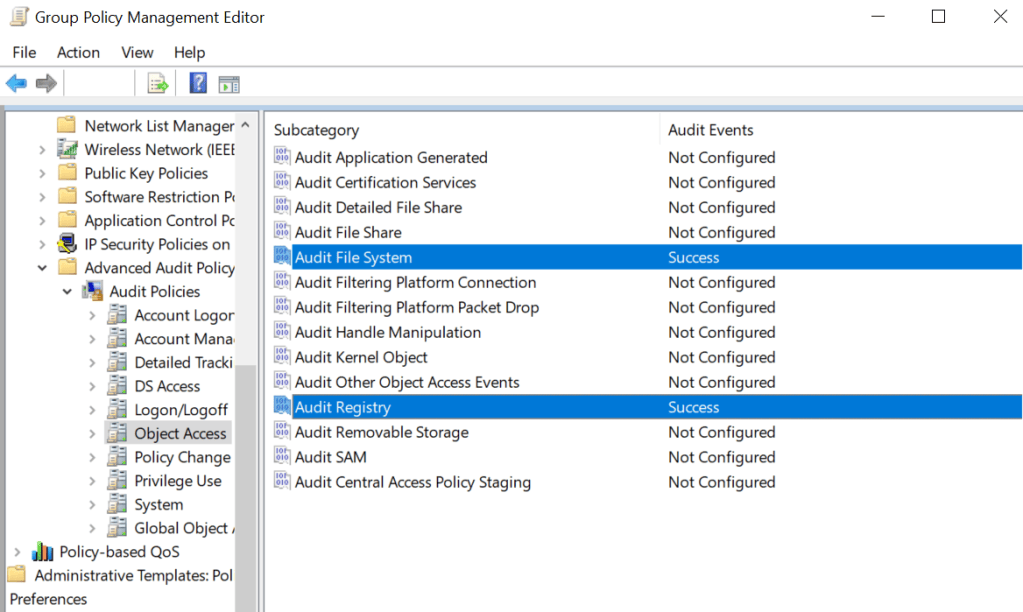
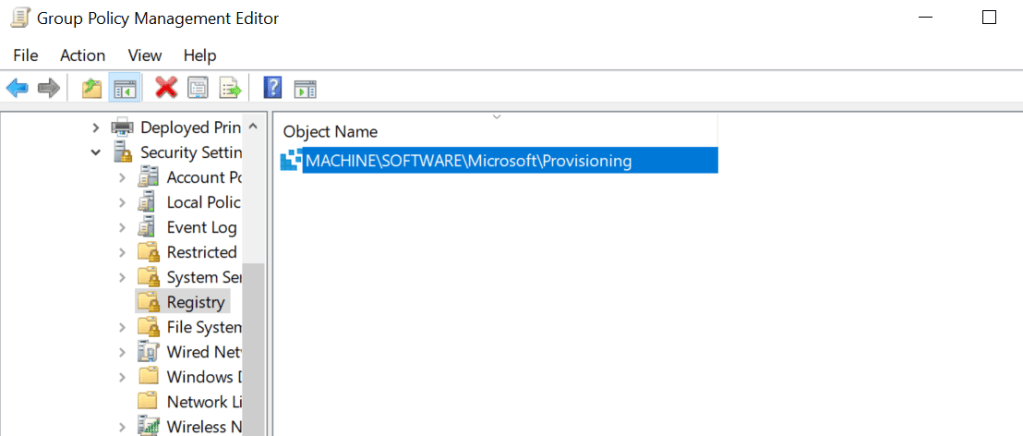
Windows executes the configured command stored in this folder as its working directory. This is a temporary staging directory, created when a provisioning package is applied interactively by the user. Therefore, auditing for these file paths should be enabled from Group Policy. Initially, the Audit File System group policy object should be set to Success. Similarly, auditing must be enabled for the associated registry keys.
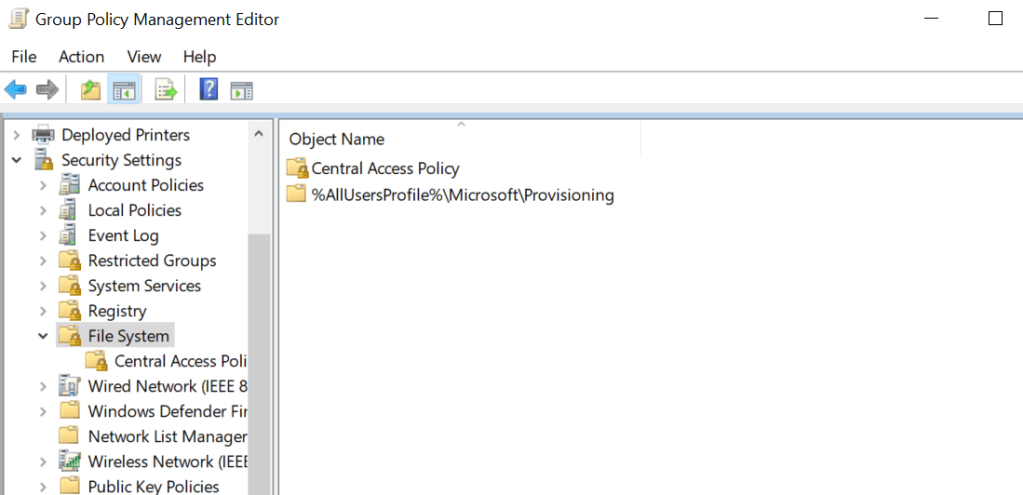
Furthermore, auditing for the Provisioning folder should be enabled and applied across every endpoint.
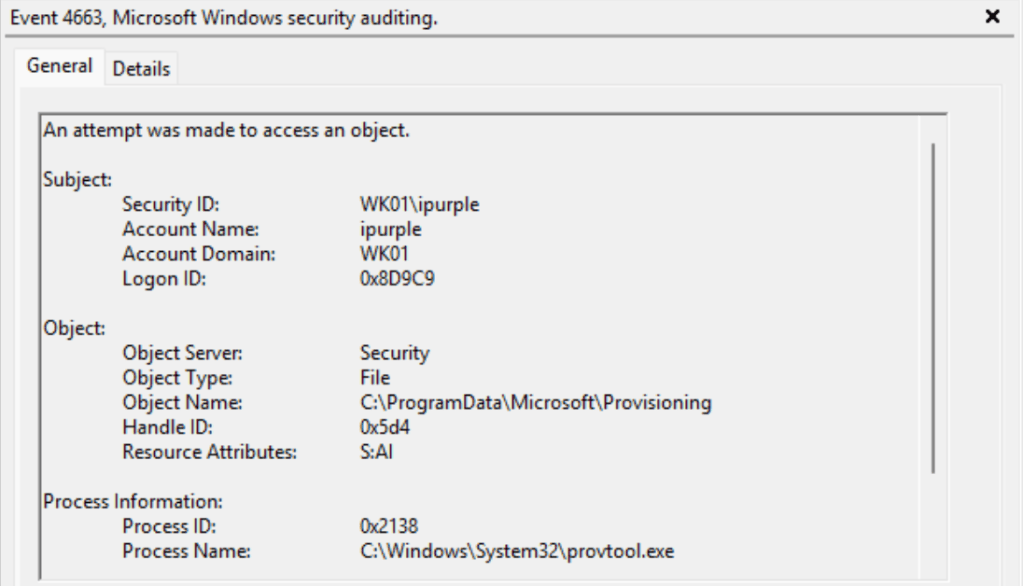
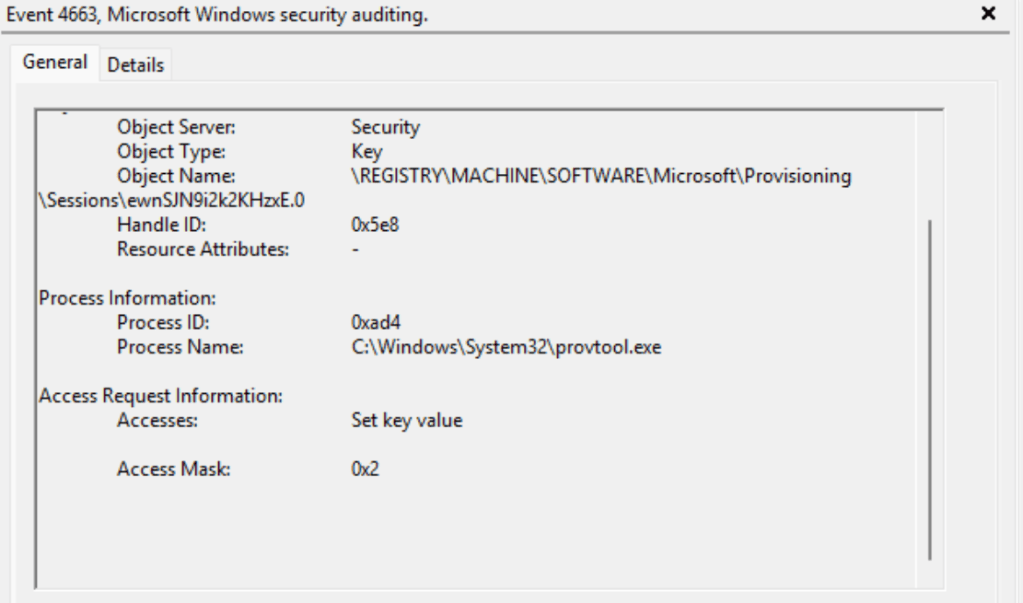
The process associated with the Windows runtime provisioning engine is provtool.exe. The process accesses the provisioning folder to discover and open ppkg containers, parse their WIM metadata and provisioning XML, extract commands, among other activities. Therefore, the event ID 4663 will be generated in the logs. Organizations should correlate this event ID with the event ID 20 to detect at an early stage the installation of arbitrary provisioning packages.
Registry
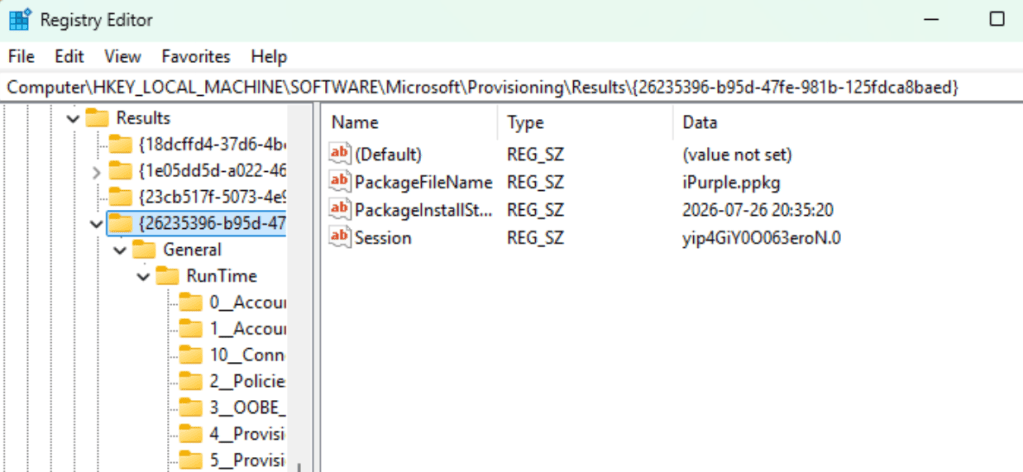
Processed packages by the provisioning engine are also stored in the registry. Each subkey inside the Results key is named after the package runtime GUID. There are three entries inside the GUID key: the package file name, the timestamp of when the package was processed, and the package session information.
HKEY_LOCAL_MACHINE\SOFTWARE\Microsoft\Provisioning\Results
Enabling auditing for the provisioning registry key and subkeys, enhances the visibility since multiple keys are created, modified, and accessed.
The event IDs 4657 and 4663 are generated when a new provisioning package container is installed.
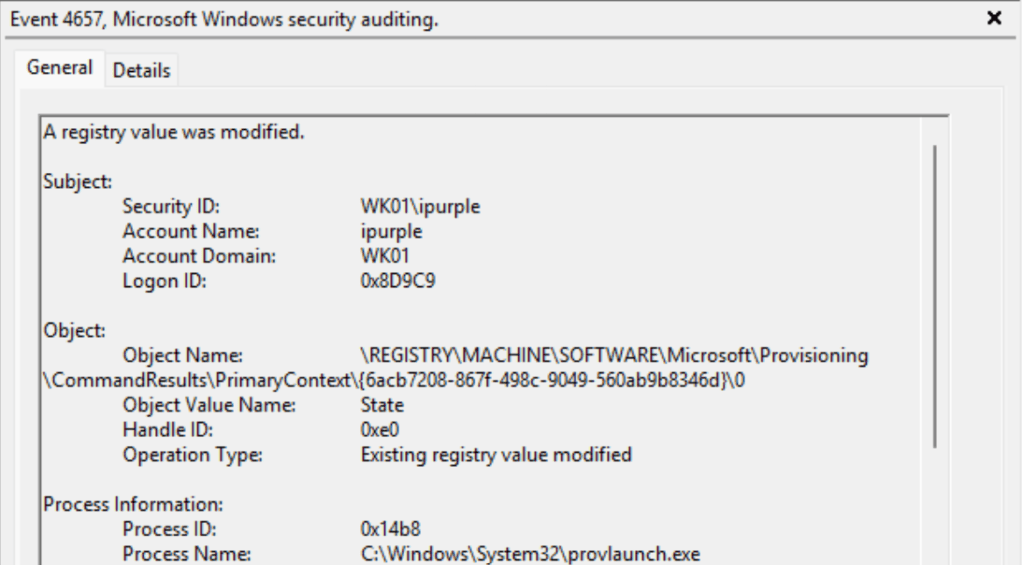
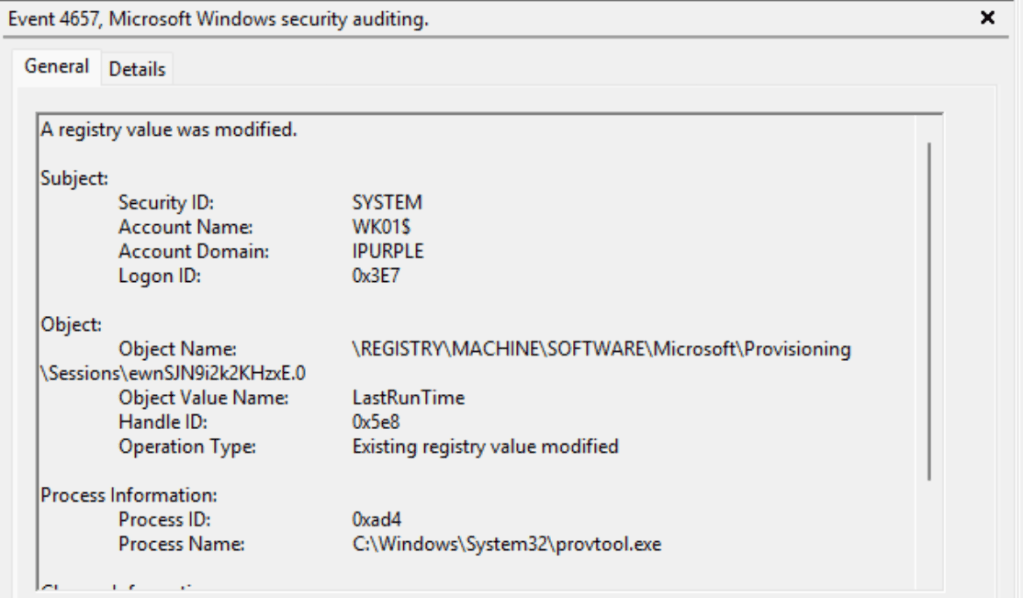
The following table summarizes the data sources and data components required to detect this technique:
| Data Source | Data Component | Detects |
|---|---|---|
| Provisioning Diagnostics Provider | 10 | Container Content |
| Provisioning Diagnostics Provider | 20 | Package Deployment |
| Windows Events | 4657 | Registry Modifications |
| Windows Events | 4663 | Registry Access |
In summary, abusing Windows provisioning packages for code execution requires threat actors to chain them with other techniques that involve social engineering. Although organizations might not block the .ppkg file extension, its requirement for elevated permissions reduces the attack surface. However, for organizations that utilize provisioning packages more actively, it is recommended to enable monitoring and engineer detection rules to identify malicious deployments from insider threats or threat actors that have already established initial access.


Leave a Reply